
內容簡介
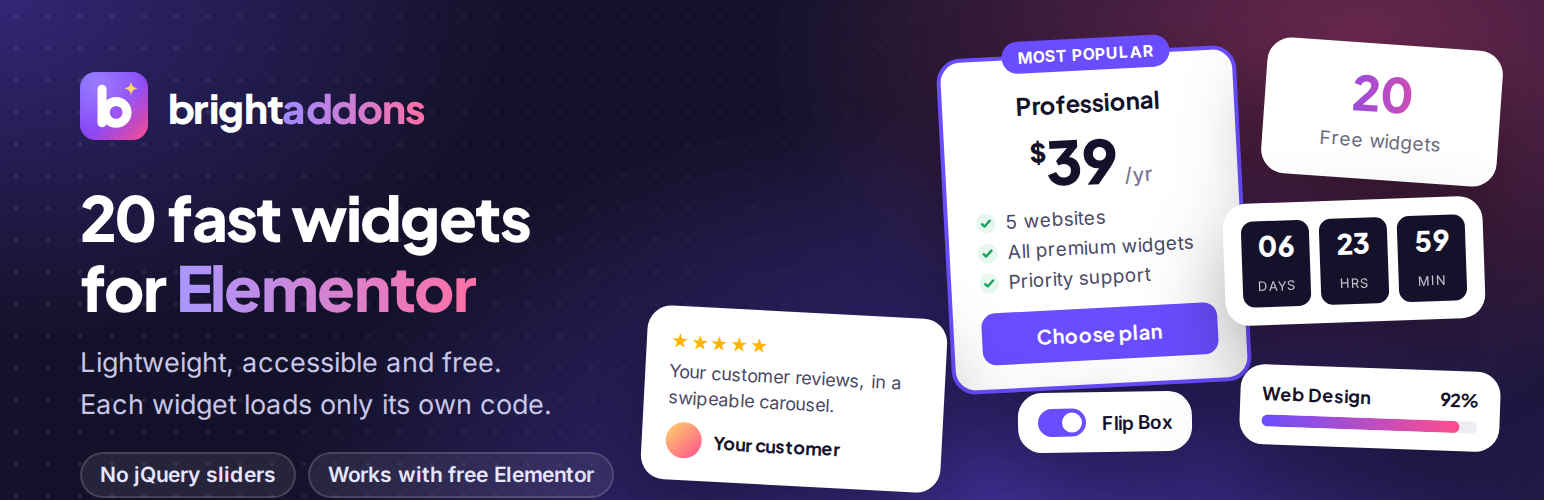
Bright Addons for Elementor 是一款為 Elementor 頁面編輯器新增 30 種精美且易於使用的小工具的外掛。每個小工具都經過優化,確保快速加載,並可根據需求啟用或禁用。
【主要功能】
• 提供 30 種設計精美的小工具
• 每個小工具僅在使用時加載所需資源
• 支援無障礙功能,符合 WAI-ARIA 標準
• 自訂計時器、進度條及計數器等動畫效果
• FAQ 手風琴,支援原生 HTML 詳情
• 聯絡表單樣式化,無需撰寫 CSS
外掛標籤
開發者團隊
原文外掛簡介
Bright Addons for Elementor adds 30 well designed, easy to use widgets to the Elementor page builder. Every widget is built for speed: no jQuery plugins, no slider libraries and no icon fonts of our own. Each widget loads its own small stylesheet and script only on pages where you use it, and you can switch off any widget you do not need.
Links
Bright Addons website
All widgets with live demos
Documentation
Bright Addons Pro: 70+ more widgets and 10 extensions
Widgets included
Advanced Heading – pre-title, dual color, gradient or marker highlight, separator and subtitle.
Info Box – icon or image, title, text and button, with left, top or right layouts.
Dual Button – two buttons side by side with an optional “or” connector.
Team Member – photo, name, role, bio and social links, with an optional hover overlay.
Testimonial Carousel – swipeable reviews with star ratings and photos.
Logo Carousel – client and partner logos with optional grayscale effect.
Image Comparison – before and after slider, horizontal or vertical, keyboard accessible.
Counter – animated number with prefix, suffix and thousands separator.
Progress Bar – line or circle, with optional stripes and gradient.
Countdown Timer – count down to any date, with a message or hide option when finished.
Pricing Table – plan, price, sale price, features, badge and button.
FAQ Accordion – built on native HTML details, with optional FAQPage schema for search engines.
Advanced Tabs – accessible horizontal or vertical tabs with icons.
Flip Box – flip or fade effect in four directions.
Post Grid – your latest posts with image, meta, excerpt and read more link.
Contact Form 7 Styler – style Contact Form 7 forms without writing CSS.
Call to Action – headline, text and button on a color, gradient or image background.
Feature List – icon list with titles, descriptions and a connector line.
Card – image card with a badge, text and button.
Social Icons & Share – link to your profiles or let visitors share the page, with official brand colors.
Advanced Divider – line with text, an icon or both in the middle, in 11 styles including fade, gradient, zigzag and wave, with an optional draw-in effect.
Blockquote – styled quote with author, photo and source link, in 5 styles, with an optional drop cap.
Alert / Notice Box – info, success, warning, error and note messages with an icon, link and a close button that can remember the visitor’s choice.
Pros and Cons – two lists side by side with tick and cross icons, for reviews and comparisons.
Review Score Box – overall score as a number, circle or stars, rating bars per category, a summary and a button.
Coupon Code – a code hidden behind “Show code” or shown with a copy button, with a discount badge and an optional end date.
Star Rating – stars, hearts, circles or any icon with exact half values, a label and a review count.
Floating Contact Buttons – WhatsApp, phone, text message, email, Messenger and Telegram buttons fixed to a corner of the screen.
Contact Info List – address, phone, email, opening hours and website with icons; phone numbers and email addresses are clickable.
Event Card – events with a date badge, time, place, image and button, as cards or a list, with optional Event schema.
Built for performance
Assets load per widget, only where the widget is used.
Carousels use native CSS scroll snap, so no slider library is loaded.
The FAQ uses native HTML details and summary, so it works even without JavaScript.
Counters, progress bars, carousels and every animation respect the visitor’s “reduce motion” setting.
Switch widgets on or off from Bright Addons in your dashboard.
Accessibility
Keyboard support, focus styles and ARIA attributes are built in: the tabs follow the WAI-ARIA tabs pattern, the image comparison slider can be moved with the arrow keys and carousels can be controlled from the keyboard.
Bright Addons Pro
Bright Addons Pro adds 70+ more widgets and 10 extensions, and includes every free widget in the same plugin. The free plugin is complete on its own and does not need Pro.
External services
The plugin does not send data to any external service when a page loads, and it does not track visitors. It connects to third party services in two cases only: the share buttons of the Social Icons & Share widget, and the chat buttons of the Floating Contact Buttons widget. In both cases nothing is sent until a visitor clicks a button.
When the widget’s Mode is set to “Share this page”, it shows a share button for each network the site owner picks. When a visitor clicks one of these buttons, their browser opens that network’s share page in a new tab and sends it the address (URL) and title of the page being shared, so the visitor can post it. Nothing is sent until the visitor clicks, and only the network they click receives the data. As with any website, the network also receives the information a browser normally sends (such as IP address and browser type) and handles it under its own terms and privacy policy.
Profile links (Mode “Link to my profiles”) are plain links to addresses the site owner enters. The Email share button opens the visitor’s own email app and does not contact any service.
The networks used by the share buttons:
Facebook (Meta Platforms, Inc.): shares the page on Facebook. Sends the page URL to facebook.com. Terms of Service, Privacy Policy
X (X Corp.): shares the page on X. Sends the page URL and title to x.com. Terms of Service, Privacy Policy
LinkedIn (LinkedIn Corporation): shares the page on LinkedIn. Sends the page URL to linkedin.com. User Agreement, Privacy Policy
Pinterest (Pinterest, Inc.): saves the page as a Pin. Sends the page URL and title to pinterest.com. Terms of Service, Privacy Policy
WhatsApp (WhatsApp LLC): shares the page in a WhatsApp message. Sends the page URL and title to api.whatsapp.com. Terms of Service, Privacy Policy
Telegram (Telegram Messenger Inc.): shares the page in a Telegram message. Sends the page URL and title to t.me. Terms of Service, Privacy Policy
Reddit (Reddit, Inc.): submits the page to Reddit. Sends the page URL and title to reddit.com. User Agreement, Privacy Policy
Threads (Meta Platforms, Inc.): shares the page on Threads. Sends the page URL and title to threads.com. Terms of Use, Privacy Policy
The Floating Contact Buttons widget shows buttons that the site owner sets up to start a chat with them. When a visitor clicks one of the chat buttons below, their browser opens that service in a new tab (or its app) and sends it the site owner’s number or username, plus the ready-made message if the site owner wrote one. Nothing is sent until the visitor clicks. The Phone, Text message and Email buttons open the visitor’s own phone or email app and do not contact any service.
WhatsApp (WhatsApp LLC): starts a WhatsApp chat with the site owner. Sends the site owner’s phone number and the ready-made message to wa.me. Terms of Service, Privacy Policy
Messenger (Meta Platforms, Inc.): starts a Messenger chat with the site owner. Sends the site owner’s username to m.me. Terms of Service, Privacy Policy
Telegram (Telegram Messenger Inc.): starts a Telegram chat with the site owner. Sends the site owner’s username to t.me. Terms of Service, Privacy Policy














