內容簡介
使用 Branda,這個獨特的免費白牌 WordPress 外掛,自定每個 WordPress 網站的各個方面,以符合您的品牌風格。透過轉換控制台、自訂系統(預設)電子郵件、快速切換維護模式和即將推出的登入頁面,更改登入畫面的每個方面、移除或替換標誌、創建色彩方案等等,Branda 激盪您的創意,讓您在不需修改任何程式碼的情況下免費重新定位 WordPress。
透過這個外掛,您能節省時間,避免外掛相容性問題,並提高安全性,無需進行任何 hack 修改。
即使是最好的 WordPress 佈景主題建立者,還是會在您的整個網站上留下 WordPress 品牌形象。Branda 幫助您在您的網站上重新定位品牌形象!
在您的個人網誌上,這不是一個巨大的問題,但對於小企業、設計和開發機構或任何專業網站而言,擁有完整的品牌包裝的完成外觀至關重要。Branda 就是在這裡發揮作用!讓 WordPress 成為您的白牌解決方案。
Branda 內含 30 多個模組!
控制台 / 綜合面板:
- 場景列-替換 WordPress 標誌、向未登錄使用者顯示工具列、自訂選單項目。
- 控制台頁腳-在每個管理員頁面底部顯示自訂文字。
- 控制台菜單-按使用者角色或自訂使用者類型自訂控制台菜單。
- 控制台訊息-在 WordPress 管理頁面顯示自訂訊息。
- 色彩方案-設置自訂色彩方案和管理色彩方案。
- 自訂 CSS-新增自訂 CSS,自訂每個管理員頁面的頁首。
- 說明內容-更改現有的說明內容、新增新的說明項目或加入說明側邊欄。
小工具:
- 控制台訊息-自訂歡迎訊息、刪除預設小工具或在控制台中新增新的文字小工具。
- 寫作者資訊方塊-在文章末端新增一個響應式的作者資訊方塊,顯示作者姓名、大頭照、簡介和社交網站連結。
- Cookie 通知-告知使用者您的網站使用 cookie,以遵守歐盟的 GDPR 法規。
- DB 錯誤訊息-建立自訂資料庫錯誤頁面,讓您的訪客在下次不會只看到「資料庫連線錯誤」這樣的文字錯誤。
- 文件-允許您更改進入顯示的預設設定。
- 頁尾內容-在多站點網路的每個網站中插入頁尾內容,如嵌入式內容、服務條款等。
- 頁首內容-在您的網站的每個頁面中插入頁首內容,如新聞 / 通知。
前端:
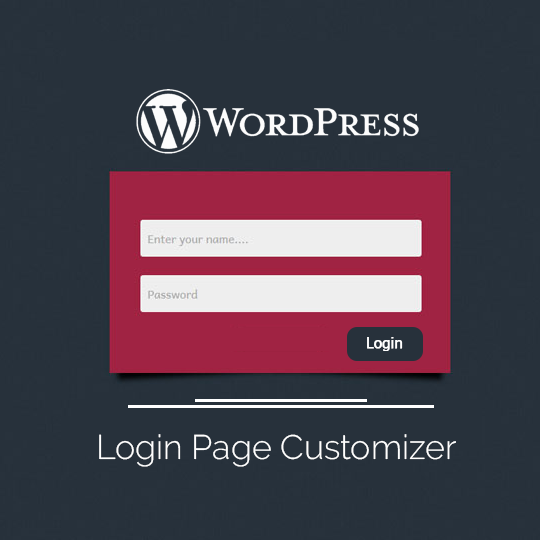
- 登入畫面-自訂預設登入畫面,從現成的模板開始,或使用此建立工具自行重新設計,完全重新定位.
- 註冊畫面-自訂註冊功能並要求註冊碼.
- 作者資訊方塊-新增一個響應式的作者資訊方塊,顯示作者姓名、大頭照、簡介和社交網站連結。
- Cookie 通知-告知使用者您的網站使用 cookie,以遵守歐盟的 GDPR 法規。
- DB 錯誤訊息-建立自訂資料庫錯誤頁面,讓您的訪客在下次不會只看到「資料庫連線錯誤」這樣的文字錯誤。
- 文件-允許您更改進入顯示的預設設定。
- 頁尾內容-在多站點網路的每個網站中插入頁尾內容,如嵌入式內容、服務條款等。
- 頁首內容-在您的網站的每個頁面中插入頁首內容,如新聞 / 通知。
實用工具:
- 評論控制-禁用文章、頁面的評論,或在整個網站上使用高階選項,開放某些 IP。
- 圖片-新增網站圖示並覆寫基於使用者角色的預設圖像檔大小上傳限制。
- 站點生成器-將 WordPress 的「生成備註」和「產生器連結」更改為你喜歡的內容。
外掛標籤
開發者團隊
② 後台搜尋「Branda – White Label & Branding, Free Login Page Customizer」→ 直接安裝(推薦)
📦 歷史版本下載
原文外掛簡介
Customize every aspect of WordPress to fit your brand with Branda, the only premium and 100% free white label plugin for WordPress. Transform your dashboard, customize system (default) emails, quickly toggle maintenance mode and coming soon landing pages, change every aspect of your login screen, remove or replace logos, create color schemes, and much, much more. Branda has everything to rebrand WordPress for free without touching any code.
Save time, eliminate plugin compatibility problems, and improve security with one plugin and no more hack modifications.
Even the best WordPress theme builders leave WordPress branding all over your site. Branda helps you rebrand!
On your personal blog it is not a huge problem, but for a small business, design and development agency, or any professional site, a finished look with a complete brand package is important. That’s where Branda comes in! Turn WordPress into your own white-label solution.
Elevate your white labeling and branding customization from the start with Branda Pro.
Level up immediately with exclusive Pro features like SMTP email logs, automated white label client reporting, and easy white label client portal creation. Learn more about Pro.
More than 30 Modules included with Branda!
Admin Area / Dashboard
Admin Bar – Replace WordPress logo, show toolbar to logged out users, and customize menu items.
Admin Footer – Display custom text in the footer of every admin page.
Admin Menu – Customize the admin menu by user role or custom user type.
Admin Message – Display a custom message in the WordPress admin pages.
Color Schemes – Set custom color schemes and manage color schemes.
Custom CSS – Add custom CSS to customize the header of every admin page.
Help Content – Change the existing help content, add a new help item or add a help sidebar.
Widgets
Dashboard Feeds – Customize the news feed dashboard widget.
Dashboard Widgets – Remove default widgets, customize the welcome message, or add new text widgets in the dashboard.
Meta Widgets – Rebrand the default meta widget in all multisite blogs with one that has the “Powered By” link branded to your network. Replace the “WordPress.org” link in the meta widget with your website’s title and link it to your site.
Front-end
Author Box – Adds a responsive author box at the end of your posts, showing the author name, gravatar, description, and social profiles.
Cookie Notice – Inform users that your site uses cookies to comply with the EU cookie law GDPR regulations.
DB Error Message – Create a custom database error page so next time your visitors don’t just see the “Error Establishing a Database Connection” text error.
Document – Allows you to change defaults for entry display.
Footer Content – Insert content into the footer of every site in a Multisite network, i.e. embeds, terms of service, etc.
Header Content – Insert content into the header of every page on your website, i.e. news/notifications on top of the regular website header.
Login Screen – Customize the default login screen. Start with a pre-designed template or use the builder to redesign it from scratch to completely rebrand it.
Signup Screen – Customize signup functionality and require a signup code for registration.
Utilities
Comments Control – Disable the comments on the posts, pages or on your entire website with advanced options for whitelisting IPs.
Images – Add a Favicon and override the default image file size upload limit based on user role.
Site Generator – Change the “generator information” and “generator link” from WordPress to something you prefer.
Text replacement – Replace any text from your admin pages and/or front-end pages with an easy-to-use interface. For example, you can use this to replace the word “WordPress” with your own website name.
Tracking Codes – Insert tracking codes into your website at different locations with options to insert the code on the whole website or conditionally.
Website Mode – Custom Maintenance Mode or Coming Soon mode pages for your website.
Branda lets you make all the brand customizations your theme doesn’t include. A must-have best-in-class WordPress admin plugin.
Learn The Ropes With These Hands-On Branda Tutorials
How To Completely Customize The WordPress Admin Area With Branda
Impress Clients Before They Even Log In With a Custom Login Page From Branda
How to Get the Most Out of Using Branda
Customize Your WordPress Multisite Admin Areas With Branda
Personalize the Admin Dashboard
Branda puts you in control of rearranging and customizing the WordPress dashboard. Use your brand colors and display your logo in place of the WordPress icon. Create custom menus and the widget areas. Easily add a favicon. Create help links that are actually helpful and integrate a contact link that points to you.
Login Page Customization
Branda includes pre-designed login screen templates for quickly transforming your Login screen. Add your own logo, a custom background image, style input fields, adjust opacity, and configure drop shadows, colors and default settings. Give your visitors, staff, and other users a login page that matches your branding.
★★★★★
“The Branda plugin is a total solution. Customize login, the admin section, and more. It’s by the folks at WPMU DEV, which means it is Multisite ready and will always be up-to-date with great support.” – Elegant Themes
★★★★★
“Branda makes it feel like the whole job is much more custom and it takes just a couple extra minutes.” – Adam Teece
Website Under Construction!
If your website is coming soon, under construction or down for routine maintenance, Branda has you covered with Maintenance Mode & Coming Soon pages. Start and continue building your brand and reputation with public-facing landing pages and custom WordPress maintenance mode pages that connect people to your brand while you get things ready in the background.
Cookies and GDPR
Looking for a way to add cookie notices to your site? Activate Branda’s Cookie notice tool, style your notification, and a cookie notice opt-in will display across your site. Branda helps you do your part.
White Label System Emails
WordPress system emails are pretty basic by default. With Branda, you can add your own HTML templates to your system emails. You can also set the “from” email address for outgoing emails, and if your emails are ending up in the trash, switch to SMTP.
Analytics Tracking Codes
Branda’s Tracking Codes module lets you easily insert tracking codes into your website. Insert codes at different locations such as within the head tag, after the opening body tag or before the closing body tag. There is also an option to insert the code on the whole website or insert it conditionally.
Customize your Database Error Page
With Branda, you can add your own message, logo, and styles to the DB error page. The “Error Establishing a Database Connection” page is not pretty, give it some style.
Import/Export
Customize your dashboard just once, export and move it to all your websites with the Branda Import and Export tool. Think of all the time you’ll save giving your agency sites a consistent look and feel.
White Label Multisite
Branda can be used to white label all the sites across an entire network! Use global settings or configure each site individually. Branda has Multisite-specific customizations that make it easy to make a network yours from front to back.
This is How you White Label WordPress
Branda is super easy to use – no confusing settings and fully documented. Plus, Branda lets you choose to activate only the modules you need so you can keep your site moving at top performance.
Want More?
Smush – Image Optimizer
Hummingbird – Page Speed Optimization
Hustle – Pop-ups, Slide-ins and Email Opt-ins
SmartCrawl – SEO Optimizer
Defender – Security, Monitoring, and Hack Protection
Forminator – Form, Poll, and Quiz Builder
Beehive – Customizable Google Analytics Dashboards
Branda can take care of all your WordPress white labeling needs along with custom login, maintenance mode, under construction, and coming soon pages for free!
However, if you’d like Branda’s +30 modules, along with premium 24/7 live chat support, hosting credits, and the complete pro marketing, performance, and security suite, take the next step with Branda Pro. Branda Pro comes with a whole team of WordPress optimization hero friends (security, SEO, performance, support and maintenance automation) – perfect for agencies and freelancers offering site maintenance services.
Privacy
Branda does not collect or store any data about end users on your website. The only input option Branda has is to a newsletter subscription for site admins only.
Branda uses a third-party email service to send informational emails (Opt-in) to the site administrator. The administrator’s email address is sent to Mailchimp and a cookie is set by the service. Only administrator information is collected by Mailchimp.
About Us
WPMU DEV is a premium supplier of quality WordPress plugins, services and support. Learn more here:
https://wpmudev.com/
Don’t forget to stay up to date on everything WordPress from the Internet’s number one resource:
WPMU DEV Blog
Hey, one more thing… we hope you enjoy our free offerings as much as we’ve loved making them for you!