內容簡介
Bran-Don Easy Contact Form 提供日本商業網站所需的基本聯絡表單功能,簡單易用,無需複雜設置,讓使用者輕鬆收集聯絡資訊。
【主要功能】
• 多個聯絡表單支援
• 提交前確認頁面
• 自動回覆電子郵件
• 管理員通知電子郵件
• 可自訂表單欄位及排序
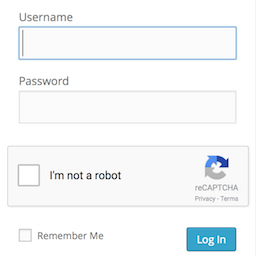
• 選擇性 Google reCAPTCHA v2
外掛標籤
開發者團隊
原文外掛簡介
Bran-Don Easy Contact Form provides the essential contact form features commonly required by Japanese business websites without unnecessary complexity.
Features:
Multiple contact forms
Confirmation page before submission
Automatic reply email
Administrator notification email
Customizable form fields and field ordering
Optional Google reCAPTCHA v2 checkbox
Honeypot spam protection
Submission rate limiting
Responsive, theme-independent design
After creating a form, place its shortcode on a page. For example:
[brandon_easy_contact_form id="contact"]
Customization
The default design is intended to work with most WordPress themes.
If you would like to match the form to your site’s design, simply add your own CSS in Appearance → Customize → Additional CSS or your child theme.
Examples:
Change the input border color
.brandon_ecf-form input,
.brandon_ecf-form textarea,
.brandon_ecf-form select {
border-color: #ff6600;
}
Round the corners
.brandon_ecf-form input,
.brandon_ecf-form textarea,
.brandon_ecf-form select,
.brandon_ecf-submit {
border-radius: 8px;
}
Change the submit button color
.brandon_ecf-submit {
background: #2e7d32;
}
.brandon_ecf-submit:hover {
background: #256428;
}
Change the label color
.brandon_ecf-form label {
color: #444;
}
External services
This plugin can optionally connect to Google reCAPTCHA when the site administrator enables reCAPTCHA for a form.
When enabled, the visitor’s browser loads the reCAPTCHA script from Google, and the plugin sends the reCAPTCHA response token and the visitor’s IP address to Google’s verification endpoint to determine whether the verification succeeded. No information is sent to Google by this plugin when reCAPTCHA is disabled.
This service is provided by Google and is subject to Google’s terms of service and privacy policy.
Google Terms of Service: https://policies.google.com/terms
Google Privacy Policy: https://policies.google.com/privacy
reCAPTCHA: https://www.google.com/recaptcha/about/