內容簡介
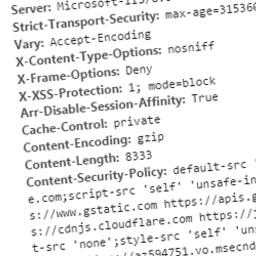
總結:BoundaryGuard Headers 通過強化現代 HTTP 安全標頭,保護您的 WordPress 網站免受 XSS、clickjacking、混合內容和跨源攻擊。
### 問題與答案:
1. BoundaryGuard Headers 主要用來做什麼?
- 主要用來強化 WordPress 網站的安全性,以防範 XSS、clickjacking、混合內容和跨源攻擊。
2. 這個外掛的關鍵功能有哪些?
- Essential Protection
- HSTS (Strict Transport Security)
- Advanced Isolation (COOP/COEP)
- Content Security Policy (CSP)
- CSP Report-Only Mode
- Server Header Hardening
- Lightweight and Fast
- No .htaccess Editing Required
3. BoundaryGuard Headers 主要針對哪些對象設計?
- 主要針對開發人員和網站擁有者,他們希望增強安全性而不帶來不必要的複雜性。
4. 外掛還提供了哪些外部服務?
- Google Analytics
- Google Tag Manager
- Stripe
- Facebook
- YouTube
- Vimeo
- Gravatar
5. 這些外部服務是如何利用的?
- 主要用於追踪 whitelisting、標籤管理、付款處理、社交嵌入、影片嵌入和使用者頭像等目的。
外掛標籤
開發者團隊
原文外掛簡介
BoundaryGuard Headers enforces modern HTTP security headers to harden your WordPress site against XSS, clickjacking, mixed content, and cross-origin attacks.
Key Features:
Essential Protection: Adds X-Frame-Options, X-Content-Type-Options, Referrer-Policy, and Permissions-Policy to reduce attack surface and prevent clickjacking.
HSTS (Strict Transport Security): Forces HTTPS connections to help prevent protocol downgrade and man-in-the-middle attacks.
Advanced Isolation (COOP/COEP): Enables Cross-Origin-Opener-Policy and Cross-Origin-Embedder-Policy to improve cross-origin isolation and mitigate certain side-channel attacks.
Content Security Policy (CSP): One of the strongest defenses against XSS. Includes a dashboard-based CSP builder with preset options to whitelist trusted sources for scripts, styles, images, and more.
CSP Report-Only Mode: Test your policy safely without blocking content.
Server Header Hardening: Removes or limits exposure of headers such as X-Powered-By and Server.
Lightweight and Fast: Uses PHP headers for broad server compatibility and minimal performance impact.
No .htaccess Editing Required: Works without modifying server configuration files.
Designed for developers and site owners who want stronger security without unnecessary complexity.
External Services
This plugin provides a Content Security Policy (CSP) builder. To assist users, it includes “Preset Buttons” that allow users to quickly add domain names to their own CSP whitelist.
This plugin DOES NOT connect to, load data from, or send data to these services automatically. The following third-party domains are referenced as presets within the admin dashboard for whitelisting purposes:
* Google Analytics (www.google-analytics.com) – Used for tracking whitelisting. [Privacy: https://policies.google.com/privacy]
* Google Tag Manager (www.googletagmanager.com) – Used for tag management. [Privacy: https://policies.google.com/privacy]
* Stripe (js.stripe.com, api.stripe.com) – Used for payment processing. [Privacy: https://stripe.com/privacy]
* Facebook (www.facebook.com, connect.facebook.net) – Used for social embeds. [Privacy: https://www.facebook.com/policy.php]
* YouTube (www.youtube.com, i.ytimg.com) – Used for video embeds. [Privacy: https://policies.google.com/privacy]
* Vimeo (player.vimeo.com) – Used for video embeds. [Privacy: https://vimeo.com/privacy]
* Gravatar (secure.gravatar.com) – Used for user avatars. [Privacy: https://automattic.com/privacy/]