內容簡介
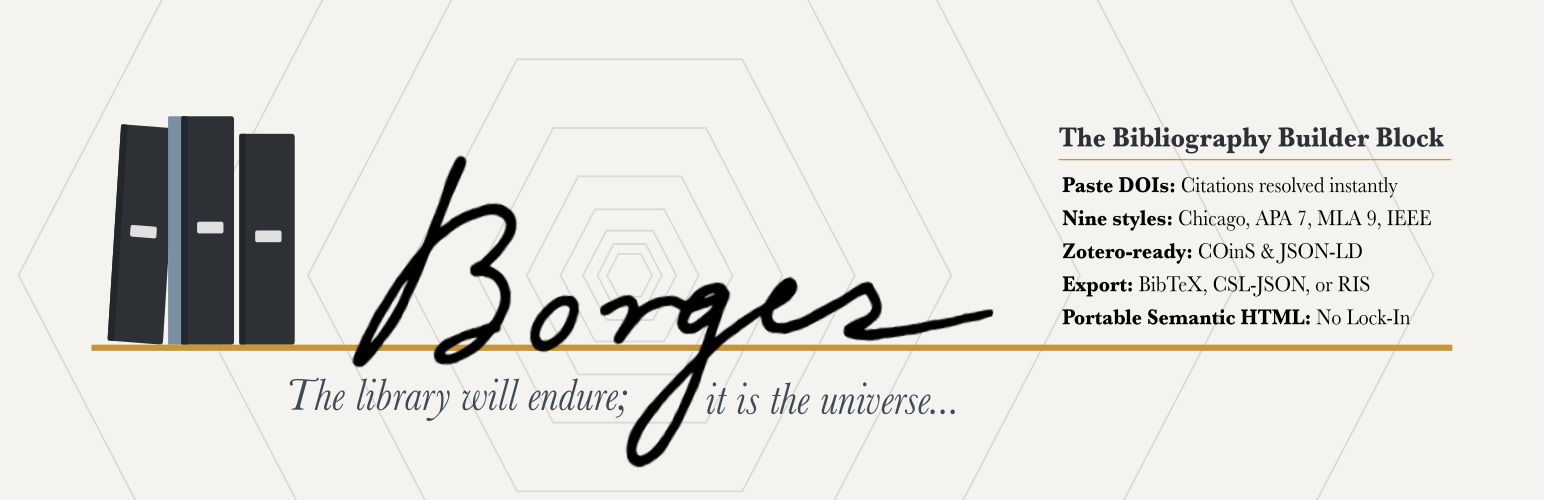
Borges Bibliography Builder 是一款專為學術引用管理而設計的 WordPress 外掛,能將各種引用格式轉換為結構化的參考列表,並支援多種引用風格,方便學術寫作與引用管理。
【主要功能】
• 一鍵導入 DOI 和 PubMed/PMID
• 支援九種引用風格自動排序
• 靜態 HTML 輸出,外掛停用後仍可用
• 可導出為 RIS 格式,兼容多種引用管理工具
• 無需短碼,無數據庫表格
• 可選擇性添加引用面板,方便讀者下載
外掛標籤
開發者團隊
② 後台搜尋「Borges Bibliography Builder」→ 直接安裝(推薦)
📦 歷史版本下載
原文外掛簡介
Named for Jorge Luis Borges (1899–1986), the Argentine writer and librarian known for stories about infinite libraries, imaginary books, and labyrinths of knowledge, Borges Bibliography Builder brings order to scholarly references in WordPress.
The Borges Bibliography Builder transforms DOI(s), PubMed/PMID records, BibTeX, CSL-JSON, manual entries, and supported free-text citations into a semantically rich, deduplicated, auto-sorted reference list with RIS export for citation managers.
One-click import. Paste a DOI and Crossref resolves the metadata instantly. Paste a PubMed/PMID identifier and Borges resolves it through an authenticated WordPress REST proxy to NCBI/PMC citation metadata. Paste BibTeX or formatted citations for books, articles, chapters, webpages, reviews, and theses.
Nine citation styles. Choose from Chicago Notes-Bibliography, Chicago Author-Date, APA 7, MLA 9, Harvard, Vancouver, IEEE, OSCOLA, and ABNT (Associação Brasileira de Normas Técnicas / NBR 6023:2025) — all with automatic sorting per style rules, following each manual’s current edition.
Portable. Static HTML output survives plugin deactivation. No shortcodes. No database tables.
Accessible by default. Semantic list markup, keyboard-operable editing and entry reordering (Alt+Arrow for numeric styles), visible focus, and optional Block Accessibility Checks integration (requires that plugin at version 4.0 or later) help your bibliographies meet accessibility expectations.
Reference-manager friendly. Export and reuse your bibliography in common research workflows. Borges supports CSL-JSON, BibTeX, BibLaTeX, RIS, DOI links, JSON-LD, and optional COinS metadata for compatibility with tools such as Zotero, Mendeley, EndNote, JabRef, BibDesk, and other citation managers.
Reader-facing cite & export. Optionally add a per-entry Cite / Export panel to the published bibliography: a static, JavaScript-free disclosure under each entry with the citation text and one-click downloads in RIS, CSL-JSON, BibTeX, and BibLaTeX. Off by default; enable it per block.
Try it first. Launch a disposable demo in WordPress Playground before installing it on your site.
Translation-ready. Plugin interface strings use the borges-bibliography-builder text domain, and official WordPress.org language packs are generated as community translations are approved on translate.wordpress.org.
Support development. If Borges saves you time by bringing order to your citations and joy to your heart, you can sponsor the author to support ongoing maintenance.
Performance & Footprint
Borges is a static-output block. Formatted bibliography HTML, JSON-LD, and COinS are baked into your post content when you save, so the citeproc formatting engine and the DOI/PubMed lookups run only in the editor — never on the front end.
What this means for a published page:
Zero added database queries — no matter how many bibliographies or citations the page contains. Query load does not grow with your content.
No render_callback, no REST calls, no shortcodes on the front end. Output is static HTML from the block’s save().
No long-lived settings — the plugin registers no settings or autoloaded options, no custom tables, no custom post types, and no cron events. Editor-time PMID and formatting results are cached in the object cache and in short-lived, non-autoloaded transients, written only while editing. DOI imports are deduped in a browser-session cache, not stored server-side.
Tiny front-end payload — only a small view script (~1.4 KB, with no dependencies) and stylesheet (~2.9 KB) load, and only on pages that actually contain a bibliography.
Installed footprint is roughly 1.9 MB (the bundled citeproc-php formatting engine, translations, and editor/front-end assets account for the total). The latest v1.7.0 downloadable ZIP is 553,699 bytes (about 541 KB compressed).
Because output is static, your bibliographies remain intact as plain HTML even if the plugin is deactivated.
Known Limitations
OSCOLA grouped bibliography — OSCOLA convention requires the bibliography to be divided into source-type groups (cases, legislation, books, articles, online sources). Borges currently renders a single alphabetized list regardless of style. A dismissible notice in the editor explains this when OSCOLA is selected. Grouped-bibliography support is planned for a future release.
Development
Full developer documentation, source code, issue tracker, and contribution guidelines are on GitHub:
https://github.com/dknauss/Borges
Bug reports, feature requests, and pull requests are welcome. See CONTRIBUTING.md in the repository for development setup, coding standards, and the PR process.
External Services
This plugin connects to fixed scholarly metadata services only when you explicitly add an identifier in the block editor — no citation data is sent automatically or in the background. No account or API key is required for any of the supported DOI, PMID, PMCID, arXiv, ISBN, library catalog, or Internet Archive lookups.
DOI metadata
DOI input connects to the Crossref REST API (https://api.crossref.org/) to resolve citation metadata.
Crossref service: https://www.crossref.org/
Crossref REST API documentation: https://api.crossref.org/swagger-ui/index.html
Crossref privacy policy: https://www.crossref.org/privacy/
Crossref terms of service: https://www.crossref.org/terms/
PubMed/PMID and PubMed Central/PMCID metadata
PubMed/PMID and PubMed Central/PMCID input connects through the plugin’s authenticated WordPress REST proxy to the NCBI/PMC Literature Citation Exporter CSL endpoints. The proxy uses a fixed upstream host and validates the identifier as numeric before making the outbound request. Only the identifier is sent.
NCBI APIs: https://www.ncbi.nlm.nih.gov/home/develop/api/
NCBI/PMC Literature Citation Exporter: https://pmc.ncbi.nlm.nih.gov/api/ctxp/
NLM Web Policies: https://www.nlm.nih.gov/web_policies.html
arXiv metadata
arXiv IDs, arxiv.org links, and arXiv DOIs connect through the plugin’s authenticated WordPress REST proxy to the arXiv API (https://export.arxiv.org/api/query). The proxy uses a fixed upstream host and validates the arXiv ID pattern before making the outbound request. Only the arXiv ID is sent.
arXiv API: https://info.arxiv.org/help/api/index.html
arXiv API Terms of Use: https://info.arxiv.org/help/api/tou.html
arXiv privacy policy: https://info.arxiv.org/help/policies/privacy_policy.html
ISBN metadata
ISBN input connects through the plugin’s authenticated WordPress REST proxy to Open Library (https://openlibrary.org), run by the Internet Archive: its ISBN edition endpoint (https://openlibrary.org/isbn/) for the book record and its search API (https://openlibrary.org/search.json) for author names. If Open Library has no record or cannot be reached, the proxy falls back to the Google Books API (https://www.googleapis.com/books/v1/volumes). All upstream hosts are fixed, and the ISBN checksum is verified before any outbound request. Only the ISBN is sent, plus the site’s own Google Books API key if one is defined in wp-config.php (the BIBLIOGRAPHY_BUILDER_GOOGLE_BOOKS_API_KEY constant). The key goes only to Google Books and is never sent to the browser.
Open Library Books API (ISBN endpoint): https://openlibrary.org/dev/docs/api/books
Open Library Search API: https://openlibrary.org/dev/docs/api/search
Internet Archive terms of use: https://archive.org/about/terms.php
Google Books APIs: https://developers.google.com/books
Google APIs Terms of Service: https://developers.google.com/terms
Google Privacy Policy: https://policies.google.com/privacy
Library catalog numbers and Internet Archive items
OCLC numbers, LCCNs, and Open Library edition IDs connect through the plugin’s authenticated WordPress REST proxy to Open Library’s Books API (https://openlibrary.org/api/books). Internet Archive item links, ia: identifiers, and Internet Archive ARKs connect to the Internet Archive item metadata API (https://archive.org/metadata/); an ARK is first matched to its item through the Internet Archive’s advanced search (https://archive.org/advancedsearch.php). When the item lists its Open Library edition, ISBN, or LCCN, that identifier is then looked up through Open Library (with the Google Books fallback for an ISBN). All upstream hosts are fixed, and each identifier is validated before any outbound request. Only the identifier is sent.
Open Library Books API: https://openlibrary.org/dev/docs/api/books
Internet Archive developer documentation: https://archive.org/developers/
Internet Archive terms of use: https://archive.org/about/terms.php