內容簡介
重要提示!最近更新需要停用再啟用外掛,建立名為 bookaroom_admin 的新權限。這也會套用到管理員身上。你可以建立角色或為需要存取 Book a Room 管理員選單和功能的任何其他使用者套用此權限。
注意:你需要安裝 Book a Room Event Calendar 外掛才能查看事件日曆。
在更新到2.0及以上版本之前先備份。
商業活動日曆可能相當昂貴,且對員工和顧客來說往往很混亂,且通常是針對企業而非圖書館開發的。
我們希望開發出為圖書館而設計的系統!
我們開發和使用的會議室系統是由我們的行銷團隊內部設計,並由我們的員工開發人員編碼約一年。它改進了我們的工作流程,減少了員工的壓力和挫敗感,減少了錯誤,讓員工和顧客的體驗更好、更愉快。
在解決此專案時,我們考慮了以下幾點:
時間
無論你是在花費你珍貴的離開服務台時間來理解昨天的會議室需求、試圖在停電(和斷網)後聯繫今天的預訂,還是在電話上幫助顧客註冊,任何不必要或過度花費時間處理會議室系統的時間都是從你的其他顧客中分散的時間。我們重新思考並查看了作為多分支圖書館系統需要的東西,而沒有嘗試製作對所有情況都有效的萬靈藥。因為這樣,我們能夠通過節省處理請求的時間來簡化工作流程。我們還簡化了公共表單,以便員工花費少至零時間處理複雜系統可能引起的問題和疑慮。
價格
由於商業系統的設置和年費費用可能高達數萬美元,我們希望開發自己的系統,這將是免費的(除了開發人員的時間外)。我們從一開始就知道,如果我們能使其成功,我們希望通過製作開放源碼並提交至 Word Press 外掛庫,與其他圖書館(或任何有興趣的人)分享。我們希望確保它易於設置、簡單易用,並提供一些工作流程優化,以節省員工時間。我們的平台選擇必須是 WordPress,這是一個免費且開放源碼的博客平台,是可用性最強的平台之一;它擁有大量的外掛、教程、主題和免費在線技術支持論壇。他們還有一個很棒的外掛編碼線上參考,總是保持最新。
華而不實的功能
因為我們使用其他系統已經多年了,我們已經知道哪些是導致工作流程瓶頸的原因。我們簡化了公共表單,以便員工幾乎不需要花費時間回答顧客的問題或修正錯誤。我們簡化了管理,使創建、批准和編輯預訂和事件更加直觀。由於它是 WordPress 外掛,它使用您自己的用戶帳戶,而不需要與您的網站分開進行風格設計。
除了簡化我們的表單、管理控制台和安裝,我們還添加了一些可以節省時間的東西,同時還可以在危機時提供幫助。可以通過日期立即拉起每日會議並從頁面直接進行網路列印或郵件發送。任何一天預訂的聯繫信息列表都可以快速且輕鬆地按日期拉起並列印。我們的表單具有顯示錯誤消息的錯誤檢查功能。
外掛標籤
開發者團隊
原文外掛簡介
** IMPORTANT! A recent update requires to deactivate and reactivate the plugin to create a new Capability called bookaroom_admin. This will also apply it to Administrators. You can create a Role or apply this Capability to any other users who need access to the Book a Room admin menues and functions.**
Note: You need the Book a Room Event Calendar plugin to view the Event Calendar.
Backup before updating to 2.0 and above.
Commercial event calendars can be expensive, confusing for both staff and patrons, and are generally developed with businesses, not libraries, in mind.
We wanted to develop a system that is designed for libraries!
The meeting room system we developed and use was designed in-house by our marketing team and coded by our staff developer over the course of about a year. It has improved our workflow, lessened staff stress and frustration, minimized mistakes, and has made our staff and patron’s experience a better and more pleasant one.
Here are a few things we thought about in tackling this project:
Time
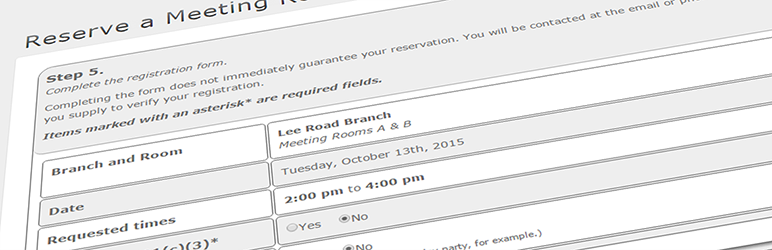
Whether you’re spending your precious off-the-floor time trying to make sense of yesterday’s meeting room requests, trying to contact today’s reservations after the power (and internet) went out, or are helping a patron sign up over the phone, any unnecessary or excessive time spent dealing with your meeting room system is time away from your other patrons. We started fresh and looked at what we needed as a multiple-branch library system instead of trying to make a cure-all for every situation. Because of this, we were able to simplify our workflow by saving time on managing requests. We also simplified the public forms so that staff spends little to no time handling the questions and problems that a more complex system can create.
Price
Since the setup and yearly fees of commercial systems can cost tens of thousands of dollars, we wanted to develop our own system that would be free (outside of our developer’s time). We knew from the start that if we could get it to work we wanted to share it with other libraries (or anyone interested) by making it open source and submitting it to the Word Press plugin repository, once we felt we had a finished project. We wanted to make sure that it would be easy to set up, simple to use, and provide a few workflow optimizations to save staff time. Our choice of platform had to be WordPress, an open source and free blogging platform that is one of the most used platforms available; it has a vast amount of plugins, tutorials, themes, and technical support forums available for free online. They also have a great online reference for plugin coding that is always up to date.
Bells and/or Whistles
Since we had used other systems for years, we had grown to know what had been causing the bottlenecks in our workflow. We made the public forms easier so staff spend almost no time answering customer questions or fixing mistakes. We simplified the management so that creating, approving, and editing reservations and events is more intuitive. Since it’s a WordPress plugin, it uses your own user accounts and doesn’t need to be themed separately from your site.
In addition to simplifying our forms, management console, and installation, we added some things that would save addition time, as well as help during a crisis. Daily meetings can be pulled up instantly by date and printed or emailed directly from the page with one click. Lists of contact information for any day’s reservations can be pulled up and printed by date quickly and easily. Our forms have error checking that displays the error messages prominently and in English, not error codes. You can even quickly print out room signs that you can tape to your doors.