內容簡介
WP Custom Login 讓你完全自訂 WordPress 登入頁面的外觀,包括標誌、背景、表單、按鈕與連結等視覺元素,無需撰寫 CSS 即可打造符合品牌形象的登入體驗,支援多語系與多站網路。
【主要功能】
• 自訂登入頁面標誌、背景色與表單樣式
• 調整按鈕、輸入欄位、標籤的字型與色彩
• 支援多語系網站的按鈕與標籤文字個別設定
• 顯示最多 23 種社群媒體圖示連結
• 後台設定頁面內建即時預覽功能
• PRO 版提供 20 多款預設範本與進階背景效果
外掛標籤
開發者團隊
原文外掛簡介
WP Custom Login lets you fully customize the WordPress login page to match your brand identity.
Whether you run a single site or a multisite network, this plugin gives you control over every visual element of the login screen — from the logo and background to form fields, buttons, links, and more.
Key benefits:
Adjust colors, fonts, spacing, and layout of every login page element without writing CSS.
Add your logo, social media links, and custom footer to create a branded login experience.
Support for multilingual sites with per-language text customization for labels, buttons, and notices.
Works with WordPress multisite networks for consistent branding across all sites.
WP Custom Login is a good fit for freelancers, agencies, and organizations that want a professional, branded login page. It includes a live preview in the admin settings, so you can see your changes before they go live.
Learn more at wpcustomlogin.com.
Features
Free Features
Body background color — Set a custom background color for the login page.
Custom logo — Replace the WordPress logo with your site icon or a custom image, and configure its link URL and alignment.
Form container styling — Customize the form background color, border radius, padding, box shadow, and alignment.
Label styling — Adjust font size, weight, letter case, spacing, text color, and toggle label visibility.
Input field styling — Set background colors, borders, padding, font, shadow, and placeholder text for normal, hover, and focus states.
Checkbox styling — Apply custom colors to the login form checkboxes and checkmark icon.
Primary button styling — Customize colors, font, size, width, alignment, shadow, and per-language button labels.
Secondary button styling — Configure colors, font, border, and per-language labels for secondary buttons.
Notice and error styling — Set colors for error, notice, and success messages, and add a custom persistent notice with per-language text.
Under-form links — Customize link colors, separator, disable the “Back to” link, or add custom links.
Social media icons — Display up to 23 social media icon links (Facebook, X, Instagram, LinkedIn, YouTube, GitHub, and more), placed before the form, after the form, or in the footer.
Privacy policy link — Show or hide the privacy policy link and set its color.
Language switcher — Show or hide the WordPress language switcher and adjust its icon color and spacing.
Custom footer — Add a footer with configurable text, font, color, and alignment.
Custom CSS — Add your own CSS for additional styling.
Live preview — See your changes in real time within the admin settings page.
Disable autofocus — Turn off the default autofocus behavior on the login form.
Disable error shake — Turn off the shake animation on failed login attempts.
Disable autocomplete — Prevent browsers from auto-filling the login form.
Per-language text — Customize labels, placeholders, button text, and notices for each language on multilingual sites.
“Remember Me” customization — Show or hide the “Remember Me” checkbox and set custom label text per language.
PRO Features
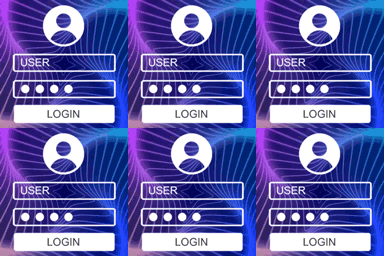
Pre-designed templates — Choose from 20+ ready-made login page designs and apply them with one click.
Advanced backgrounds — Use animated gradients, image slideshows, or split-screen layouts as your login page background.
Post-login redirects — Redirect users to specific pages after login based on their roles.
Premium support — Get direct support from the development team.