內容簡介
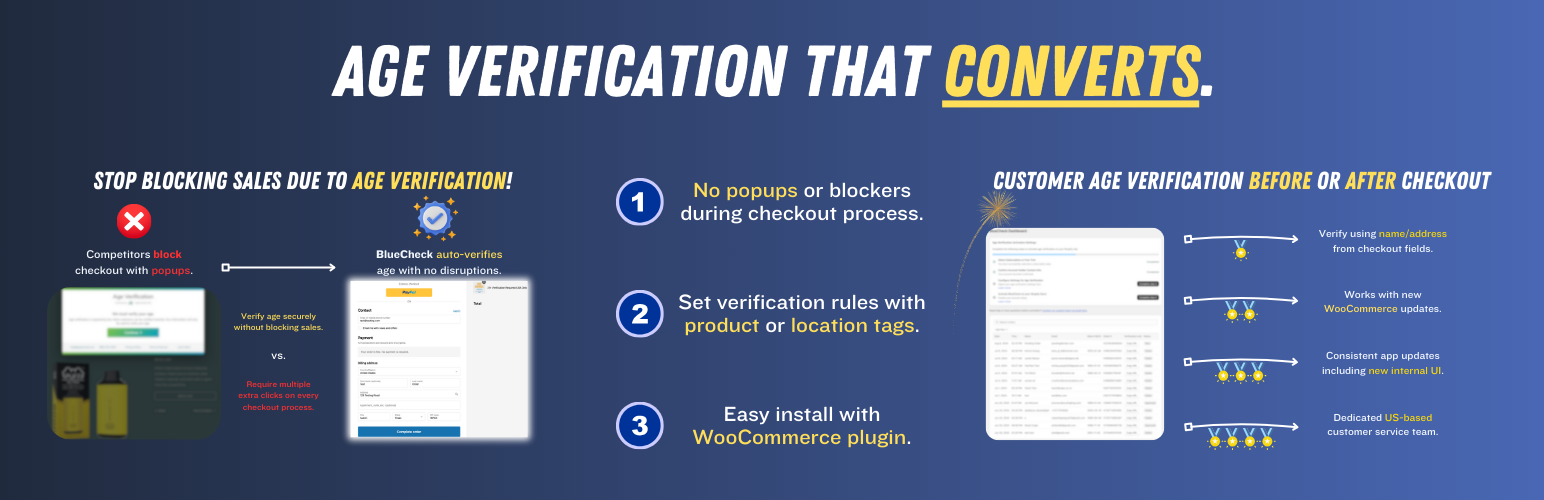
BlueCheck 是一款專為 WooCommerce 商店設計的年齡驗證外掛,能自動驗證購買受限產品的客戶年齡。透過結帳時輸入的帳單和運送資訊,超過 96% 的客戶可自動驗證,若無法自動驗證,則提供簡便的驗證流程,確保結帳過程不受干擾。
【主要功能】
• 自動驗證客戶年齡
• 備用驗證選項(如出生日期、照片 ID、自我證明等)
• 深度整合 WooCommerce 功能
• 結帳時的年齡驗證模態
• 訂單後的驗證狀態檢查
• 訂單恢復功能
外掛標籤
開發者團隊
② 後台搜尋「BlueCheck – Age Verification」→ 直接安裝(推薦)
原文外掛簡介
BlueCheck verifies the age of customers purchasing age-restricted products on your WooCommerce store. The plugin reads checkout details and sends them to BlueCheck for automated verification. More than 96% of customers are verified automatically with no additional steps. When automatic verification is not possible, the customer is guided through a verification modal with minimal disruption to checkout.
Automatically verify customer age using billing and shipping details entered at checkout.
Fallback verification using date of birth, photo ID, selfie with ID or last four digits of SSN.
Deep WooCommerce integration including product tags, secondary order checks, and post-checkout verification banners.
How It Works
When a customer places an order, the plugin evaluates BlueCheck rules for the cart. Depending on the rule result, checkout may continue without verification, proceed with age verification, or be blocked for restricted regions.
Rule check — The plugin sends cart and customer data to BlueCheck. Rules can skip verification, require verification, or reject the order.
Checkout verification — If verification is required, BlueCheck attempts an automatic match. Approved customers continue checkout. Others see a verification modal for additional steps.
Secondary check — After an order is placed, BlueCheck confirms a verification is on file. If not, the order status is set to Failed and a banner on the Thank You and View Order pages lets the customer complete verification.
Order recovery — When verification is completed later, the order status can be restored automatically.
The Secondary Check
In addition to checkout verification, BlueCheck performs a secondary check on every placed order to ensure a verification is on file. If no verification exists, the plugin sets the WooCommerce order status to Failed and adds an order note so the order is not accidentally fulfilled. The customer can complete verification from the order page banner on the Thank You or My Account View Order screen.
Configuration
In WordPress — Enter your BlueCheck Domain Token under WooCommerce → Settings → Integrations → BlueCheck. This is the only setting required in the plugin.
In the BlueCheck merchant portal — Configure your logo, minimum age requirements, allowed verification methods by state and country, regional blocking rules, and product tag rules.
Features
96%+ of customers verified without entering additional information.
Multiple verification methods: name/address match, photo ID, selfie with ID, SSN.
Product tag support for rule matching configured in the BlueCheck merchant portal.
Secondary check confirms each placed order has a verification on file.
Post-checkout verification banners on Thank You and View Order pages.
Order status management with automatic recovery after successful verification.
WooCommerce Integrations settings page for Domain Token configuration.
Get In Touch
To learn more about how BlueCheck works, or for any questions regarding installation, please email us at [email protected] and we will be happy to assist you.
Pricing
BlueCheck age verification costs $100 per month plus $0.33 per completed verification. There is no charge for incomplete verifications. Volume discounts are available. Please contact [email protected] for more pricing information and to get your account set up.
External services
This plugin connects to BlueCheck’s verification API at https://verify.bluecheck.me to confirm the age of customers making purchases and to verify that all placed orders have a verification on file.
Data sent during checkout and verification:
Email and phone number
Billing address (first name, last name, address lines, city, state, country, postal code)
Shipping address (same fields, or billing address when shipping is empty)
Product IDs and product tags from the cart
Date of birth (when the customer completes manual verification)
Return URL (checkout page URL)
Data sent during secondary and after-checkout verification:
All data listed above, plus the WooCommerce order ID (platform_order_id)
Additional information submitted by the customer when automatic verification fails:
Photo of a government-issued ID
Selfie image holding the government-issued ID
Last four digits of SSN
Third-party services:
Pusher — Used for real-time verification status updates in the browser during the checkout flow.
WordPress REST API — The plugin exposes endpoints at /wp-json/bluecheck/v1/ that proxy verification requests between the storefront frontend and BlueCheck.
This service is provided by BlueCheck INC: terms of use (https://www.bluecheck.me/terms-of-use1), privacy policy (https://www.bluecheck.me/privacy-policy).