
內容簡介
**總結:** BlockBucket 是一個 WordPress 外掛,旨在通過提供一系列先進、可自定義的區塊來增強 Gutenberg 區塊編輯器,讓用戶無需編碼知識即可更靈活地控制網站設計。它與 Gutenberg 編輯器無縫集成,確保使用者體驗一致,並且經常更新以保持與最新 WordPress 版本兼容並引入新功能。
1. **問題:** BlockBucket 是什麼類型的 WordPress 外掛?
**答案:** BlockBucket 是一個旨在增強 Gutenberg 區塊編輯器的外掛,提供了一系列先進、可自定義的區塊。
2. **問題:** BlockBucket 的目的是什麼?
**答案:** 它旨在為用戶提供更大的靈活性和對網站設計的控制,而無需編碼知識。
3. **問題:** BlockBucket 提供了什麼種類的區塊?
**答案:** BlockBucket 提供了各種可根據網站特定需求自定的區塊,從而實現獨特的布局和設計。
4. **問題:** 如何使用 BlockBucket 來增強網站的設計?
**答案:** 通過調整顏色、字體、間距和背景來符合品牌,輕鬆添加和設計標題、描述和按鈕,將信息有效傳達。
5. **問題:** BlockBucket 提供了什麼樣的支持?
**答案:** 如果您有任何問題,可以訪問插件的支持論壇尋求幫助,我們會立即回復您。
外掛標籤
開發者團隊
② 後台搜尋「BlockBucket – Blocks for Gutenberg Editor」→ 直接安裝(推薦)
原文外掛簡介
BlockBucket is a WordPress plugin designed to enhance the Gutenberg block editor by providing a collection of advanced, customizable blocks.
It aims to offer users greater flexibility and control over their website design without requiring coding knowledge.
BlockBucket offers a variety of blocks that can be tailored to fit the specific needs of your website, allowing for unique layouts and designs.
The plugin integrates smoothly with the Gutenberg editor, ensuring a cohesive user experience.
Designed with performance in mind, BlockBucket ensures that added functionalities do not compromise site speed.
The plugin is regularly updated to stay compatible with the latest WordPress versions and to introduce new features.
👨💻 DOCUMENTATION AND SUPPORT
– If you have any more questions, visit our support on the Plugin’s Forum.
Blocks
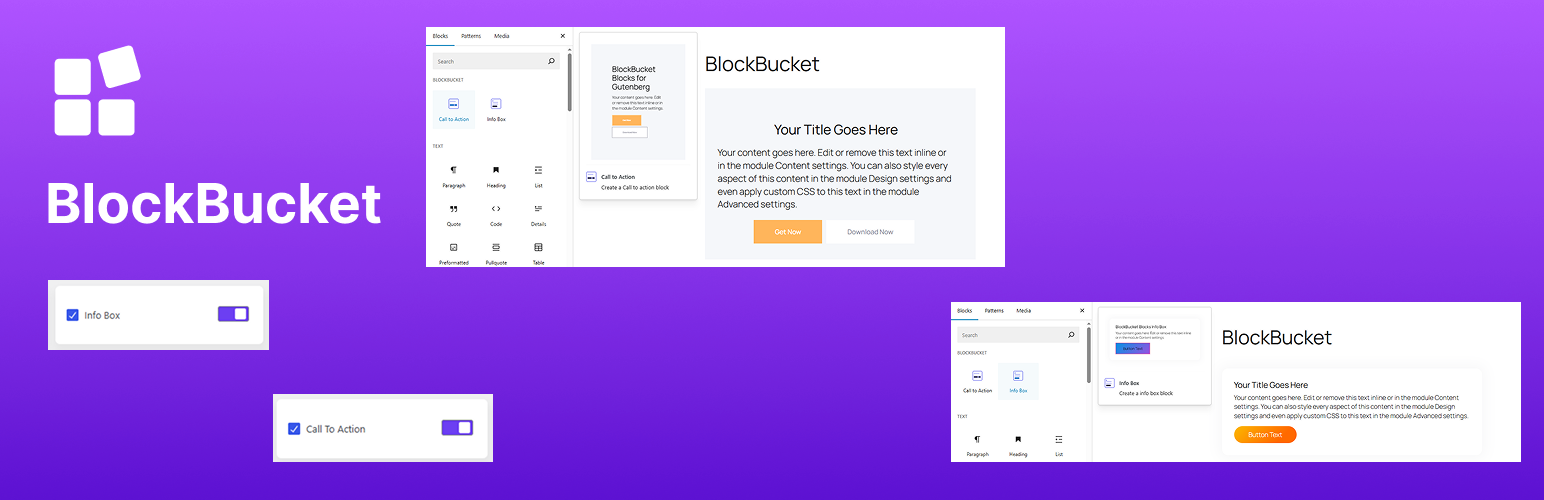
Call to Action: Easily add and style titles, descriptions, and buttons to convey your message effectively.
Adjust colors, typography, spacing, and backgrounds to align with your branding.
Insert and configure the CTA block directly within the Gutenberg editor without additional plugins.
Info Box: Adjust colors, typography, spacing, and backgrounds to align with your branding and design preferences.
links within your info boxes to guide users to other pages or resources.
Dashboard with Block Control
BlockBucket not only offers a growing collection of advanced Gutenberg blocks—it also gives you full control over them with its user-friendly dashboard.
The plugin includes a block manager that allows you to enable or disable individual blocks with a simple switch.
Instantly activate or deactivate any block with a clean, easy-to-use toggle interface—keeping your editor clutter-free.
Only load the blocks you need, reducing unnecessary bloat and improving page speed.
EXPERT SUPPORT
We have a very friendly support team ready to help you out. Ask your questions in the support forum, we will get back to you immediately.