內容簡介
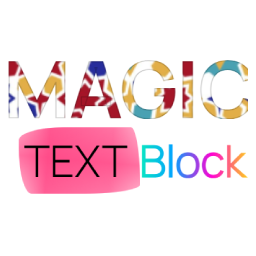
Rich Text Formats 外掛讓您在 Gutenberg 編輯器中增強互動性,提供工具提示、標記、內嵌排版控制及格式化工具,無需編碼即可提升內容的吸引力。
【主要功能】
• 互動式文字格式:直接從區塊工具列添加標記和工具提示
• 實時自訂:即時調整顏色、動畫和行為
• 輕量化與優化:僅在使用格式時加載資源
• 原生 Gutenberg 整合:無縫適配 WordPress 區塊編輯器
外掛標籤
開發者團隊
原文外掛簡介
BlaBlaBlocks Formats lets you enhance your Gutenberg editor with interactive rich text formats like tooltips, markers, inline typography controls, and formatting utilities directly inside WordPress.
No coding needed. Just select your text, choose a format, and instantly make your content more engaging.
With BlaBlaBlocks Formats, you can add animated markers, interactive tooltips, inline typography styling, and quick formatting controls to improve readability and emphasize key information.
Key Features
Interactive text formats – Add InfoTips, markers, typography controls, and clear formatting directly from the block toolbar.
Live customization – Change color, animation, and behavior in real time.
Lightweight & optimized – Assets load only when formats are used.
Native Gutenberg integration – Seamlessly fits the WordPress Block Editor.
Why Choose BlaBlaBlocks Formats?
Because plain text doesn’t always tell the full story!
Highlight key phrases, provide helpful InfoTips, adjust inline typography, or quickly remove formatting, all within the familiar block editor UI.
No shortcodes or custom HTML needed.
100% visual control inside the editor.
Works with all themes and blocks.
How It Works
Select any text in the Gutenberg editor.
Choose a format such as Marker, InfoTip, Typography, or Clear formatting.
Adjust style and behavior using the sidebar options.
See the preview instantly.
Formats are rendered on both editor and frontend views with minimal code overhead.
Use Cases
Add InfoTips to glossary terms or product details.
Highlight important phrases in tutorials or documentation.
Apply inline typography styles to emphasize selected text.
Clear unwanted formatting from copied or edited content.
Available Formats
1. Marker
Underline or highlight text segments with customizable color and animation.
2. InfoTip
Attach informative tooltips to any text selection perfect for definitions, links, or extra context.
3. Typography
Apply inline typography styles such as font family, font size, appearance, letter spacing, and letter case.
4. Clear formatting
Remove applied inline formatting from selected text with a single toolbar action.
Customization Options
Marker color & animation style
Tooltip position, size, and behavior
Typography presets and inline text styling
Backend-only or frontend-visible options
Per-format settings saved automatically
Performance & Optimization
BlaBlaBlocks Formats loads assets only when necessary, reducing frontend bloat.
No React, Redux, or large JS libraries
Powered by the web component, not loaded on the public site unless formats are active.
Open Source and Free
The BlaBlaBlocks Formats is open source. Not only is it free to use, but you are also welcome to collaborate and contribute to its development.
Source Code:
https://github.com/lubusIN/blablablocks-formats
Report Issues:
https://github.com/lubusIN/blablablocks-formats/issues
Documentation:
https://github.com/lubusIN/blablablocks-formats/wiki