內容簡介
總結:
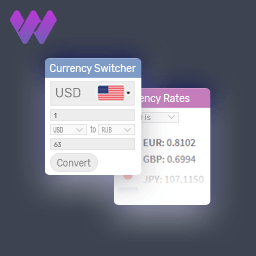
Bizzmudra 讓您輕鬆在 WooCommerce 商店中新增強大且用戶友好的多貨幣轉換器。透過此外掛程式,顧客可以以他們偏好的貨幣查看產品價格,有助於提升用戶體驗並增加國際銷售量。
問題與答案:
1. Bizzmudra 的主要功能有哪些?
- 新增新的貨幣到您的 WooCommerce 商店
- 手動設定和管理匯率
- 簡單直觀的貨幣轉換器
- 自動轉換產品價格
- 與 WooCommerce 商店、購物車和結帳頁面相容
- 輕量且性能友好
- 使用簡單的縮略語和小工具來顯示貨幣轉換器
2. 如何使用 Bizzmudra 外掛程式?
- 安裝並啟用外掛程式。
- 在 WordPress 管理面板中導航到 WooCommerce → 多貨幣。
- 新增所需的貨幣並設定其匯率。
- 儲存設定。
- 貨幣轉換器將自動出現在商店和產品頁面。
- 顧客可以選擇他們喜歡的貨幣,價格將相應更新。
3. 如何使用縮略語和小工具來展示貨幣轉換器?
- 使用縮略語 [bizzmudra_currency_switcher] 在網站的任何地方顯示貨幣轉換器。
- 將「貨幣轉換器」小工具添加到側邊欄或任何小工具區域以展示貨幣轉換器。
外掛標籤
開發者團隊
② 後台搜尋「Bizzmudra – Multi Currency Switcher」→ 直接安裝(推薦)
原文外掛簡介
Bizzmudra allows you to easily add a powerful and user-friendly multi-currency switcher to your WooCommerce store. With this plugin, customers can view product prices in their preferred currency, helping improve user experience and boost international sales.
The plugin supports manual exchange rate configuration, giving store owners full control over currency values without relying on third-party APIs. You can add multiple currencies, set custom exchange rates, and seamlessly switch prices across the shop, cart, and checkout pages.
Designed to be lightweight, fast, and easy to use, Bizz Multi Currency Switcher integrates smoothly with WooCommerce and works out of the box with most themes.
Key Features
Add new currencies to your WooCommerce store
Manually set and manage exchange rates
Simple and intuitive currency switcher
Automatically convert product prices
Compatible with WooCommerce shop, cart, and checkout pages
Lightweight and performance-friendly
Easy to use shortcode and widget for displaying the currency switcher
How to Use
Install and activate the plugin.
Navigate to WooCommerce → Multi Currency in the WordPress admin panel.
Add the desired currencies and set their exchange rates.
Save your settings.
The currency switcher will automatically appear on shop and product pages.
Customers can select their preferred currency, and prices will update accordingly.
Shortcode
Use the shortcode [bizzmudra_currency_switcher] to display the currency switcher anywhere on your site.
Widget
Add the “Currency Switcher” widget to your sidebar or any widget area to display the currency switcher.