內容簡介
總結:BizCore提供一套輕量、使用shortcode強化的模組套件,可用於WordPress網站。您可以設置全域風格和顏色,也可以透過每個shortcode的個別樣式覆寫樣式。此外,每個shortcode還有額外的屬性,使其高度可定製,以配合您主題的設計。
問題與答案:
- BizCore提供了什麼模組套件?
- Business Locations, Google Maps, Opening Hours, Contact Form, Testimonials & Reviews, Team Members, Business Notices, Call To Action Blocks, Call To Action Buttons, Social Links
- BizCore的模組支援哪些彈性屬性?
- IDs、layouts、styling variants、image sizes和shapes、custom classes、before/after wrappers等
- BizCore的風格添加了多少CSS到您的網站?
- 約30kb以下
- BizCore的使用要求是什麼?
- WordPress 5.9或更高版本,PHP 7.0或更高版本
外掛標籤
開發者團隊
② 後台搜尋「BizCore – Business Plugin – Opening Hours, Locations, Team Members, Reviews, Maps, Forms」→ 直接安裝(推薦)
原文外掛簡介
WordPress Business Plugin
A suite of beautifully designed, shortcode-powered modules for your WordPress powered business.
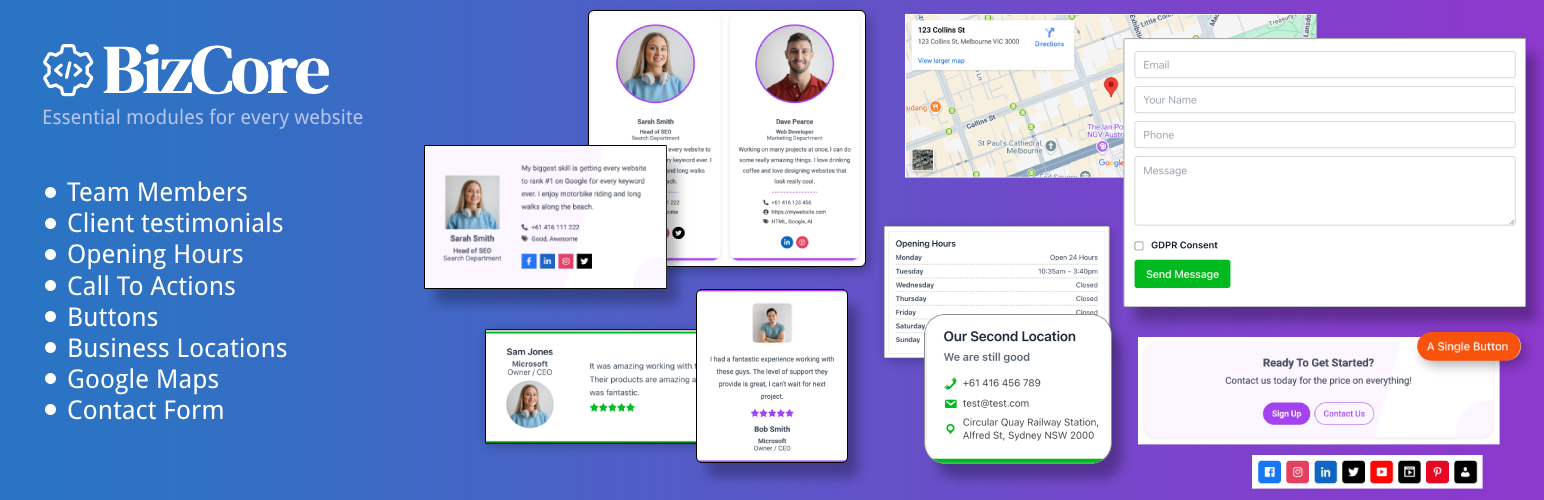
Show your business Opening Hours, Locations, Team Members, Reviews, Contact Forms, Google Maps, Call to Action, Buttons, Time Sensitive Notices & Social Icons all in the one plugin.
Each module within this all-in-one business plugin is highly customizable to fit in with the design of your theme and because each module uses a shortcode, you can add them to pages, posts, custom posts, widget areas, Gutenberg blocks, template files and page builders such as Elementor & Beaver Builder.
View The Demos | View The Docs
Included Modules
Opening Hours – display your business opening hours
Business Locations – display business locations or store locations
Google Maps – display Google Maps
Forms – display unlimited forms, contact forms
Reviews & Testimonials – display testimonials & reviews
Team Members – display team members
Business Notices – display announcements & notices
Call to Action – display call to action sections
Buttons – display single buttons anywhere
Social Icons – display your social media links
Using BizCore
All content is added in one central Settings → BizCore page, you then simply drop in the supplied shortcode wherever you want to display a particular item.
Each module supports flexible attributes for IDs, layouts, styling variants, image sizes and shapes, custom classes, before/after wrappers, and more.
Fully theme-agnostic and lightweight, BizCore styling adds less than ~30kb of CSS to your site. There are no messy custom post types and BizCore does not hijack and fill up your admin menus like some other business plugins, there is just one simple configuration page.
Opening Hours
Show business opening hours on your WordPress site within any page, post or widget area. The Opening Hours module is very flexible and allows your store hours to be displayed in a responsive layout with width and alignment options, styling options, custom days to be shown and more.
WordPress Opening Hours example
[bizcore_hours class="lines-dashed hours-right" size="m" align="center" style="basic_square"]
Display your business hours, store hours, opening times, trading hours, weekly schedule, office hours in this opening hours shortcode.
Displaying opening hours
Add your opening hours in the Bizcore Settings
You can include closed days
You can include “open 24 hours”
Copy the opening hours shortcode
Add the shortcode anywhere you like
Can be used in pages, posts, widgets, blocks & page builders
Style your opening hours with the included shortcode attributes
Business Locations
Easily display multiple business locations on your WordPress site within any page, post or widget area with complete address, phone and email. The Business Locations module allows custom ordering of fields, icons, responsive layout, width and alignment options, styling options and more.
WordPress Business Locations example
[bizcore_location id="0" order="phone,email" heading="h4" icon_style="fontawesome"]
Google Maps
Display fully functioning Google maps on your WordPress site within any page, post or widget area. The maps are based on the address used within your business locations and they include options such as width, height and custom classes as well as being responsive so that they resize to fit mobile devices.
WordPress Google Maps example
[bizcore_location_map id="1" width="100%" height="250px"]
Testimonials & Reviews
Showcase client testimonials & client reviews on your WordPress site within any page, post or widget area. The Testimonials module can be displayed with multiple testimonials or single testimonials and include the client name, company, title (or position), a star rating and the testimonial text. You can choose which fields to display within testimonials as well as custom ordering of fields, a responsive layout, width and alignment options, styling options and more.
WordPress Testimonials & Reviews example
[bizcore_testimonials style="elegant_square" columns="3" image_size="s" image_shape="circle"]
Team Members
Showcase your team members on your WordPress site within any page, post or widget area. The Team Members module can be displayed with multiple team members or single team members and include the name, department, role (or job title), contact details, social icons, a description and more. You can choose which fields to display within team members as well as custom ordering of fields, a responsive layout, width and alignment options, styling options and more.
WordPress Team Members example
[bizcore_team style="bold_rounded" columns="2" image_size="s" image_shape="circle"]
Notices
Easily set up time sensitive notices on your WordPress site within any page, post or widget area. Notices are handy for displaying special announcements or sales and the notices can be scheduled to display whenever you choose. The Notices module features a responsive layout, width and alignment options, styling options and more.
WordPress Notices example
[bizcore_notices id="1" style="minimal_square" heading="h5"]
Call To Action
Add call to action sections on your WordPress site within any page, post or widget area. The Call To Action module is a simple module that contains a heading, text and up to 2 buttons within the module. The module is flexible and features field ordering, button sizing, layout options, a responsive layout, width and alignment options, styling options and more.
WordPress Call To Action example
[bizcore_cta main_order="heading,text" details_order="button1" button_size="small" style="elegant_square" columns="2"]
Buttons
Add single buttons to your WordPress site within any page, post or widget area. The buttons can be styled however you like to fit in with your site design and features button sizing, linking to any URL, alignment options, styling options and more.
WordPress Buttons example
[bizcore_buttons id="0" size="s" style="modern_circles" class="full-width"]
Social Icons
Display social icons on your WordPress site within any page, post or widget area. The social icons can be styled however you like to fit in with your site design and features linking to your social platforms, icon styling, alignment options, styling options and more. Icons include Facebook, TikTok, Instagram, LinkedIn, YouTube, Twitter and more.
WordPress Social Icons example
[bizcore_social show="facebook,linkedin" icon_style="fontawesome" style="circle_bg"]
Requirements
WordPress 5.9 or higher
PHP 7.0 or higher
Usage
Configure global settings (colors, typography, style variants) under BizCore Settings.
Add your content for each module under Settings → BizCore tabs.
Insert shortcodes into your content.