外掛標籤
開發者團隊
② 後台搜尋「BigLoop Product Delivery Estimate」→ 直接安裝(推薦)
原文外掛簡介
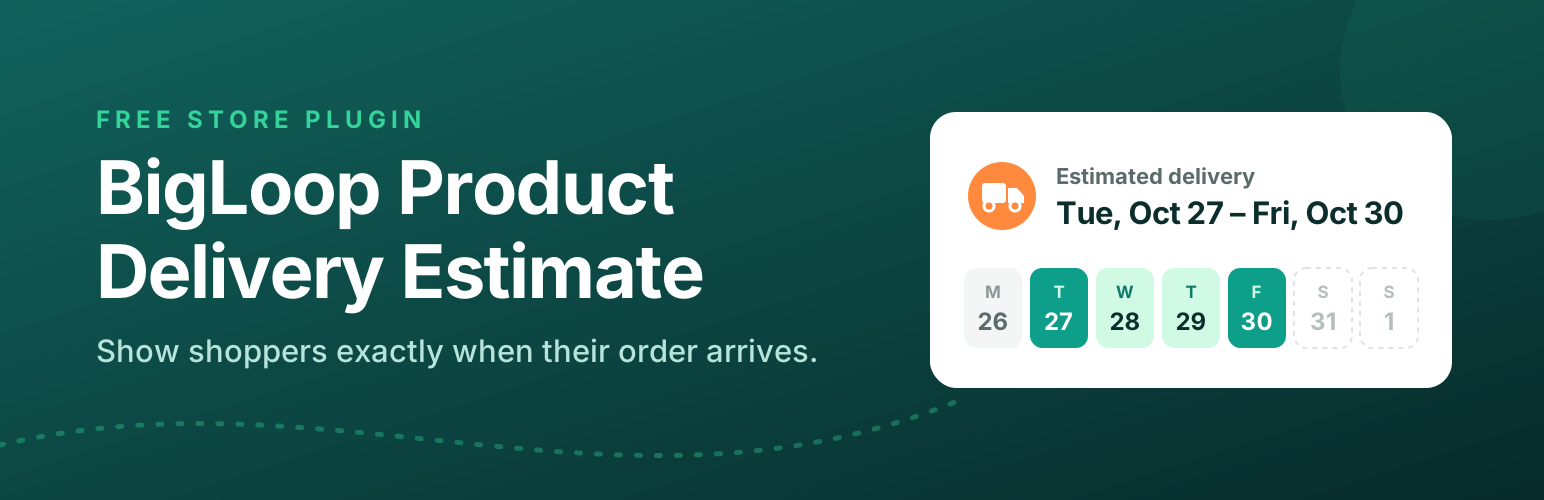
BigLoop Product Delivery Estimate is a free WooCommerce extension that shows customers when their order should arrive, for example “Estimated delivery: Thu, Oct 22 – Mon, Oct 26”.
The plugin is completely free. Every feature is included, nothing is locked, and it never contacts any outside server.
Features
Range or fixed days – show a date range (minimum and maximum days) or a single date (fixed days).
Skip weekends – optionally leave Saturdays and Sundays out when counting days.
Four levels of settings
Default: one estimate for the whole store (WooCommerce > Settings > Estimated Delivery).
Category: overrides the default for every product in that category and its subcategories (Products > Categories).
Product: overrides the category and the default (Product data > Estimated Delivery tab).
Variation: overrides the product, category and default for one variation (Product data > Variations).
Variations – on variable products the estimate updates as soon as the shopper picks a variation.
Hide per category, product or variation – choose “Do not show an estimate” at any level.
Product page position – after the title, after the price, after the short description, before or after the add to cart button, after the product meta, after the summary, or shortcode only.
Cart and checkout – show the estimate under each product in the cart and in the checkout order summary. Each can be switched on or off. Works with both the classic shortcodes and the Cart and Checkout blocks.
Order estimate after the total – optionally show one combined estimate for the whole cart in a line after the total, on the cart and/or checkout page. Choose “earliest to latest” (earliest item minimum to latest item maximum) or “complete order” (when every item should have arrived). Use it together with the per-product estimates or on its own.
Orders – optionally save the estimate on each order item so it appears in the order admin and order emails.
Shortcode – [dleta_estimate] on a product page, or [dleta_estimate id="123"] anywhere.
Icon – choose a built-in icon (delivery truck, fast truck, package, calendar, clock, location pin), upload your own from the Media Library, or show none. Built-in icons can take any color.
Styling – change the font, text size, text color and date color, plus the icon size and color, with a live preview in the settings. Fonts come from your theme or the visitor’s device; nothing is loaded from outside your site.
Date format picker – choose from ready-made formats (each shown with real example dates), use your site’s date format, or type a custom one with a live preview.
Custom label, hide for out-of-stock products.
WooCommerce Subscriptions – works with simple and variable subscription products. Each renewal order gets a fresh estimate (can be switched off).
WPML and Polylang – includes a wpml-config.xml: estimates are copied to translated products and categories, and the label, order label and date format can be translated per language. Translations without their own setting fall back to the original’s.
RTL – the settings and the storefront output work in right-to-left languages.
Compatible with High-Performance Order Storage (HPOS) and the Cart and Checkout blocks.
Translation ready.
How the estimate is chosen
If a variation has its own setting, that is used for that variation.
Otherwise, if the product has its own setting in the Estimated Delivery tab, that is used.
Otherwise, if one of its categories (or a parent category) has a setting, that is used. If the product is in several categories with their own settings, the one with the latest delivery is used, so customers are never promised a date that is too early.
Otherwise, the default setting is used.
Days are counted from today in your site’s timezone (Settings > General).
For developers
dleta_start_date – change the date counting starts from (for example to add an order cut-off time).
dleta_is_skipped_day – mark extra non-delivery days, such as public holidays.
dleta_resolved_rule – change which rule applies to a product.
dleta_show_for_product – show or hide the estimate for a product.
dleta_formatted_dates, dleta_product_html, dleta_icon_html – change the output.
dleta_date_format_presets – change the ready-made date formats offered in the settings.
dleta_style_css – change the generated styling. The estimate uses the CSS custom properties --dleta-font, --dleta-size, --dleta-color, --dleta-date-color, --dleta-icon-size and --dleta-icon-color, so themes can also override them in CSS.
dleta_product_positions – add product page positions.
dleta_cart_context – adjust cart/checkout detection.
dleta_cart_dates – change the combined cart estimate. The Cart and Checkout blocks receive it in the Store API cart response under extensions.dleta.
Privacy
This plugin does not collect, store or send any personal data, and makes no connections to external services.