內容簡介
```html
<!DOCTYPE html>
<html>
<body>
<h2>文章總結:</h2>
<p>現在有一個 WordPress 安全外掛不會減慢您的網站速度。</p>
<h2>問題與答案:</h2>
<ul>
<li>
<h3>為什麼選擇 Bearmor?</h3>
<p>因為 Bearmor 專為非技術使用者打造,提供清晰易懂的指令。</p>
</li>
<li>
<h3>為什麼 Bearmor 輕巧又快速?</h3>
<p>與其他臃腫的競爭者不同,Bearmor 不會降低您的網站速度,代碼整潔、掃描高效,對性能影響為零。</p>
</li>
<li>
<h3>哪些功能是免費的?</h3>
<p>與其他外掛封鎖所有功能不同,Bearmor 免費提供專業級安全保護,另外提供 Malware Scanner、File Integrity Monitoring、Login Security 等免費功能。</p>
</li>
<li>
<h3>Bearmor 真正的保護方式是什麼?</h3>
<p>我們專注於重要事項:偵測威脅、阻擋攻擊、隨時保持通知,不會使用虛假的“關鍵警報”來嚇唬你升級。</p>
</li>
</ul>
</body>
</html>
```
外掛標籤
開發者團隊
原文外掛簡介
Finally, a WordPress security plugin that doesn’t slow down your site.
Bearmor Security is built for small to medium businesses, freelancers, and agencies who need real protection without the bloat. No confusing dashboards, no technical jargon, no performance hit.
Why Bearmor?
🎯 Built for Non-Technical Users
You shouldn’t need a security degree to protect your website. Bearmor gives you clear, actionable insights in plain English.
⚡ Lightweight & Fast
Unlike bloated competitors, Bearmor won’t slow down your site. Clean code, efficient scans, zero impact on performance.
💰 Most Features FREE
While others lock everything behind paywalls, Bearmor gives you professional-grade security for free. Compare us to Wordfence, Sucuri, or iThemes Security – we’re more generous.
🛡️ Real Protection, Not Theater
We focus on what actually matters: detecting threats, blocking attacks, and keeping you informed. No fake “critical alerts” to scare you into upgrading.
🆓 FREE Features (Yes, Really Free)
Malware Scanner
Deep file scanning for backdoors, shells, and malicious code
Smart detection with pattern matching and heuristics
Quarantine threats with one click
Whitelist false positives to prevent future alerts
Scans plugins, themes, uploads, and core files
File Integrity Monitoring
Real-time tracking of all file changes
See exactly what changed, when, and where
Quarantine suspicious changes instantly
Mark safe changes to keep your dashboard clean
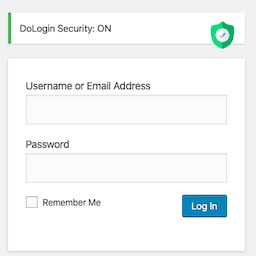
Login Security
Brute force protection with automatic IP blocking
Login activity log – see every login attempt
Anomaly detection – alerts for suspicious login patterns
Geographic tracking – know where logins come from
Two-Factor Authentication (2FA) via email – completely free
Security Hardening
One-click hardening for common vulnerabilities
Disable XML-RPC, file editing, directory browsing
Hide WordPress version and login errors
Enforce strong passwords
All with simple on/off toggles
Activity Logging
Track all admin actions
See who changed what and when
Filter by user, action type, or date
Essential for multi-user sites
Security Dashboard
At-a-glance overview of your security status
Security score with clear letter grade (A-F)
See threats, recent activity, and recommendations
No clutter, just what matters
🚀 PRO Features (Optional Upgrade)
What’s FREE Forever
Malware Scanner – Full file scanning with quarantine
File Monitoring – Real-time change tracking
Login Security – Brute force protection and blocking
2FA Authentication – TOTP support built-in
Quarantine Threats – One-click isolation of malware
Security Hardening – All hardening options included
Upgrade to PRO
🔥 Advanced Firewall – Block attacks before they reach WordPress
🤖 AI Security Analysis – ChatGPT explains threats in plain English
📊 Deep Vulnerability Scanner – Database scanning and comprehensive CVE checks
⏰ 24/7 Uptime Monitoring – External monitoring with instant email alerts
🌍 Geo-Blocking – Block entire countries and IP ranges
🎯 Priority Support – Email support with faster response times
Learn more about PRO →
🎯 Perfect For
Small Business Owners who need protection without complexity
Freelancers managing multiple client sites
Agencies who want reliable security without performance issues
Anyone tired of bloated, confusing security plugins
🔒 Privacy & External Services
Bearmor Security connects to our secure API server (bearmor.eu) for:
– License verification (PRO users only)
– Uptime monitoring (PRO users only)
– AI analysis (PRO users only)
Data sent to our servers:
– Site URL
– Admin email (for notifications)
– Security scan results (PRO AI analysis only)
– Site ID (anonymous identifier)
We DO NOT:
– Sell your data
– Track your visitors
– Store sensitive information
– Share data with third parties
For FREE users, only basic site registration data is sent (URL + email). No security data leaves your server.
Read our full privacy policy: https://bearmor.eu/privacy
📊 Why Choose Bearmor?
vs. Wordfence FREE
We include 2FA (they lock it behind PRO)
We include quarantine (they lock it behind PRO)
Lighter performance impact
Simpler, cleaner interface
vs. Sucuri FREE
We include malware scanner (they lock it behind PRO)
We include file monitoring (they lock it behind PRO)
We include 2FA and quarantine
More features in free version
vs. iThemes Security
More generous free tier
Better malware detection
Cleaner dashboard
Faster scans
🚀 Quick Start
Install and activate Bearmor Security
Run your first malware scan (Dashboard → Scan Now)
Enable recommended hardening options (Dashboard → Hardening)
Set up 2FA for your account (Settings → Two-Factor Auth)
You’re protected! 🎉
No configuration needed. Works out of the box.
💬 Support
Documentation: https://bearmor.eu/docs
Support Forum: https://wordpress.org/support/plugin/bearmor-security
Email: [email protected] (PRO users get priority)
🌟 What Users Say
“Finally, a security plugin that doesn’t make me feel stupid. Everything just works.” – Sarah M., Freelancer
“Switched from Wordfence. Bearmor is faster and the free version has more features.” – Mike T., Agency Owner
“The AI analysis feature is a game-changer. It explains threats in plain English.” – David R., Small Business Owner
Privacy Policy
Bearmor Security respects your privacy. Here’s exactly what data we collect and why:
FREE Users:
– Site URL (to identify your installation)
– Admin email (for security notifications)
– Plugin version (for update checks)
PRO Users (in addition to above):
– Security scan results (for AI analysis)
– Uptime monitoring data (ping responses)
– Firewall block logs (for threat intelligence)
We NEVER:
– Sell your data to third parties
– Track your website visitors
– Store passwords or sensitive user data
– Share data without your explicit consent
Data Storage:
– All data encrypted in transit (HTTPS)
– Stored on secure servers in EU
– Retained for 90 days, then automatically deleted
– You can request data deletion anytime
Third-Party Services:
– OpenAI (ChatGPT) for AI analysis (PRO only)
– Our own servers for uptime monitoring (PRO only)
Full privacy policy: https://bearmor.eu/privacy
Contact: [email protected]
External Services
This plugin connects to external services in certain situations:
Bearmor API (bearmor.eu)
– When: Plugin activation, license verification, PRO features
– Data sent: Site URL, admin email, security scan results (PRO only)
– Purpose: License management, AI analysis, uptime monitoring
– Privacy: https://bearmor.eu/privacy
– Terms: https://bearmor.eu/terms
WordPress.org API (api.wordpress.org)
– When: Checking WordPress core file integrity
– Data sent: WordPress version number
– Purpose: Verify core files haven’t been tampered with
– Privacy: https://wordpress.org/about/privacy/
– Terms: https://wordpress.org/about/
WPVulnerability.net API (wpvulnerability.net)
– When: Scanning for known plugin/theme vulnerabilities
– Data sent: Plugin and theme slugs (names only, no site data)
– Purpose: Check for known security vulnerabilities
– Privacy: https://www.wpvulnerability.net/privacy-policy
– Terms: https://www.wpvulnerability.net/terms-of-service
IP-API.com (ip-api.com)
– When: Firewall blocks an IP or login from restricted country
– Data sent: IP address only
– Purpose: Determine country of origin for geo-blocking
– Privacy: https://ip-api.com/docs/legal
– Terms: Free tier for non-commercial use
OpenAI API (PRO only)
– When: AI security analysis is requested
– Data sent: Anonymized security scan results
– Purpose: Generate security recommendations
– Privacy: https://openai.com/privacy
– Note: No personally identifiable information is sent
All external connections use HTTPS encryption. FREE users connect for: initial registration, vulnerability checks, and geo-blocking. No security scan data leaves your server unless you upgrade to PRO.