
內容簡介
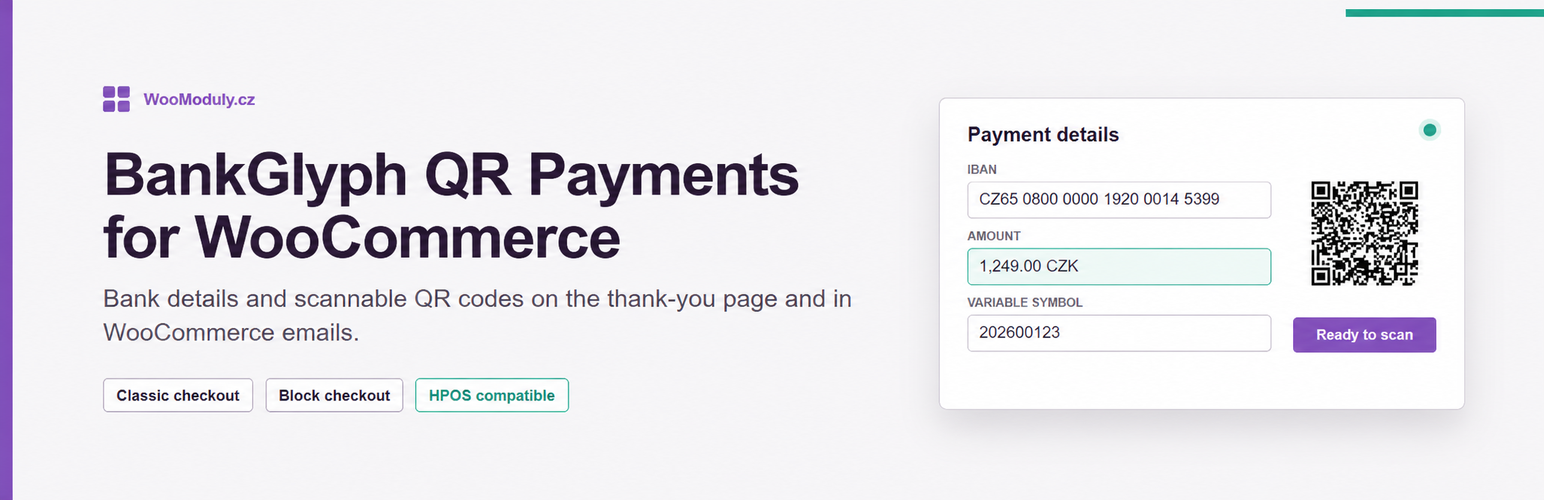
BankGlyph QR Payments for WooCommerce 是一款為 WooCommerce 提供離線銀行轉帳支付閘道的外掛。它在訂單完成頁面及支援的 HTML 訂單郵件中顯示付款詳情及 QR 碼,簡化了線下支付流程。
【主要功能】
• 支援 IBAN 和捷克本地帳號輸入
• 顯示 QR 碼於訂單完成頁面
• 可設定固定折扣或百分比折扣
• 支援客戶國家路由選項
• 訂單狀態可自動更新
• 與 HPOS 和 WooCommerce 區塊結帳相容
外掛標籤
開發者團隊
② 後台搜尋「QR platba bankovním převodem pro WooCommerce (SPAYD a Pay by square)」→ 直接安裝(推薦)
原文外掛簡介
BankGlyph QR Payments for WooCommerce adds an offline bank transfer gateway to the classic and block checkout. After an order is placed, the plugin shows the payment details and a QR code on the order-received page and in supported HTML order emails.
For the main account, enter either an IBAN or a Czech domestic account number together with its bank code. A Czech domestic account is converted to a CZ IBAN locally. You can also configure an optional BIC/SWIFT code, a fallback IBAN for non-CZK orders, and individual IBAN/BIC rules for selected currencies.
By default, an IBAN beginning with SK uses Slovak Pay by square and every other IBAN uses a locally rendered Czech SPAYD payload. Optional customer-country routing can instead use SPAYD for Czech customers, Pay by square for Slovak customers, and an EPC QR code for other customers paying in EUR.
The variable symbol can use the order number or order ID. The recipient message supports the {order_number} placeholder. An optional fixed discount, percentage discount, or both can be applied when the customer selects this payment method. The discount can have a minimum order value, a maximum amount, and excluded customer roles. The gateway can also be limited to selected shipping methods and can move new orders to a chosen WooCommerce status.
The gateway places the order on hold while waiting for payment. The plugin declares compatibility with HPOS and the WooCommerce block checkout.
The public plugin does not contact WooModuly.cz for licensing, telemetry, or updates. WordPress.org provides updates for this version.
External service: QRGenerator.sk
The plugin calls https://api.qrgenerator.sk/by-square/pay/qr.png only when WooCommerce renders payment instructions routed to Slovak Pay by square and no reusable result is cached. This happens for an SK IBAN with the default routing, or for a Slovak customer when optional customer-country routing is enabled.
The GET query contains the IBAN, order amount and currency, the current due date, variable symbol, an empty specific symbol, constant symbol 0, recipient message, the store name as beneficiary name, and image rendering options. The merchant-defined recipient message is sent after {order_number} is replaced. The service returns a Pay by square PNG. BIC/SWIFT and separate customer name, email, billing, or shipping fields are not added to the request.
Like any server-side HTTP request, the service receives the shop server IP address. The request uses a fixed web browser User-Agent.
A successful PNG is stored in the WooCommerce order and reused while the IBAN and amount remain unchanged. A failed request is cached for 10 minutes before another request can be attempted. The request timeout is 5 seconds.
QRGenerator.sk requires no account or API key. Its documentation states that API data is processed to create the response and is not stored, shared, or forwarded. The same page states that free use is subject to its Fair Use Policy.
Service documentation, data-handling statement, and Fair Use Policy
No payment details are sent to QRGenerator.sk when the payment is routed to SPAYD or EPC; those QR codes are generated locally.














