前言介紹
- 這款 WordPress 外掛「Bangladeshi Bank Payment Method」是 2025-11-09 上架。
- 目前有 10 個安裝啟用數。
- 上一次更新是 2025-12-19,距離現在已有 69 天。
- 外掛最低要求 WordPress 6.0 以上版本才可以安裝。
- 外掛要求網站主機運作至少需要 PHP 版本 7.4 以上。
- 尚未有人給過這款外掛評分。
- 還沒有人在論壇上發問,可能目前使用數不多,還沒有什麼大問題。
外掛協作開發者
外掛標籤
woocommerce | manual payment | payment gateway | bangladesh bank transfer | bangladeshi bank payment gateway |
內容簡介
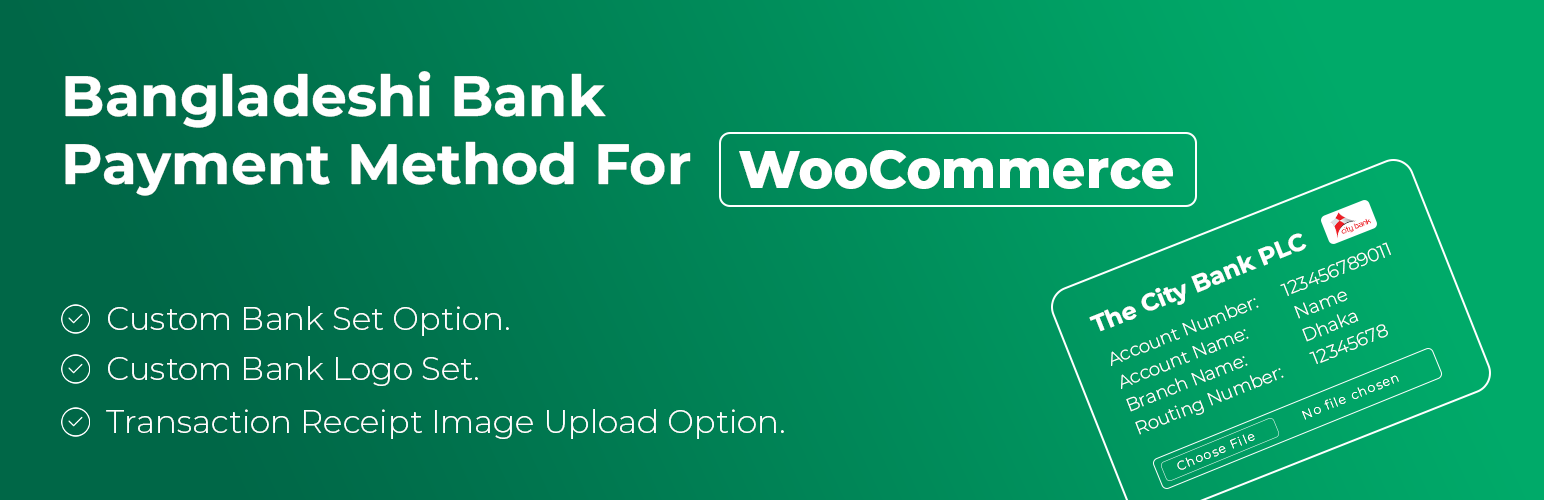
總結:此外掛針對孟加拉地區的商家和顧客特別設計,為您的 WooCommerce 商店新增了一個安全的銀行支付與上傳收據選項。顧客可直接在結帳頁面上傳銀行支付收據的截圖或照片,以便商家後台進行簡單的手動驗證,適合需要付款視覺證明的企業使用。
1. 適用於哪些商家和顧客?
- 專為孟加拉地區的商家和顧客設計,可在 WooCommerce 商店中使用。
2. 顧客可以在哪裡上傳支付收據?
- 顧客可以直接在結帳頁面上傳銀行支付收據的截圖或照片。
3. 上傳的圖像將如何顯示?
- 上傳的收據將安全存儲並在訂單詳細信息中顯示,供商家後台進行手動驗證。
4. 哪些銀行的銀行轉帳支付方式被接受?
- 可接受孟加拉地區的任何銀行(City Bank, IFIC BANK, UCB Bank, Islami Bank 等)轉帳支付。
5. 有哪些功能特色?
- 顧客可以在結帳時上傳支付收據圖片;自動文件驗證;在商家後台的 WooCommerce 訂單詳細信息中可見;結帳頁面清楚顯示您的銀行帳戶詳細信息;完全兼容 WooCommerce 電子郵件、訂單狀態和購物車流程;您可以更改銀行圖示以使其更直觀易懂;不會存儲敏感數據,安全且輕量級。
原文外掛簡介
This plugin adds a secure Bank Payment with Receipt Upload option to your WooCommerce store, specially designed for merchants and customers in Bangladesh.
Instead of just entering a transaction ID, customers can upload a screenshot or photo of their bank payment receipt (e.g., mobile banking confirmation) directly on the checkout page. The uploaded image is securely stored and displayed in the order details for easy manual verification by the store admin.
Perfect for businesses that require visual proof of payment before processing orders.
Features:
* Accept bank transfer payments from any Bangladeshi bank (City Bank, IFIC BANK, UCB Bank, Islami Bank etc.).
* Customers upload a payment receipt image (PNG/JPG) during checkout.
* Automatic file validation (max 1MB, only images allowed).
* Uploaded receipt is visible in the WooCommerce order details in the admin dashboard.
* Displays your bank account details clearly on the checkout page.
* Fully compatible with WooCommerce emails, order statuses, and cart flow.
* You can change your bank icon, it will make it visually clear and easier for customers to understand.
* No sensitive data stored — secure and lightweight.
Update Notice
= 1.0.6 =
Version 1.0.6 has been released as a stable version.

各版本下載點
- 方法一:點下方版本號的連結下載 ZIP 檔案後,登入網站後台左側選單「外掛」的「安裝外掛」,然後選擇上方的「上傳外掛」,把下載回去的 ZIP 外掛打包檔案上傳上去安裝與啟用。
- 方法二:透過「安裝外掛」的畫面右方搜尋功能,搜尋外掛名稱「Bangladeshi Bank Payment Method」來進行安裝。
(建議使用方法二,確保安裝的版本符合當前運作的 WordPress 環境。
1.0.4 | 1.0.5 | 1.0.6 | trunk |
延伸相關外掛(你可能也想知道)
Advance Bank Payment Transfer Gateway 》, 需求:WooCommerce 2.1+, , 此外掛將會複製直接銀行轉帳的網關以創建另一種離線付款方式。 如果您使用進階銀行轉帳網關,則可以使用此方式創建測試付款方式...。
Payment Gateway for Paybox on Woocommerce 》這是一個以色列折扣銀行(Israel Discount Bank)提供的 Paybox 付款網關外掛。。Halk Bank Payment Gateway For Woocommerce – not functional after 15.03.2024 》, 需要:WooCommerce 2.1+, , 這個外掛讓你的商店能夠透過 Halk Bank 的付款服務進行付款。。
QR Payments Gateway 》總結:, 這個WordPress外掛可以在WooCommerce支付閘道上提供QR支付功能,支援Touch N Go、DuitNow、Grab、Shopee Pay和Boost。請注意,這個外掛需要手動上傳...。
NLB Payment Gateway For Woocommerce 》, 需要:WooCommerce 2.1+, , 此外掛可讓您的商店透過 NLB 付款服務進行付款。, 如果交易成功,訂單狀態將變更為「處理中」。如果付款失敗,訂單狀態將變更為...。
Order Tools for WooCommerce 》總結:「Order Tools for WooCommerce」通過為店主、經理和手動處理訂單的支援團隊提供的工具,增強您的商店管理工作流程。, , 問題與答案:, 1. 這個外掛為...。
Bangladeshi Manual Bank Payment Method 》<!DOCTYPE html>, <html lang="zh-tw">, , <head>, <meta charset="UTF-8">, <meta http-equiv=&qu...。
Bitcoin CoinNexus accept fiat and get bitcoin payment plugin 》, 需求:WooCommerce 2.1+, , 此外掛會克隆支票付款方式,創建比特幣付款方式。此外掛允許使用者整合CoinNexus API到他的WooCommerce商店中。, CoinNexus API...。
Intarium Receive Crypto Plugin for WooCommerce 》在註冊 Intarium 帳戶後,添加您的免費 API Token 並啟用付款方式。更多信息可在 https://intarium.ch 找到。。