內容簡介
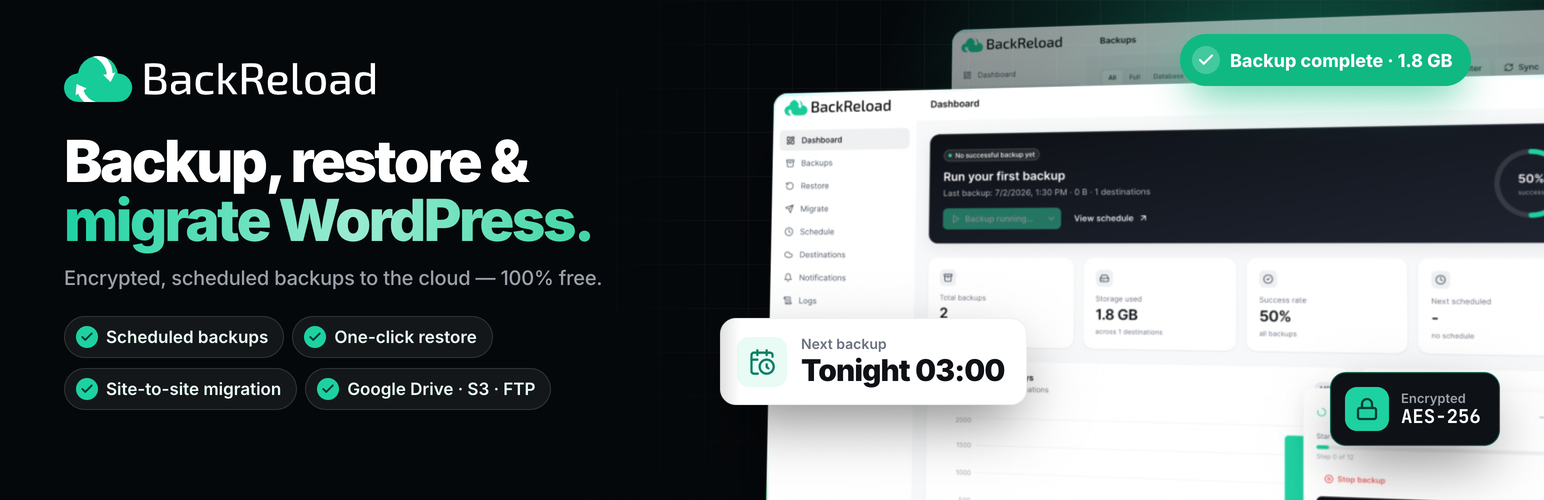
BackReload 是一款 WordPress 的備份、還原與遷移外掛,能夠將資料庫、上傳檔案、外掛、佈景主題等內容備份至多個遠端儲存位置,並在需要時輕鬆還原或遷移網站,確保資料安全與完整性。
【主要功能】
• 支援多種儲存目的地,包括 Google Drive 和 AWS S3
• 完整的網站遷移,保留所有資料與設定
• 自動重寫 URL 和路徑,便於跨站還原
• 備份檔案加密,確保資料安全
• 支援 FTP、SFTP 等多種傳輸協定
外掛標籤
開發者團隊
② 後台搜尋「BackReload – Backup, Restore & Migration」→ 直接安裝(推薦)
📦 歷史版本下載
原文外掛簡介
BackReload is a backup, restore, and migration plugin for WordPress. It backs up your database, uploads, plugins, themes, and the rest of wp-content into split zip archives, encrypts them at rest, and uploads them to one or more remote destinations of your choice. When something goes wrong, you can restore your full site — database, media uploads, plugins, themes, and other content — back onto the same site, or onto a different site with automatic URL and path rewriting.
Direct site-to-site migration is full-fidelity: it moves the complete site — database, uploads, other content, and plugins, themes, and mu-plugins — so the destination works immediately after the move. Restore and import are full-fidelity too — they bring back plugins, themes, and mu-plugins along with the database and uploads. A fully-compliant, data-only build (no code ever deployed) is available by defining the BACKRELOAD_DATA_ONLY constant.
Storage destinations
Local Storage: files written to wp-content/uploads/backreload/ inside the site itself.
FTP: any standard FTP server.
SFTP: over SSH, using the bundled phpseclib library (pure PHP — no ssh2 extension needed).
Google Drive: your own Drive, connected with your own Google OAuth app.
Microsoft OneDrive: your own OneDrive, connected with your own Microsoft app.
AWS S3: buckets in any AWS region, with full SigV4 signing.
Wasabi: Wasabi-compatible signing built in.
S3-compatible: works with any provider that speaks the S3 API (Backblaze B2, DigitalOcean Spaces, MinIO, and so on).
You can attach multiple destinations to a single backup. Each archive part is uploaded to every destination in turn, with automatic retries on transient failures.
Restore and migration
The Restore wizard lets you pick which content to bring back — database, uploads (media), plugins, themes, mu-plugins, and other wp-content files. If the backup came from a different site, BackReload rewrites URLs and absolute paths inside the database as part of the restore, including inside serialized values, so the site comes up correctly on the new domain without any manual search-and-replace.
Maintenance mode can be automatically engaged for the duration of a restore, then turned back off when the work finishes.
Site-to-site migration via key
For moving a site to a new host or domain, BackReload ships a direct site-to-site push. The destination site generates a one-time key URL under Migrate → Receive. You paste that URL on the source site under Migrate → Send, click Start migration, and the source builds a backup and streams it to the destination in encrypted chunks over HTTPS. With auto-restore enabled (default), the destination unpacks and applies the backup automatically. One-click migration.
There’s no FTP step, no manual download, no shared cloud storage required. Chunked transport with WAF / mod_security tolerance, cross-tick retry caps, table-prefix fixup, and a live progress UI with phase stepper, throughput, and log feed on the source side.
Multisite
On a multisite network, BackReload backs up and restores the whole network from Network Admin. Each site also gets its own BackReload, for that site’s backups and restores only. You can move a single site out of the network to a standalone WordPress site, or bring a standalone site into the network. Only network admins can use BackReload.
Encryption
Archives can be encrypted at rest with AES-256-GCM using a passphrase you set in Settings. The passphrase is required to restore. The encryption layer is fail-closed: a corrupted or tampered archive refuses to extract rather than producing partial output.
Scheduling
Multiple independent schedules are supported. Common patterns: a daily database-only backup, a weekly full backup, and a monthly archive backup, each retaining a different number of historical copies.
Notifications
Send backup-completion and failure alerts to email, Slack, Discord, Telegram, Microsoft Teams, Google Chat, Pushover, or any custom webhook. Each channel is opted into success and failure events independently.
Privacy
The plugin does NOT send analytics, telemetry, or usage data to any external server. The only outbound network traffic is to the storage destinations you configure and the notification channels you opt into. OAuth flows for Google Drive and OneDrive run only when you explicitly start them.
External services
BackReload does not phone home and has no servers of its own. It only contacts an external service when you configure that service as a backup destination or notification channel, or when you start a site-to-site migration. Nothing below is contacted out of the box. For each service, the data sent is your backup/restore content and the API requests needed to store or retrieve it, sent only while the relevant backup, restore, import, or migration is running.
Google Drive (Google Drive API) — Used only if you add a Google Drive destination. You provide your own Google OAuth application (Client ID/Secret). BackReload exchanges the OAuth authorization code for access tokens and then uploads, lists, and downloads your backup files in your Drive. Endpoints: accounts.google.com, oauth2.googleapis.com, www.googleapis.com. Terms: https://policies.google.com/terms · Privacy: https://policies.google.com/privacy
Microsoft OneDrive (Microsoft Graph API) — Used only if you add a OneDrive destination. You provide your own Microsoft (Azure AD) application. BackReload exchanges the OAuth code for tokens and uploads/lists/downloads your backup files. Endpoints: login.microsoftonline.com, graph.microsoft.com. Terms: https://www.microsoft.com/servicesagreement/ · Privacy: https://privacy.microsoft.com/privacystatement
Amazon S3 (AWS) — Used only if you add an Amazon S3 destination, with credentials you provide. BackReload uploads/downloads/lists backup archives in your bucket via the S3 REST API at s3.
Wasabi — Used only if you add a Wasabi destination, with credentials you provide. BackReload uploads/downloads backup archives to your bucket via the Wasabi S3 REST API at the regional endpoints s3.wasabisys.com, s3.us-east-2.wasabisys.com, s3.us-central-1.wasabisys.com, s3.us-west-1.wasabisys.com, s3.eu-central-1.wasabisys.com, s3.eu-west-1.wasabisys.com, and s3.ap-northeast-1.wasabisys.com. Terms: https://wasabi.com/legal/terms-of-use · Privacy: https://wasabi.com/legal/privacy-policy
Other S3-compatible storage — If you add an “S3-compatible” destination (e.g. Backblaze B2, DigitalOcean Spaces, MinIO, or another provider), BackReload connects only to the endpoint and bucket you enter, using credentials you provide, to upload/download your backup archives. The applicable terms and privacy policy are those of the provider you choose.
FTP / SFTP servers — If you add an FTP or SFTP destination, BackReload connects only to the host you specify, with credentials you provide, to upload/download your backup archives. The applicable terms are those of that server’s operator.
Site-to-site migration — Used only when you start a migration. BackReload connects to the other WordPress site you target (the one whose one-time key URL you paste) and streams the backup directly between the two sites over HTTPS. No third-party or BackReload server is involved.
Notification channels — If you enable a notification channel, BackReload sends a short backup-status message (success/failure, site name, basic stats) to the endpoint you configure, only when a backup completes or fails. Channels and their providers: Slack (https://slack.com/terms-of-service · https://slack.com/trust/privacy/privacy-policy), Discord (https://discord.com/terms · https://discord.com/privacy), Telegram (https://telegram.org/tos · https://telegram.org/privacy), Microsoft Teams (https://www.microsoft.com/servicesagreement/ · https://privacy.microsoft.com/privacystatement), Google Chat (https://policies.google.com/terms · https://policies.google.com/privacy), Pushover (https://pushover.net/terms · https://pushover.net/privacy), and any custom webhook URL you provide (terms/privacy of that endpoint’s operator). Email notifications are sent through your own WordPress site’s mail, not a third party.
Source code and build process
The admin interface is a React + TypeScript application compiled with Vite, and the minified production bundle ships in assets/dist/. To keep the plugin fully reviewable, the complete, human-readable source is included in the published package and can also be rebuilt from scratch:
The unminified front-end source lives in the src/ directory (included in this plugin).
Build/tooling config: package.json, vite.config.ts, tsconfig.json, tailwind.config.js, postcss.config.js.
PHP library dependencies are declared in composer.json.
To rebuild the compiled JavaScript/CSS in assets/dist/ from source:
npm install
npm run build
To install the bundled PHP libraries (phpseclib, used for SFTP):
composer install