外掛標籤
開發者團隊
原文外掛簡介
When you move a site to a new server, or replace the live database with one from staging, anything saved on the old copy during the move is lost: a post an editor was finishing, a comment, a form entry, a WooCommerce order.
Maintenance mode hides the whole site from visitors. Axle Read-Only Mode keeps the site online but makes it read-only:
Editors can open and read everything in wp-admin, but cannot save. The block editor disables Save and Publish and shows why. People who already have the editor open are locked within a minute, through the WordPress heartbeat, and unlocked again when the freeze ends.
Admin actions that change data are refused: saving settings, uploading media, installing or updating plugins, trashing posts. Automatic updates are paused.
The REST API and XML-RPC refuse anything that writes, with HTTP status 423. Reading still works.
Visitor submissions (optional, on by default): comments, sign-ups, contact forms, checkouts and any other form post get a “back soon” page with HTTP 503 and a Retry-After header, which search engines understand.
Scheduled tasks (optional, on by default) are held back and run when the freeze ends.
Logging in always works, so an admin can always unfreeze.
Free and open source under the GPL. No pro version, no upsells, no ads in wp-admin, no tracking. And it stays that way.
Part of Axle by AryanX, a family of plugins for running WordPress sites safely.
See what was blocked
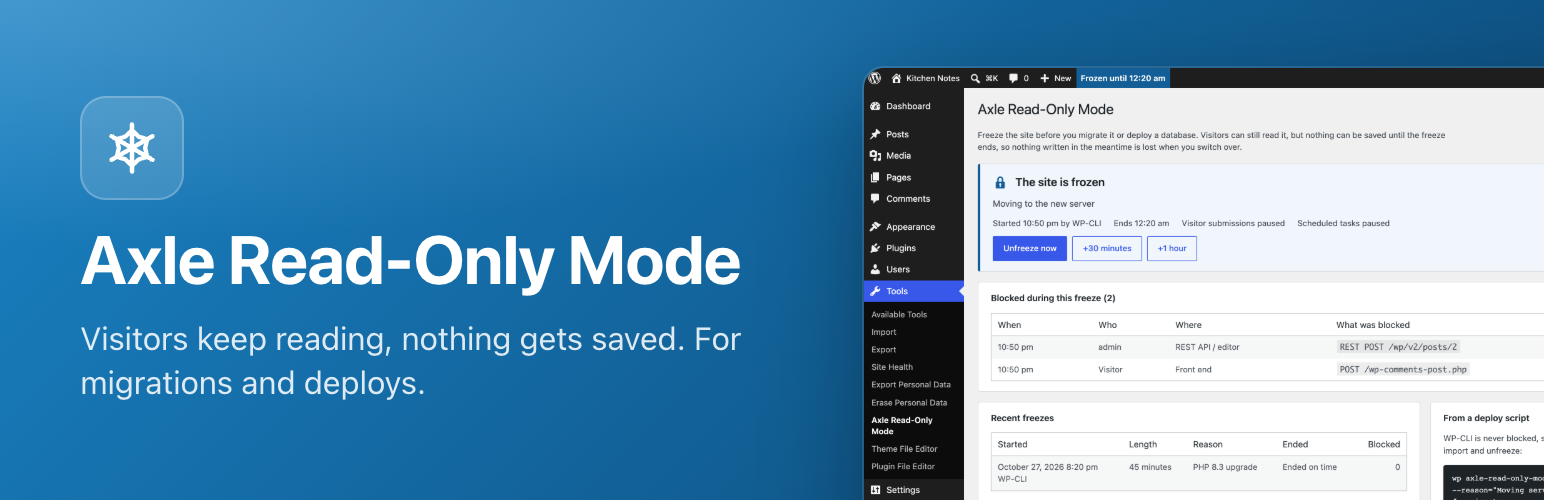
Every blocked attempt is listed: who tried, when, and what (a post save, an upload, a REST request, a contact form). After the move you know exactly which edits to redo on the new server. The last ten freezes are kept too, with how many attempts each one blocked.
Freeze safely
Pick an end time and the freeze ends by itself. A deploy script that fails halfway cannot leave the site frozen for days.
Running late? Add 30 minutes or an hour from the freeze screen or the admin bar. A live countdown shows the time left.
Schedule a freeze for later, for example the start of a maintenance window.
Tick “Let me keep editing” to exempt yourself.
Write your own message for visitors, for example “We are moving servers. Back by 3 pm.”
Freeze for an hour straight from the admin bar (under the site name), and unfreeze from the admin bar or the notice on every screen.
From a deploy script
wp axle-read-only-mode on --minutes=30 --reason="Moving servers"
wp axle-read-only-mode off
wp axle-read-only-mode status
wp axle-read-only-mode extend 30
wp axle-read-only-mode log
WP-CLI itself is never blocked, so your scripts can keep importing and replacing data. Use --no-visitors or --no-cron to leave those running.
Or freeze from wp-config.php while files are being swapped:
define( 'AXLE_READ_ONLY_MODE', true );
define( 'AXLE_READ_ONLY_MODE_REASON', 'Moving servers' );