內容簡介
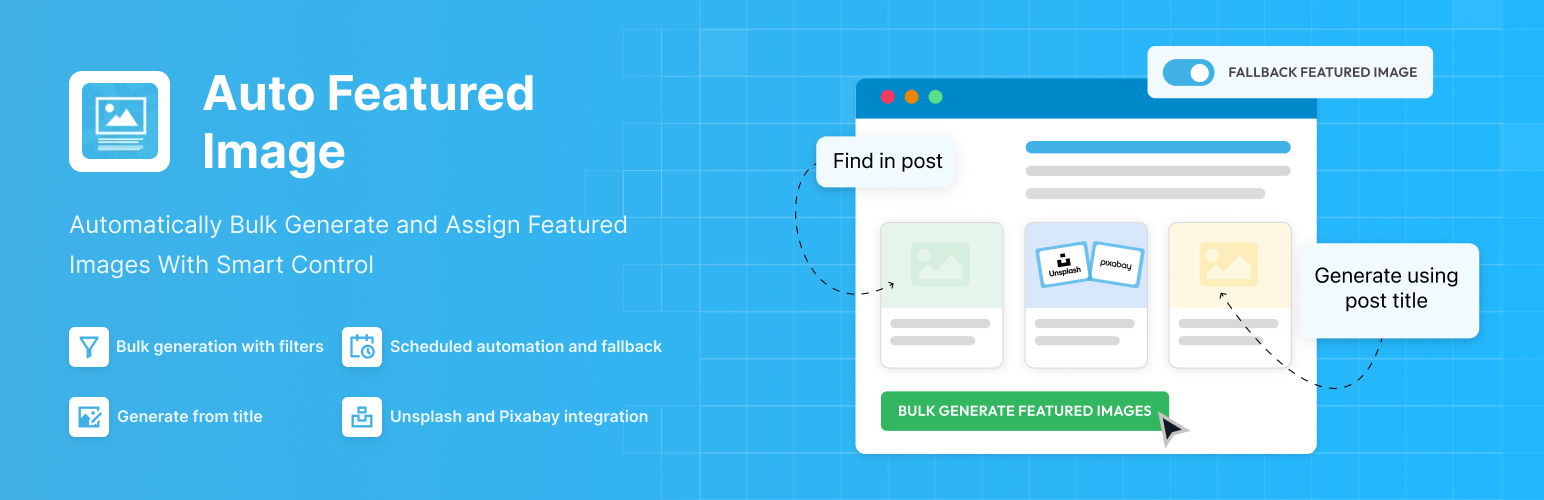
Auto Featured Image 外掛能自動修正 WordPress 網站中缺失的特色圖片與縮圖,透過簡單的幾個步驟生成或提取圖片,讓網站在視覺上保持一致,節省大量重複性工作。
【主要功能】
• 批量生成特色圖片
• 從文章標題創建動態圖片
• 從文章內容中檢測並分配圖片
• 自動應用預設備用圖片
• 設定進階過濾器與生成規則
• 一鍵排程批量生成圖片
外掛標籤
開發者團隊
② 後台搜尋「Auto Featured Image (Auto Post Thumbnail)」→ 直接安裝(推薦)
📦 歷史版本下載
原文外掛簡介
Auto Featured Image automatically fixes missing featured images and thumbnails across your WordPress site.
Generate featured images from post titles, extract images from post content, or bulk assign thumbnails using advanced filters and scheduling — all in just a few clicks.
It works seamlessly with Gutenberg, Elementor, Classic Editor, and any custom post type.
No more manual uploads. No more posts going live without featured images.
With Auto Featured Image, you can:
Generate featured images in bulk
Create dynamic images from post titles
Detect and assign images already inside post content
Automatically apply default fallback images
Set advanced filters and control generation rules
Schedule bulk image generation
Whether you run a small blog or manage thousands of posts, Auto Featured Image saves hours of repetitive work and keeps your website visually consistent — automatically.
⚡ Quick Links
Support Forum
Documentation
Compare Free vs Pro
Go Pro
🚀 How It Works
Step 1: Choose a Generation Method
Select how featured images should be created:
Find in post – Uses the first image found inside the content.
Generate from title – Creates a featured image dynamically using the post title.
Find or generate – Uses existing images, otherwise generates one.
Find or use default image – Falls back to a predefined image if none is found.
Step 2: Filter Your Posts
Apply filters to control exactly where images should be generated:
Post Type
Post Status
Post Category
Date Range
This ensures you only modify the content you intend to.
Step 3: Generate in One Click
Click Generate Featured Images and the plugin:
Processes posts in bulk
Shows real-time progress
Logs the last 100 generated images
Updates thumbnails instantly in the posts list
🔥 Core Features (Free Version)
✅ Bulk Generate Featured Images: Automatically create and assign featured images to multiple posts at once. Perfect for fixing older content in minutes instead of hours.
✅ Find Images Inside Content: Automatically detect the first image inside a post and set it as the featured image. Ideal for blogs that already include images but missed setting thumbnails.
✅ Generate from Title: Create clean, text-based featured images using the post title. Great for minimal blogs, news sites, and content-heavy websites.
✅ Default Fallback Image: Set a default image that will be applied whenever no suitable image is found, ensuring every post always has a featured image.
✅ One-Click Generation: Generate featured images for all selected posts instantly from a single dashboard screen.
✅ Generation Log: Monitor recently generated images with preview, size, generation method, and status for full transparency and control.
✅ Live Preview Mode: Instantly see how your featured image will look while adjusting background, font, alignment, colors, and layout settings. No need to save and regenerate repeatedly.
✅ Posts List Integration: Generate, set, or remove featured images directly from the WordPress Posts screen using bulk actions. Manage multiple posts at once without opening each post individually.
💎 Auto Featured Image Pro
Upgrade to unlock full control and automation power
[PRO] Smart Filters & Targeting
Generate featured images exactly where and when you need them:
Filter by post status, category, or date range
Target specific post types
Schedule generation automatically
[PRO] Advanced Background Controls
Design featured images that match your brand:
Gradient background support
Upload custom background images
[PRO] Typography & Layout Controls
Full control over how your title-based images look:
Use Google Fonts
Upload custom font files
Horizontal text alignment
Vertical text alignment
Custom before/after string text
Custom padding
[PRO] External Image Integration
Find images without leaving your dashboard:
Search and select images directly from Unsplash
Search and select images from Pixabay
[PRO] Import & Automation
Scale your workflow:
Automatically upload external images to Media Library
Schedule featured image generation
Advanced post type targeting
🧩 Use Cases
Fix Missing Thumbnails
Clean up old blogs or imported content that lacks featured images.
Affiliate & Content Sites
Automatically generate branded thumbnails from titles.
High-Volume Publishing
Use filters and scheduling to automate thumbnail generation at scale.
Auto Featured Image is developed and maintained by Themeisle, a company trusted by over 1 million WordPress users worldwide.