內容簡介
APL - Auto-Pickup Locations for WooCommerce 是一款專為 WooCommerce 商家設計的外掛,能根據顧客位置自動分配最近的取貨點,簡化物流管理,提升顧客體驗。
【主要功能】
• 自動分配取貨地點
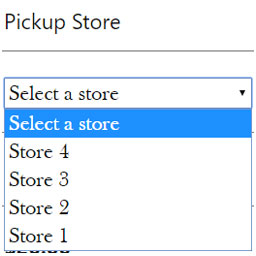
• 允許顧客手動選擇取貨地點
• 從 WooCommerce 控制台輕鬆管理取貨地點
• 顯示聯絡資訊及取貨指示
• 訂單郵件中顯示取貨地點資訊
• PRO 版提供無限取貨地點
外掛標籤
開發者團隊
② 後台搜尋「APL – Auto-Pickup Locations for WooCommerce」→ 直接安裝(推薦)
原文外掛簡介
Are you a WooCommerce business with multiple locations, distribution centers, or pickup points? Auto-Pickup Locations is the perfect solution for you. Our plugin automatically assigns the nearest pickup location to your customers at checkout based on their location.
You can easily add and manage pickup locations with contact information, pickup instructions, and email alerts for admins or store staff. Spend less time managing logistics and more time fulfilling orders.
Unlock all features with PRO Version
Why use Auto-Pickup Locations for WooCommerce?
Auto-Assign Pickup Location: Automatically selects the nearest pickup location at checkout based on the customer’s location.
Let Customers Choose: Turn off auto-assign to allow customers manually select their preferred pickup location.
Easy to Set Up and Manage: Add and manage pickup locations right from your WooCommerce dashboard.
Show Contact Info & Instructions: Add phone number, address, and pickup instructions for each location.
Visible on Order Emails: Display the selected pickup location’s address and instructions in customer and admin order emails.
Custom Email Notifications [PRO]: Add specific email addresses per pickup location to receive order alerts.
Unlimited Pickup Locations [PRO]: The free version supports up to 5 pickup locations. Upgrade to PRO to add unlimited pickup locations.
Import Locations [PRO]: Easily upload multiple pickup locations at once using a CSV file.
Export Pickup Locations: Export your pickup location list for backup, migration, or reporting.
Premium Support [PRO]: Create support tickets and get fast, prioritized assistance to resolve any issues quickly.
Use Cases
Restaurants & Fast Food Chains: Customers can place food orders online and pick them up at the closest branch.
Grocery Stores & Supermarkets: Let customers pick up grocery orders from the nearest store.
Pharmacies: Allow customers to pick up prescriptions or health products at the closest pharmacy.
Retail Fashion Stores: Customers can pick up clothing, shoes, or accessories from the store nearest to them.
Electronics Stores: Save shipping headaches and let customers pick up phones, gadgets, or tech accessories at the closest location.
What’s Next?:
If you like this plugin, then consider checking out our other plugins:
Direct Payments for WooCommerce – Bank Transfer, Mobile Money, Crypto and Peer-to-Peer (P2P) Payments
Direct Payments WP – Receive Payments with Forms
Direct Invoices – Invoicing & Payment Requests for WordPress
Engraver for WooCommerce – Personalize and Customize WooCommerce Products
APL – Auto-Pickup Locations for WooCommerce
Digages Role Manager – User Roles & Permissions
SVG Editor: Upload & Change Colors
Digages Website Monitor
Digages Restock Alert
External API Notice
This plugin optionally connects to an external API to fetch additional plugin listings and improve the general experience. The core functionality of the plugin is fully independent and remains unaffected if the API is not used.
We value user privacy and ensure that no personal or sensitive data is sent to the external API.
Also, we use openstreetmap.org api which helps in getting the most accurate user’s distance from the pickup location.
Here’s a merged and more comprehensive version of the two sections under a unified heading:
External Services
This plugin connects to the following external APIs to enhance functionality, enable licensing, and improve the user experience:
OpenStreetMap API
URL: https://nominatim.openstreetmap.org/
Purpose: Used to calculate accurate distances between the customer and pickup locations.
Data Usage: No personal or sensitive data is sent; the API only processes location-related queries.
Optional Plugin Listing API
This plugin may optionally connect to an additional external API to fetch extended plugin listings and enhance the overall experience.
Note: Core functionality remains fully operational even if this optional API connection is not used.
We value user privacy and take it seriously. No personal or sensitive information is ever transmitted to any external API beyond what is necessary for the stated functionalities.