外掛標籤
開發者團隊
② 後台搜尋「Authyo OTP for Easy Form Builder」→ 直接安裝(推薦)
原文外掛簡介
Are fake submissions flooding your Easy Form Builder forms? Is spam eating up your leads?
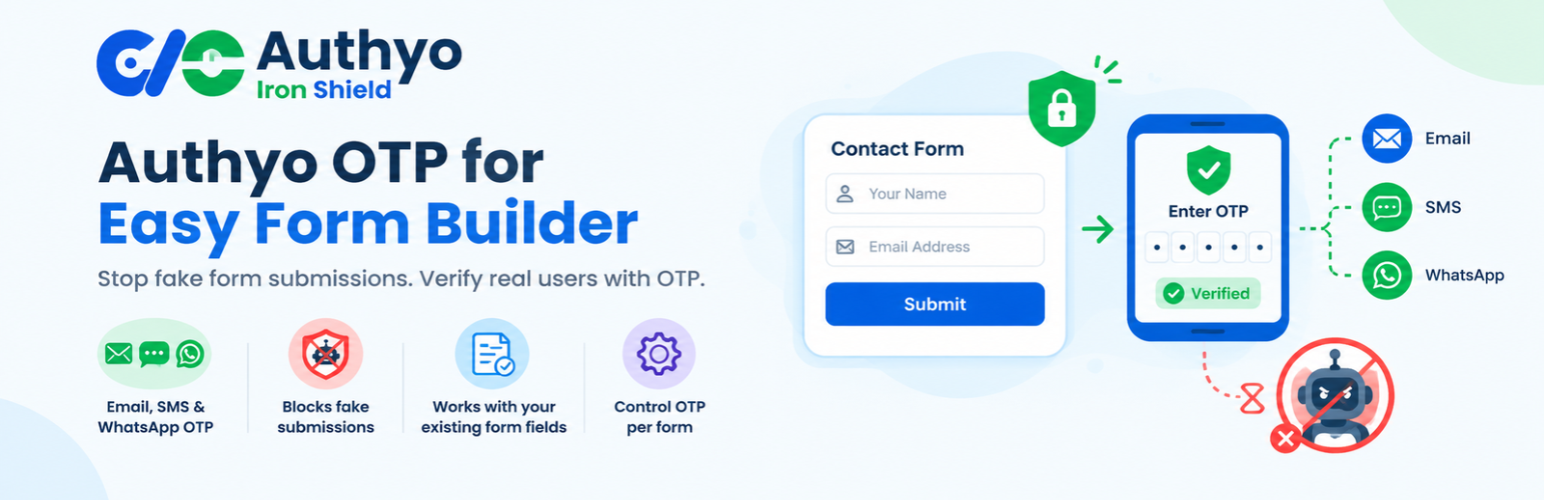
Authyo OTP for Easy Form Builder solves this by adding a powerful One-Time Password (OTP) verification layer to your WordPress forms – so only real, verified users can submit.
Whether you’re running a contact form, registration form, lead generation page, or booking form, Authyo ensures every submission is backed by a verified email address or phone number.
No verified contact = No form submission. It’s that simple.
Official Partner Integration: Authyo is an official partner of Easy Form Builder by WhiteStudio. This plugin is the partner-built OTP integration for Easy Form Builder.
Who Is This Plugin For?
Business owners tired of fake leads from contact forms
Developers who need secure, verified form submissions for clients
Marketers who want a clean, verified leads database
Agencies managing multiple WordPress sites built with Easy Form Builder
How It Works
A visitor fills out your Easy Form Builder form’s native Email or Phone field
A Send OTP button appears automatically next to that field
They receive a One-Time Password via Email, SMS, WhatsApp, or Voice Call
They enter the OTP to verify their identity
Only after successful verification can they submit the form (unless you have enabled the optional Skip Verification setting for that channel)
It’s fast, seamless, and works in the background – your visitors barely notice it, but spambots never make it through.
Key Features
Multiple Verification Channels
Give your users flexibility with four OTP delivery options:
– Email OTP – fast and universally accessible
– SMS OTP – instant delivery to any mobile number worldwide
– WhatsApp OTP – perfect for audiences active on WhatsApp
– Voice Call OTP – ideal for users with accessibility needs. Note: Voice Call OTP currently works only on Indian phone numbers.
Works With Any Form, Automatically – With Per-Form Control
Configure your Authyo settings once. From then on, every Easy Form Builder form with a native Email and/or Phone field is protected automatically – no separate widget to drag in, no shortcodes. Need to turn OTP off for one specific form (while building or testing it, or because that form doesn’t need verification)? The Forms tab lets you switch OTP on/off per form, without touching your site-wide settings.
No Extra Fields to Add
This plugin enhances the native Email and Phone fields your form already has – just build your form as usual in the Easy Form Builder editor. OTP verification appears on its own.
Guided Setup Tour & Checklist
A built-in step-by-step tour walks you through creating your Authyo account, adding your keys, choosing channels and OTP options, and switching OTP on or off per form. A setup checklist on the General tab shows what is done and what is left. Close the tour at any time and restart it with the “Take the tour” button.
Visitor Channel Choice
Optionally let visitors pick their preferred verification method (SMS, WhatsApp, or Voice) right on the form – improving completion rates and user satisfaction.
Smart Fallback Protection (No Lead Loss)
If your Authyo wallet balance runs out, Authyo reports this to the plugin when an OTP is requested and the field is marked as verified automatically, so the visitor can still submit the form. This intentional fallback ensures you never lose a genuine lead because of an exhausted balance, and the site admin is notified by email (at most once per hour) so the balance can be topped up. Note that this applies only when Authyo answers the request: if the Authyo service cannot be reached at all, the visitor sees an error and can try again – the form is not submitted without verification.
Strong, Standards-Based Security
– API credentials are stored encrypted (AES-256-CBC via the PHP OpenSSL extension, which virtually every host provides; keyed from your site’s own WordPress security salts, so they are unreadable from a database backup alone), with automatic detection if those salts are changed
– Rate limiting on OTP send and verify endpoints
– Server-side verification enforced independently of the visitor’s browser – it is not bypassed by disabling JavaScript
– OTP format validation before every API call
Global Phone Coverage
The list of countries Authyo can deliver to is downloaded from Authyo when you save your credentials, stored on your site and refreshed automatically once a week. Show all countries, a selected group, or a single country – perfect for region-specific forms.
Skip Verification Option
Need flexibility? Enable the per-channel skip option and a “Skip Verification” button is shown to visitors on that channel’s OTP panel, letting them submit the form without completing OTP verification. Use it for forms where verification is encouraged but not mandatory.
Per-Form Enable/Disable
Turn OTP verification off for individual forms from the Forms tab – handy while you’re still building or testing a form, or for a form that doesn’t need verification. Every other form keeps working as configured; a form with no explicit setting stays OTP-enabled by default.
Why Verified Leads Matter
Every fake submission wastes your time, pollutes your CRM, and skews your analytics. With Authyo OTP verification:
Your leads list stays clean and actionable
Your sales team follows up with real contacts only
Your email campaigns reach real inboxes
Your conversion data reflects genuine user interest
Verified contact details = higher ROI on every form you run.
External Services
This plugin relies on the Authyo API to send One-Time Passwords via Email, SMS, WhatsApp, and Voice calls.
Service Name: Authyo
Service URL: https://authyo.io/
API Host: https://app.authyo.io/ (endpoints used: /api/v1/auth/sendotp, /api/v1/auth/verifyotp, /api/v1/user/getcountrylist)
Privacy Policy: https://authyo.io/privacy-policy/
Terms of Service: https://authyo.io/terms-service/
Data Sent: Phone number (for SMS/WhatsApp/Voice OTP) and/or email address (for Email OTP); the OTP length, expiry, and delivery channel when requesting a code; the code the visitor enters when verifying it; and this site’s domain (for account attribution). Every request also carries the Client ID and Client Secret you entered in the plugin settings, so Authyo can authenticate your account.
Why: To deliver the One-Time Password to the user for identity verification, and to load the list of countries Authyo supports for phone verification (used for the country selector next to phone fields).
When: Nothing is sent to Authyo until an administrator has entered and saved Authyo API credentials in the plugin settings. After that: the OTP send and verify endpoints are called only when a visitor actively requests or verifies a one-time code on a form protected by Authyo. The country-list endpoint is called on exactly three explicit triggers – once when credentials are saved, when an administrator clicks the Refresh button on the Verification Methods tab, and by a weekly scheduled (WP-Cron) refresh. It is never called from a visitor’s page view, and never as a side effect of simply opening a WordPress admin screen. No OTP content or form submission data is stored by this plugin – verified submissions are handled entirely by Easy Form Builder’s own storage.
Data processed locally (not sent to Authyo): To rate-limit OTP requests and to link a completed verification to the visitor’s form submission, the plugin temporarily stores two things on your own site, each as a salted, non-reversible hash and for at most 30 minutes: the visitor’s IP address (or user ID for logged-in visitors) and a fingerprint of the verified email address or phone number. Nothing is written to the visitor’s browser except a random session token in sessionStorage (no cookies). For each administrator, the plugin also remembers which step of its setup tour was last reached (in WordPress user meta; no personal information) – it is removed when the plugin is deleted. A suggested paragraph covering all of this is added to Settings > Privacy > Policy Guide for your site’s privacy policy.
Company Information
This plugin is an official partner add-on for Easy Form Builder, developed and maintained by Konceptwise Digital Media Pvt. Ltd., and integrates securely with the Authyo OTP service.
Konceptwise Digital Media Pvt. Ltd. is the parent company that officially develops and maintains this plugin. Authyo is a product line developed and owned by Konceptwise Digital Media Pvt. Ltd.
Official Partnership: Authyo is an official partner of Easy Form Builder by WhiteStudio. This integration is developed and supported by Authyo (Konceptwise) in partnership with WhiteStudio.