內容簡介
總結:透過 Author Kit 外掛,可以輕鬆管理多位作者,使用方便且高效的儀表板。
問題與答案:
1. 什麼是 Author Kit 外掛的主要任務?
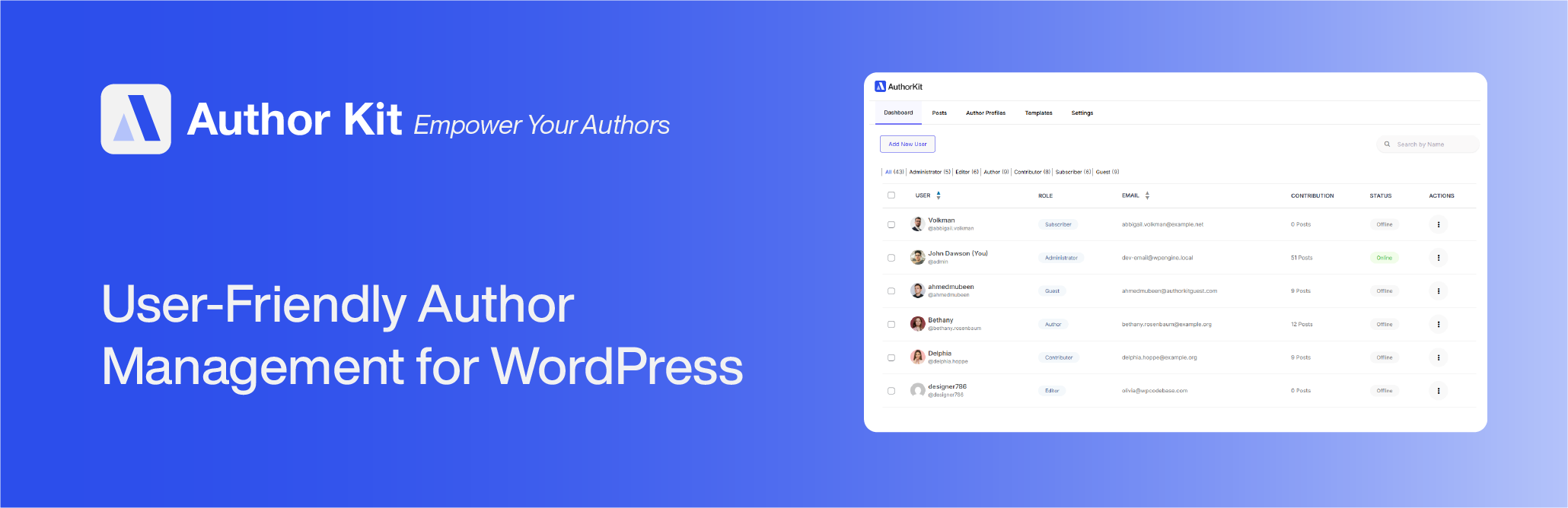
- Author Kit 外掛的主要任務是提高作者的生產力,讓使用者能夠從單一儀表板管理使用者、文章和作者,並避免在導覽時浪費時間。
2. Author Kit 外掛有哪些主要功能?
- 提供使用者、文章和作者的使用者友好資料表
- 可以即時查看每位使用者的在線狀態,並有效連接
- 通過一個點擊便可封鎖和解封使用者以確保儀表板安全
- 管理作者資料並新增個人資訊如簡歷、職稱、電子郵件、公司等
- 可以一鍵切換 Gravatar 和本地頭像
- 預製模板用於作者簡歷框、作者存檔頁面和文章作者元資訊行
- 完全可自訂使用您喜愛的 WordPress 客製化設定器
- 可完全控制每位使用者和每篇文章的顯示設定,以顯示或隱藏簡歷框
- 可以一鍵輕鬆將多位共同作者添加到文章中,甚至包括來賓和訂閱者
- 一鍵創建來賓使用者帳戶
- 具備所有主要社交平台整合功能,可添加社交圖標,包括像 BlueSky 和 Mastodon 等新興平台
3. 誰適合使用 Author Kit 外掛?
- 這個外掛適用於所有管理部落格並與多位作者合作的 WordPress 使用者。
4. Author Kit 外掛強調什麼特點?
- Author Kit 外掛是適合初學者的,無需編碼。它是一個功能完整的、無縫且令人愉快的體驗,旨在節省您的時間並降低認知負擔,具有專注性和使用者友好的 UI。
外掛標籤
開發者團隊
② 後台搜尋「Author Kit | Effortlessly Manage author profiles and add modern author bio boxes to posts」→ 直接安裝(推薦)
原文外掛簡介
The most user-friendly plugin for managing author profiles. Adds a truly simple author box, support multiple authors, guest authors, and much more.
AUTHOR KIT #1 WORDPRESS AUTHOR MANAGEMENT PLUGIN
It’s time to support human-written content on your website by using Author Kit to streamline your author management.
Productivity for Authors is the goal of Author Kit. Simplifying the navigating and displaying the data in Ajax-based tables, it facilitates the management of users, posts, and authors from a single dashboard.
MAIN FEATURES
• User-friendly data table for Users, Posts, and Authors.
• Get real-time online status for every user and connect efficiently.
• Block and unblock users with just one click to secure the dashboard.
• Manage author profiles by adding details such as a bio, job title, email address, company, and much more.
• One-click switching between local avatars and gravatars.
• Pre-made templates for Post Author Meta Bylines, Author Archive Pages, and Author Bio Boxes.
• Completely editable using your favorite WordPress Customizer.
• Full display control per user and per post to display or hide bio box.
• Easily add multiple co-authors to posts with one click — even guests and subscribers.
• Create guest user accounts with just one click.
• All major social platform integrations — add social icons including new trending platforms like BlueSky and Mastodon.
• Simply install and activate to enjoy a productive and hassle-free experience; there is a lot more.
Author kit provides a truly simple author box
Author Kit lets you display a modern, responsive author box at the top or bottom of your posts. Show the author’s name, avatar, job title, company name, email, bio, and connect over 50+ social profiles — including Bluesky and Mastodon. With built-in support for guest authors and multiple co-authors per post, it’s the ideal solution for blogs, magazines, and content teams looking for flexibility and ease of use.
Full Customization Support
Enjoy a full-featured author box customization experience — all included in the free version!
• Customize width, height, and background color of the author box
• Show author name, job title, company name, email, bio, and social icons
• Toggle between circle and square icons for author social profiles
• Supports over 50+ social platforms, including Bluesky, Mastodon, LinkedIn, X (Twitter), and more
• Choose avatar size, border radius
• Add or change section heading/label, like “About the Author”, “Written by”, or custom text
• Mobile-responsive layout with adaptive styling for all screen sizes
• Change position of the author box: display at the top or bottom of posts
• Add toggle button to show/hide the author box on click
• Enable or disable the author box per post using a simple meta box toggle
• Enable or disable the author box per user from user profile settings
• Customize margins, padding, borders, and box shadow for layout refinement
• Control visibility of fields like email, job title, and company name
• Fully compatible with most WordPress themes and popular page builders like Elementor, Block Editor, WPBakery, etc.
• Built with clean code and WordPress standards for full RTL, accessibility, and translation support
Advanced Author Archive Templates
Author Kit lets you easily replace your theme’s default author archive page with a fully customizable and responsive layout .
Display a modern author profile section at the top, followed by a neat, customizable post grid layout. Perfect for blogs, magazines, and content teams.
Features:
• Instantly override your theme’s author archive template
• Show author avatar, display name, job title, company, email, and bio
• Include 50+ social profile icons — supports LinkedIn, Bluesky, Mastodon, X (Twitter), and more
• Customize the section heading (e.g. “Articles by”, “Written by”, or your own text)
• Full styling and layout customization:
• Customize spacing (margin/padding)
• Customize background colors, font sizes, border radius etc.
• Control visibility of specific fields: bio, job title, company name, email
• Works seamlessly with almost all modern WordPress themes
Post Meta & Author Byline
Author Kit also lets you display a clean, customizable post meta line, perfect for showing author, contributor, co-authors, and post details in a smart and flexible layout.
This feature adds a modern author byline with clickable links to each author’s archive page and optional post metadata like publish date, last updated date, and comment count — all with full styling control and live preview.
Features:
• Display a smart byline with support for single author, guest author, co-authors, and contributors
• Link author names and contributor names directly to their archive pages
• Show l meta fields like:
• Post publish date
• Last updated date
• Comment count (with link to comments section)
• Show or hide specific fields as needed — full visibility control
• Add a label before the author name (e.g. “By”, “Written by”, or custom text)
• Customize:
• Font size and color
• Spacing and alignment
• Link styling (hover color, underline, etc.)
• Author separator (e.g. commas, slashes, bullets)
• Fully compatible with guest authors and multi-author posts
• Works with all major WordPress themes like Astra ,Blocksy etc.
Notes
Author Kit is beginner friendly— no code required.
It’s a complete, user-friendly plugin that helps you manage authors with ease. The clean interface saves time and reduces distraction, letting you focus on what matters.
We started as bloggers
As our team and content grew, we realized there wasn’t a simple, beginner-friendly solution to manage authors on blogs, magazines, or multi-author websites.
So we decided to build the tool we wished we had — and that’s how Author Kit was born.
If you run a WordPress blog with multiple Authors, this plugin is for you.
We’re committed to improving Author Kit continuously — and your feedback plays a big role in shaping its future.
Let’s build the most intuitive and powerful author management experience for WordPress, together.
Thanks you
The Author Kit Team