內容簡介
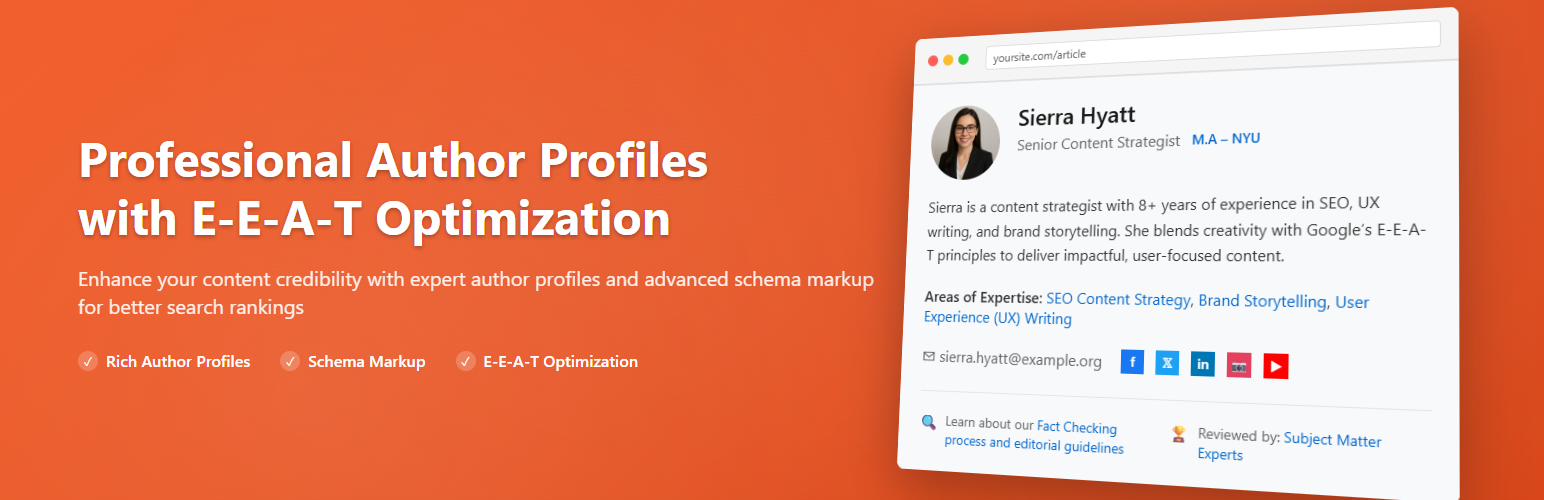
總結:Author Box & Pages for E-E-A-T Optimization 是一個幫助建立讀者信任並改善SEO的WordPress外掛,透過展示可自訂的作者資訊框,支援以下功能:
1. Google E-E-A-T(經驗、專業知識、權威性、可信度)
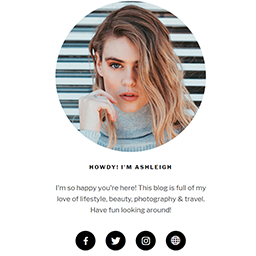
2. 包含作者簡介、頭像、描述、社交連結和最近文章的WordPress作者框
3. 個別作者頁面
4. 事實核查和審查指南
5. 已驗證的個人檔案和證據
6. Schema.org結構化資料
7. 具有角色標籤和頭像的多個作者
問題與答案:
1. 這個外掛的作者框可以怎麼設定?
- 可以手動或自動(在内容前/後)放置
- 支援短碼 [author_box]
- 可在文章、頁面或兩者中展示
- 可自訂邊距、內距和邊框樣式
- 頭像樣式:圓形或方形
- 可自設作者簡歷或回復至使用者档案
2. 如何加強E-E-A-T(經驗、專業知識、權威性、可信度)?
- 添加證明、專業知識和經驗年限
- 在線或標籤中顯示證明
- 作者角色和驗證的增強標題
- 支援事實核查通知和審查確認
3. 這個外掛如何支援多個作者?
- 可顯示多個具有合作者、評審、編輯角色的作者
- 可突出主要作者
- 可選擇網格或內聯佈局
- 可自訂分隔符和頭像尺寸
4. 如何設定作者頁面?
- 開啟指定的作者存檔頁
- 具有作者簡介、社交連結、證明和最新文章的增強佈局
- 具有SEO-ready meta標題和描述,可使用變數({author_name}、{site_name})
- 選擇是否加入聯絡表單
5. 這個外掛如何整合社交媒體?
- 可選擇社交圖標樣式:符號或標誌
- 可自訂顏色和大小選項
- 可在新標籤中打開,加入nofollow或驗證徽章
- 可選擇是否顯示分享次數
6. 如何設置標籤和自訂區段?
- 包括"關於作者"標籤
- 可選擇顯示最新文章或自訂HTML標籤
- 完全自定義顏色和佈局
7. 這個外掛支援怎樣的Schema Markup標記?
- 支援JSON-LD的Person、Article、Organization、Breadcrumb(還有Review/FAQ)
- 可自訂文章類型、緩存和驗證
- 支援事實核查和審查標記
8. 如何自訂頭像?
- 可上傳使用者自定頭像
- 可選擇回退:Gravatar、默認WP頭像或自定圖片
- 可控制最大檔案大小,並設定圓形/方形樣式
外掛標籤
開發者團隊
② 後台搜尋「Author Box & Pages for E-E-A-T Optimization」→ 直接安裝(推薦)
原文外掛簡介
Author Box & Pages for E-E-A-T Optimization helps you build trust with your readers and improve SEO by displaying a customizable author box with support for:
Google E-E-A-T (Experience, Expertise, Authoritativeness, Trustworthiness)
WordPress Author Box with Bio, Avatar, Description, Social Links and Recent Posts
Individual Author Pages
Fact Checking & Review Guidelines
Verified Profiles and Credentials
Schema.org structured data
Multiple authors with role labels and avatars
This plugin is ideal for blogs, news sites, medical content, educational platforms, and any site where author credibility matters.
Features
🧑💼 Author Box Display
– Manual or automatic placement (before/after content)
– Shortcode support [author_box]
– Show on posts, pages, or both
– Custom margins, padding, and border styling
– Avatar styles: circle or square
– Custom biography or fallback to user profile
🧠 E-E-A-T Enhancements
– Add credentials, expertise, and experience years
– Show credentials inline or in a tab
– Enhanced byline with author role and verification
– Support for fact-checking notices and review acknowledgments
👥 Multiple Authors Support
– Show multiple authors with roles like Co-Author, Reviewer, Editor
– Primary author highlighting
– Grid or inline layout
– Custom separator and avatar sizes
📄 Author Pages
– Enable dedicated author archive pages
– Enhanced layout with bio, social links, credentials, and latest posts
– SEO-ready meta title and description with variables ({author_name}, {site_name})
– Optional contact form
🔗 Social Media Integration
– Social icon styles: symbols or logos
– Custom color and size options
– Open in new tab, add nofollow, or verification badges
– Optional share counts
📘 Tabs and Custom Sections
– “About the Author” tab
– Optionally show latest posts or custom HTML tabs
– Fully customizable colors and layout
🧩 Schema Markup
– JSON-LD support for:
– Person
– Article
– Organization
– Breadcrumb
– Customizable article type
– Caching and validation options
– Fact checking and review schemas
🖼️ Custom Avatar Support
– Upload custom avatars per user
– Choose fallback: Gravatar, default WP avatar, or custom image
– Max file size control and circular/square styling
1. Flexible Placement & Shortcode
Auto–insert before/after content or use [author_box] anywhere.
Customizable Styling
Control margins, padding, borders, avatar size/style (circle ↔ square) and colors.
E‑E‑A‑T Profile Details
Display credentials, expertise tags, experience years, fact‑check notices, and review acknowledgments.
Multiple‑Author Layouts
Support co‑authors, reviewers, editors; choose grid or inline; highlight primary author; set separator and avatar size.
Dedicated Author Pages
Enable enhanced author archives with bio, social links, credentials, latest posts, plus SEO title/description templates and optional contact form.
Social & Link Settings
Symbol or logo icons, size/color control, open in new tab, add nofollow or verification badges, and optional share counts.
Tabs & Custom Sections
“About the Author” tab, plus optional Latest Posts or Custom HTML tabs with full color/layout control.
Rich Schema Markup
JSON‑LD for Person, Article, Organization, Breadcrumb (plus Review/FAQ); customizable article type, caching, and validation.
Custom Avatars
Per‑user uploads with Gravatar/default/custom fallback, file‑size limit, and circular/square styling.
Credits
Crafted with care for content creators and SEO experts who want to show real expertise and transparency.
License
This plugin is licensed under the GPLv2 or later.