內容簡介
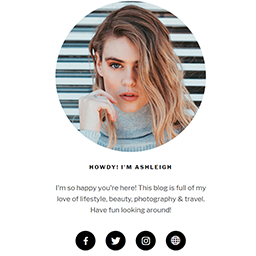
在文章和頁面末端添加一個現代化、可自定義的作者信息框,並附有關於作者的簡短描述。您可以在文章和頁面中顯示一個簡單的作者簡介框,讓讀者和追隨者了解您的身份。
您的博客將更具個性和真實性。此外,此外掛支援德語和英語,並且完全兼容“Local Avatars by Nocksoft”外掛。
功能
在文章和/或頁面末端添加一個簡單輕量級的作者框,包含有關作者的簡短描述
選擇為文章作者在作者框中顯示指向自己“關於我”頁面的鏈接
添加作者框的短碼,以便您可以在任何地方插入作者框
允許隱藏默認WordPress主題的作者框
完全與“Local Avatars by Nocksoft”外掛兼容
設置
安裝外掛。
(可選)前往“設置”→“作者框”設置全局設置,例如字體大小或頭像外觀等。
進入用戶檔案以輸入個人簡介信息。
(可選)進入用戶檔案以輸入有關作者的一些信息。
(可選)前往外掛並安裝推薦的外掛“Local Avatars by Nocksoft”以使用本地頭像。
短碼
[authorbox]
外掛標籤
開發者團隊
原文外掛簡介
Adds a modern customizable author info box at the end of your posts and pages with a short description about the author. You can display a simple author bio box in your posts and pages to show your readers and followers who you are.
Your blog will become even more personal and authentic. This plugin is available in German and English language and is fully compatible with the plugin “Local Avatars by Nocksoft”.
Features
Adds a simple lightweight Author Box at the end of your posts and/or pages with a short description about the author
Option for displaying a link to an own “About Me Page” in Author Box for post authors
Adds shortcode for Author Box so that you can insert a Author Box anywhere you want
Allows to hide the author box of default WordPress theme
Fully compatible with the plugin “Local Avatars by Nocksoft”
Setup
Install plugin.
(optional) Go to “Settings” -> “Author Box” to setup global settings like font sizes or other settings like look of avatars.
Go to user profiles to enter biographical info.
(optional) Go to user profiles to enter some informations about the author.
(optional) Go to Plugins and install the recommended plugin “Local Avatars by Nocksoft” to use local avatars.
Shortcode
[authorbox]