內容簡介
Attendra 是一款專為服務型企業設計的 WordPress 外掛,幫助用戶管理客戶、課程及出席情況,無需使用電子表格或昂貴的 SaaS 工具。無論是健身房、補習中心還是療癒實踐,Attendra 都能提供清晰且結構化的工作流程,讓數據完全掌握在自己手中。
【主要功能】
• 無需電子表格追蹤出席情況
• 快速記錄課程,隨時了解客戶剩餘次數
• 在一個地方管理客戶及服務
• 客戶可登入查看剩餘課程及出席歷史
• 工作人員可快速標記出席情況
• 使用短碼在網站上顯示服務及時間表
外掛標籤
開發者團隊
② 後台搜尋「Attendra – Class, Package & Attendance Manager」→ 直接安裝(推薦)
原文外掛簡介
Attendra turns WordPress into the back office of a class-based business. Yoga and pilates studios, gyms, dance and music schools, tutors, therapists and coaches use it to know who is coming, who has paid and how many sessions every client has left — without spreadsheets and without a monthly SaaS bill.
Everything lives in your own WordPress database. No external service, no account to create, no data leaving your server.
New in 1.6
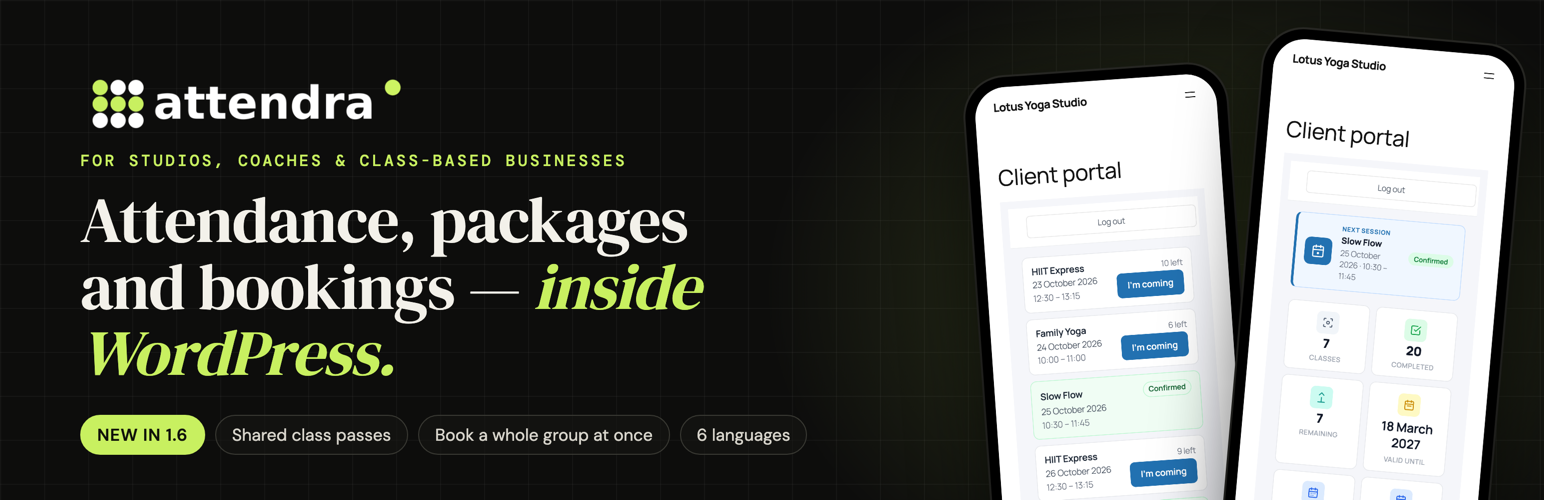
Shared class passes – one credit balance usable across several classes (a “10 Class Pass”), with expiry, full or instalment payments and a payment history.
Book a whole group at once – add several clients to a class in one go, from the admin or from the staff portal. Each person is billed by their own plan: credit, pay per session or free.
No double-booked instructors – private sessions cannot overlap another activity of the same instructor.
Six languages – English, German, French, Spanish (Spain and Mexico), Italian and Romanian, fully translated.
Safer updates – your attendance history is kept on every update (1.6.2 fixes a long-standing issue where updates turned attended sessions back into “confirmed”).
What you can do with Attendra
Attendance in one tap
Today’s Sessions shows every class of the day with its people. Mark attended, no-show or cancel, and credits update on their own. Look ahead at the next days with one click.
Classes, workshops and private sessions
Weekly group classes with a timetable and capacity, one-time workshops and events, and 1-to-1 appointments with free slots. Assign instructors, set a price per session and a reminder time per class.
Appointments with a full history
Every appointment has a status (pending, confirmed, attended, no-show, cancelled), a billing mode (package credit, pay per session or free) and a payment status. Create recurring series, reschedule, add notes for the client or internal notes for the team. Filter the list by upcoming, past, status or class.
Session packages and payments
Give each client a package per class or a shared pass across classes. Set an expiry date and a price (with discount), take the payment in full or in instalments and record each payment as it arrives. The client gets an email for each payment, when credits run low and when the package is used up. A no-show can use a credit, like a real attendance.
A portal for every client
One shortcode gives each client their own page: the next session, credits left, valid until, attendance history and upcoming appointments. “I’m coming” books a group class in one tap. Parents or companies paying for several people switch between them from the same account. An optional full-screen mobile layout makes it feel like an app.
A portal for your team
Instructors work from their phone: today’s classes, attendance, and new appointments — including several clients into one class at once. They only see their own classes and clients. Managers get a separate role with access to the whole studio.
Your timetable on any page
Show the week by class or by weekday, with times, instructors and spots left, using one shortcode.
Reporting
Appointments, attendance, no-show and cancellation rates, active and new clients, revenue collected and still due, packages sold, unpaid sessions and packages running low — for any period. Export payments to CSV.
Clients, imported in minutes
Import clients (and services) from a spreadsheet, export them any time. Filter clients by credits left, keep phone, birthday and payer on every profile, archive the ones who left.
Emails that go out on their own
Confirmation, cancellation, rejection, no-show, payment due, reminder before the session (timing per class), package started, running low and used up, payment received and portal invitation — plus notifications for the admin and a daily schedule for each instructor. Every template is editable and uses your business name and contact details. Works with any SMTP plugin.
Your words
Call them Students instead of Clients, Classes instead of Services, Lessons instead of Sessions — the new names appear in the admin, the portals and the emails.
Who is it for?
Yoga, pilates, dance and martial arts studios
Gyms, personal trainers and bootcamps
Music, language and tutoring schools
Therapists, physiotherapists, psychologists and coaches
Sports clubs and kids’ activities
Any business that sells sessions, classes or packs of visits
Attendra Pro
The free plugin is complete for running a studio. Attendra Pro adds what you need to sell and automate online: online payments by card (Stripe, Revolut), deposits and no-show fees, PDF receipts, booking from the public timetable and booking requests from visitors, packages clients buy themselves, coupons and gift packages, a waiting list, cancel and reschedule from the client portal, WhatsApp notifications, QR/PIN check-in kiosk, rooms, marketing campaigns, advanced reports and an installable mobile app (PWA).
Try everything on the live demo: demo.attendra.app
Developer Notes
To regenerate the translation template:
wp i18n make-pot . languages/attendra.pot –exclude=assets,vendor,node_modules –slug=attendra