內容簡介
Article Forge是一款WordPress外掛,旨在提供一個功能強大的工具,幫助網站撰寫、發佈和維護層次性文檔。特別適用於標題分節的故事、文章、技術文檔和期刊等。
文檔按照標題和摘要的格式進行組織,描述文檔的整體內容。文檔可能包含多個部分,每一部分由標題和內容組成。發佈時不需要將整個文檔組裝完成,可以獨立發佈每個部分。
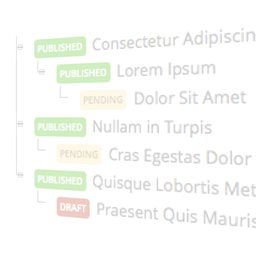
編輯界面提供了許多有用的功能。主要的文章編輯界面提供了一個可排序的部分列表,包括到各個部分的快捷方式和添加新部分的鏈接。此外,每個文檔都有顯示選項,允許作者自定義發佈文章的外觀和感覺。這些選項包括:
在每個頁面上顯示目錄
在每個頁面上顯示摘要
在一個頁面上顯示整個文檔
CSS類標記為HTML內容中的每個div公開,為用戶提供了一個簡單的手段來指定自己的樣式。實際上,鼓勵用戶在內容目錄下製作自己的css、js和HTML的副本。在設置頁面中提供了一個選項,可以指定從中提供文件的內容目錄。相應目錄下的所有.css和.js文件都會自動包含在前端Article Forge相關頁面中。
Article Forge插件與其他插件不同的是,將模板和內容的概念分開。內容被注入到模板中,而不需要為每種不同的文章類型進行單獨的模板文件,從而減輕網站維護人員的負擔。(詳細信息請參閱安裝部分。)
更多關於WordPress的評論、即將推出的功能以及其他與Article Forge相關的想法,請訪問http://www.bytewisemcu.org/article/article-forge/。
外掛標籤
開發者團隊
原文外掛簡介
The Article Forge WordPress plugin aims to provide a capable facility to aid in the writing, publishing, and maintenance of hierarchical documents for the web. In particular are stories, articles, technical documents and periodicals that have titled sections.
Documents are organized such that the head consists of a title and summary (ie. abstract) describing the whole. Beneath this head are the various sections comprising the document with each section consisting of a heading and content. The entire document does not need to be assembled before publishing; sections can be published independently of each other.
Many useful features abound through out the editing interface. The main article edit screen provides a sortable ordered list of the sections with short-cuts to the section and a link to add new sections. Further, each document has display options that allow the author to customize the look and feel of the published article. These include:
Display the Table of Contents on each page
Display the Summary on each page
Display the entire document on one page
CSS class tags are exposed for each div in the HTML content providing an easy means for users to specify their own style. In fact, users are encouraged to make their own copy of the css, js, and HTML under the content directory. An option is provided under the Settings page to specify the content directory from which files are served. All .css and .js files under the corresponding directories are automatically included in frontend Article Forge related pages.
The Article Forge plugin is unique in that the concepts of template and content are separated. Content is injected into the template instead of separate template files being required for each of the different post types, easing the burden on website maintainers. (See the Installation section for details.)
General commentary, upcoming features, and other WordPress related thought can be found at http://www.bytewisemcu.org/article/article-forge/.