內容簡介
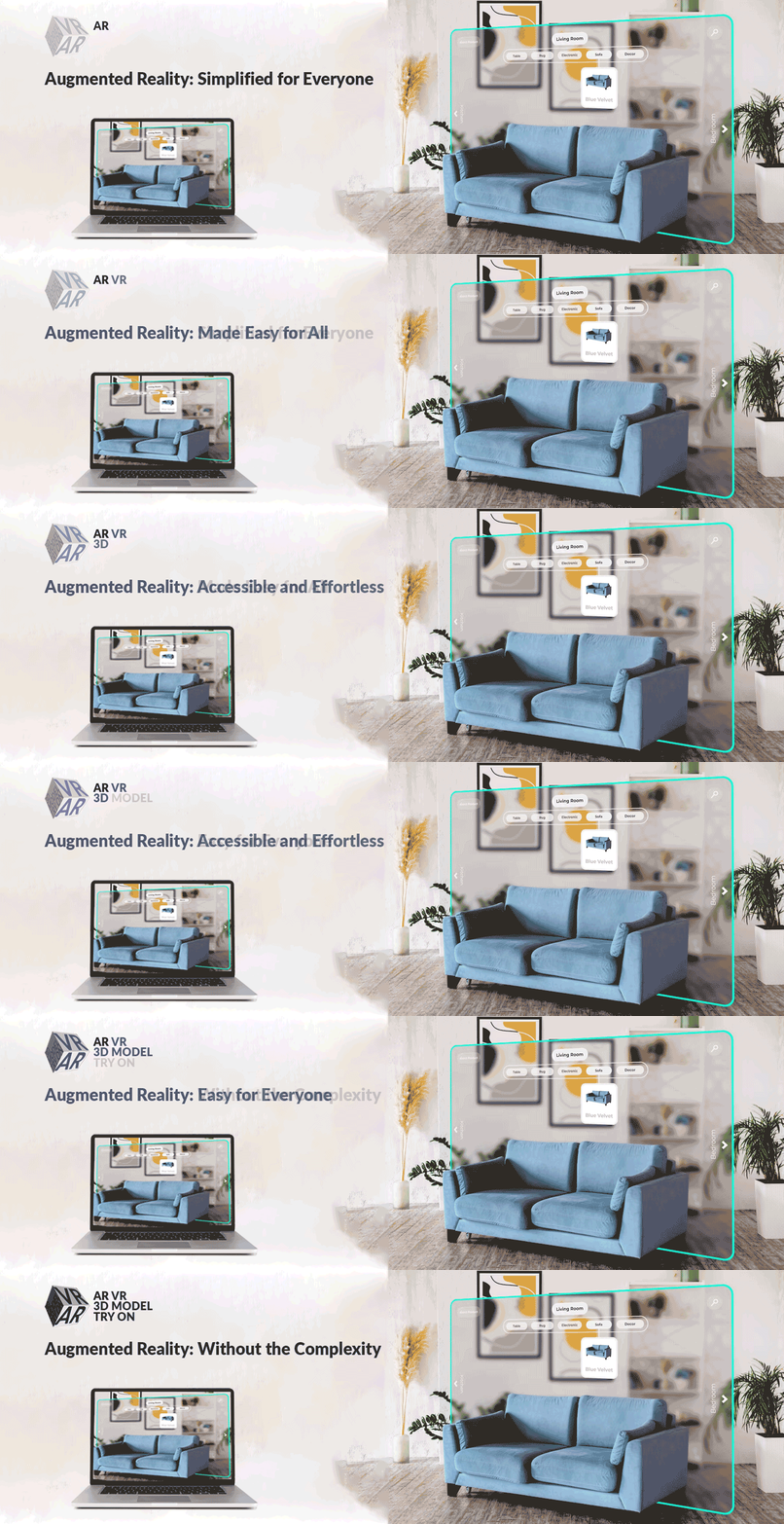
AtlasAR 是一款功能豐富的免費 3D 檢視器和擴增實境外掛,專為 WordPress 和 WooCommerce 設計。用戶可以上傳無限制的 3D 模型,讓訪客在 360 度全景中互動,並在 iOS 和 Android 瀏覽器中直接使用 AR,無需下載應用程式。
【主要功能】
• 無限制的 3D 模型上傳
• 原生 iOS 和 Android 擴增實境支援
• 自動添加「在 AR 中查看」按鈕
• AI 驅動的 3D 模型生成
• 與所有主要頁面建構器相容
• 性能優化,快速渲染
外掛標籤
開發者團隊
② 後台搜尋「3D Viewer – 3D Model Viewer – Augmented Reality」→ 直接安裝(推薦)
📦 歷史版本下載
原文外掛簡介
Showcase your 3D Models with immersive AR experiences directly in the browser using advanced 3D Viewer WordPress plugin. No apps or coding needed. Just add a browser-based 3d model, Experience in real environment and build confidence, cut returns, and boost conversions.
🚀 NEW IN VERSION 1.8.0: Pro version now available with Dimensions, Hotspots, Slider Configurators, and Automatic Compression!
👉 View Pro Pricing & Features
Key AR features at a Glance:
Inspect 3D models from every angle (rotate/zoom) Dining Armchair Demo.
Place products in real spaces using smartphone AR (floor/wall) Office Chair Demo.
Preview model Preview model in the product editor page.
**Integrated with Tripo3D API to generate .glb/3D model
🔥 NEW: Automatic model compression (Pro) – Reduce file sizes by up to 70%
🔥 NEW: Product dimensions display (Pro) – Show real-world sizes in AR
🔥 NEW: Interactive hotspots (Pro) – Educate customers with clickable info points
🔥 NEW: Product configurators (Pro) – Let customers customize colors, materials, options
SOME USEFUL LINKS:
Augmented Reality In Real World
Live Demo
Video Tutorial
Pro Version Pricing
Download Now
How To Install Augmented Reality ( AR VR Try On ) Plugin By AtlasAidev
Augmented Reality Plugin From Mobile Phone
Why Choose Our 3d viewer WordPress Solution?
✅ Unlimited 3D Uploads: Free version supports unlimited .glb/.gltf/.usdz files.
✅ True Mobile AR: Android (GLB) + iOS (USDZ) compatibility.
✅ WooCommerce Native: Automatic integration with product pages.
✅ Zero Coding: Automatic AR button placement on product pages – no coding required.
✅ ShortCode: Easy shortcode setup [atlas_ar] .
✅ QR Code: Display a QR code in desktop view .
✅ **Integrated with Tripo3D API to generate .glb/3D model
✅ Pro Features: Dimensions, Hotspots, Sliders, Auto-Compression
Core Features:
1. Complete 3D Model Control
Upload .GLB/.GLTF files for Android AR and 3D view in desktop.
Add .USDZ files for iOS AR Quick Look.
Set custom posters/thumbnails for each 3D model viewer.
Automatic fallback to interactive 3D model viewer on desktop/mobile.
🔥 NEW (Pro): Automatic model compression – Reduce file sizes by up to 70% for faster loading
2. Mobile Augmented Reality Magic (AR Placement Options)
**Floor 3d viewer **: Allow customers to visualize furniture, appliances, and other large items in their rooms. Office Chair Demo
**Wall 3d viewer **: Let users preview wall art, mirrors, and décor directly on their walls. Sun Painting Demo
🔥 NEW (Pro): Dimensions Display – Show product measurements in AR to reduce “will it fit?” questions
Glass Mode (Pro Version – Coming Soon): Enable virtual try-ons for glasses, sunglasses, and jewelry.
3. WooCommerce Optimization
Dedicated “AtlasAR” tab and settings within the WooCommerce product editor.
Automatic “View in AR ” button placement on product pages.
Full support for simple and variable/configurable products.
Designed to work seamlessly with all standard WooCommerce themes.
🔥 NEW (Pro): Interactive hotspots – Add clickable information points to educate customers
🔥 NEW (Pro): Product configurators – Let customers customize colors, materials, and options
4. Enterprise-Ready Performance
Host unlimited 3D models with no file size restrictions in the free version.
Optimized for fast and smooth mobile Augmented Reality experiences.
Asynchronous loading of models to ensure fast page speeds.
🔥 NEW (Pro): Automatic GLB/GLTF compression using Draco and Basis Universal
Coming Soon (Pro): Background compression processing for large files
Coming Soon (Pro): Bulk compression for entire product catalog
5. QR Code
Display a QR code in desktop view, allowing users to scan and switch to an AR capable device.
3D Model Generation
How to Generate 3D Models with Tripo3D API
Generate your API key from the Tripo3D API.
Copy the API key.
Go to the AtlasAR metabox in the post edit screen.
Click on the Integration tab.
Paste your API key in the Integration settings and save.
Now, go back to the Edit Post page.
In the AtlasAR metabox, enter your prompt for the 3D model.
Click on the Generate Model button.
A task_id will be generated.
Wait a few seconds while the model is being processed.
Once the model is generated, a 3D preview will appear on the right side.
Click on the Save This Model button to save the generated model and update the post data.
After saving, you can view the generated 3D model on the front end of your site.
How It Works – 3 Simple Steps
Install & Activate:
In your WordPress admin panel, go to Plugins → Add New.
Search for “AR VR 3D Model Try On”.
Click “Install Now” and then “Activate.”
Find the “AtlasAR” menu.
Setup you basic settings.
Upload Models:
Navigate to a WordPress post eiditing screen
Find the “AtlasAR” Metabox.
Select the place where you want to display the 3D Model like Floor/Wall etc.
Upload your Android Model: .glb/.gltf file.
Upload your iOS Model: .usdz file.
Optionally, add a Poster Image (thumbnail) for the 3D model viewer.
If your site is WooCommerce Store then first go to settings page of the plugin. And Look “Enable AR For Post Types” by default If would be post' change it toproduct’ and save.
Display 3D Model Viewer:
The “View in AR ” button is automatically placed on your WordPress Posts/WooCommerce product pages.
For manual placement in other locations, you can use the shortcode: [atlas_ar].
Pro Users: Enable dimensions, hotspots, and sliders from the AtlasAR metabox settings.
Real-World 3D Viewer Applications
🪑 Furniture Stores: “Customers visualize sofas in their living rooms before buying.” Office Chair Demo
🖼️ Home Decor: “Preview wall art placement through phone camera.” Dining Armchair Demo
🛋️ Pro Feature – Dimensions: Show exact measurements in AR to answer “will it fit?” questions
🎨 Pro Feature – Configurators: Let customers customize furniture colors and materials before purchase
Competitive Advantages
Free Model Limits
– Our Plugin: Unlimited ⭐
– Others: Often 1–10 models
iOS AR Support
– Our Plugin: Full native .USDZ compatibility ⭐
– Others: Android-only or limited iOS support
WooCommerce Integration
– Our Plugin: Native, seamless implementation ⭐
– Others: May require add-ons or hacks
Model Compression
– Our Plugin: Automatic compression up to 70% savings ⭐
– Others: Manual compression required
Product Dimensions
– Our Plugin: Real-world size display in AR (Pro) ⭐
– Others: No dimension features
Pro Version Features
🎯 Upgrade to Pro and unlock powerful features that boost conversions and reduce returns!
👉 See Pro Pricing Plans
Available Now in Pro:
⭐ Dimensions Display:
* Show product measurements (length, width, height) directly in AR view
* Help customers answer “will it fit?” before buying
* Reduce returns caused by size mismatches
* Perfect for furniture, appliances, home decor
⭐ Interactive Hotspots:
* Add clickable information points on your 3D models
* Educate customers about product features, materials, care instructions
* Increase customer confidence and reduce support questions
* Perfect for complex products like furniture, electronics, jewelry
⭐ Product Configurators (Sliders):
* Let customers customize colors, materials, finishes, and options
* Increase engagement and time spent viewing products
* Higher average order value through personalization
* Perfect for furniture, fashion, custom products
⭐ Automatic Model Compression:
* Reduce 3D file sizes by up to 70% automatically
* Faster loading times = better user experience
* Uses industry-standard Draco geometry compression
* Basis Universal texture compression for optimal quality
* Keeps original files for backup
Coming Soon in Pro:
🚀 Advanced Analytics Dashboard (Q1 2026):
* Track AR engagement, device types, placement attempts
* See which products perform best in AR
* Prove ROI with conversion tracking
* Integration with Google Analytics
🚀 Per-Variation 3D Models (Q1 2026):
* Upload different 3D models for each product variation (color, size, style)
* Critical for WooCommerce stores with variable products
* Automatic model switching when customers select variations
🚀 Background Processing & Bulk Compression (Q2 2026):
* Compress large files in background (no upload delays)
* Bulk compress your entire product catalog with one click
* Queue system for processing multiple models
🚀 Glass Mode Virtual Try-On (Q2 2026):
* Enable realistic virtual try-ons for eyewear and jewelry
* Face tracking for accurate placement
* Unique feature – no other AR plugin has this!
🚀 Desktop WebAR (Q3 2026):
* AR experiences on desktop browsers (no phone needed)
* Broader accessibility for all users
🚀 Multi-Model Scenes (Q3 2026):
* Display multiple products together in AR
* Room planning and outfit builders
* Advanced configurators
Pro Support & Updates:
Priority email support (24-hour response time)
Regular feature updates
Early access to beta features
Dedicated documentation
👉 Upgrade to Pro Now
💰 Starter Plan: Only $49.99/year – All Pro features for 1 site
Technical Specifications
Supported 3D Formats: .glb, .gltf (for Android/Web 3D), .usdz (for iOS AR Quick Look).
Mobile Device Requirements: Android 9.0+ with ARCore support, iOS 12+ with ARKit support.
WooCommerce Compatibility: Version 3.0 and above.
WordPress Compatibility: Version 5.0 and above.
Performance: Models load asynchronously. Lazy loading implemented for archive pages to minimize performance impact. Optimized for mobile 3D rendering.
Pro Compression: Draco geometry compression + Basis Universal texture compression for up to 70% file size reduction.
Start Your AR Journey Today
Install the Free Version: Get started with unlimited 3D model uploads, no credit card needed.
Upload Your First Model: Add a .glb/.gltf file for Android/Web and a .usdz file for iOS to a product.
Watch Engagement Soar: Provide interactive AR experiences.
Upgrade to Pro: Unlock dimensions, hotspots, compression, and configurators to maximize conversions.
👉 See What Pro Can Do For You
CHECK OUT OUR OTHER ADDONS 👑:
🔥 Text To Speech TTS Accessibility – Text To Speech TTS Accessibility is the most user-friendly Text-to-Speech tts plugin. Just install and automatically add a text to audio player to your WordPress site!.