
內容簡介
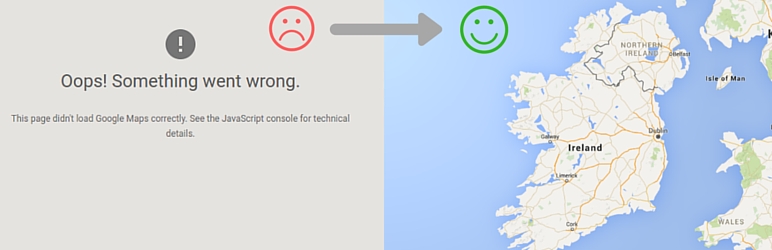
API KEY for Google Maps 外掛可輕鬆為您的網站添加 Google Maps 的 API 金鑰,解決因缺少金鑰而導致地圖無法正確加載的問題,無需修改佈景主題或外掛程式碼。
【主要功能】
• 自動將 API 金鑰添加至 Google Maps JavaScript API 腳本
• 替換已有的舊金鑰或不同金鑰
• 添加 Google 要求的回調參數以修正錯誤
• 支援前端顯示及 WordPress 控制台
• 一鍵生成 API 金鑰,快速連結至 Google Cloud Console
• 輕量化設計,僅需一個設定欄位
外掛標籤
開發者團隊
📦 歷史版本下載
原文外掛簡介
Many themes and plugins load Google Maps without an API key, or without a setting to enter one. Google requires an API key for every Maps JavaScript API request, so these maps fail with “This page can’t load Google Maps correctly” or show a “For development purposes only” watermark.
API KEY for Google Maps fixes this without touching theme or plugin code. Enter your key once and the plugin adds it to every Google Maps JavaScript API script enqueued on the site.
Features
Adds your API key to Google Maps JavaScript API scripts enqueued by any theme or plugin.
Replaces an outdated or different key already present in the script URL with your own.
Adds the callback parameter Google has required since January 2023, fixing the JavaScript error Loading the Google Maps JavaScript API without a callback is not supported.
Works on the front end of your site and in the WordPress admin.
One-click Generate API Key button that opens the Google Cloud Console with the Maps APIs selected.
Quick link to a free tool that checks your site for Google Maps API key errors.
Lightweight: a single settings field and a tiny inline script. The saved key is removed when you delete the plugin.
How to use
Activate the plugin and go to Settings > Google API KEY.
Click Generate API Key (you must be signed in to your Google account), or paste a key you already have.
Click Save Changes. Your maps now load with your key.
Requirements and tips
The theme or plugin must load Google Maps the standard WordPress way (with wp_enqueue_script()). Scripts that are hard-coded into templates or injected by JavaScript can not be changed.
Browser API keys are visible in your page source. In the Google Cloud Console, restrict your key to your website’s domain (HTTP referrers) and to the Maps APIs you use.
For developers
When the Google Maps API has loaded, the plugin sets window.rgmkGoogleMapsCallback to true and triggers the jQuery event rgmkGoogleMapsLoad on document. Use the rgmk_google_map_callback_script filter to change the callback script.
The plugin was created by the GeoDirectory team.
Security
To report a security vulnerability, please review our vulnerability disclosure policy.