
內容簡介
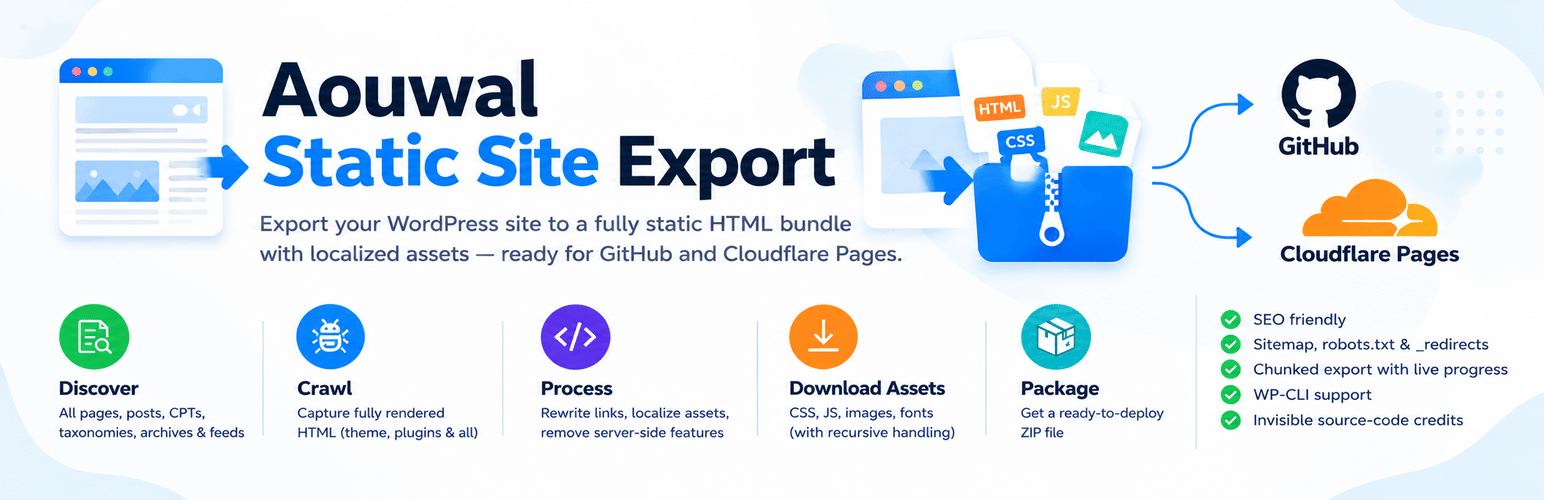
Aouwal Static Site Export 將您的 WordPress 網站轉換為靜態 HTML 網站,能夠捕捉每個公共頁面的完整 HTML,並將所有資源打包成一個可攜帶的 ZIP 檔案,方便部署至各種靜態主機或 CDN。
【主要功能】
• 將文章、頁面及自訂文章類型轉換為靜態檔案
• 自動下載並本地化所有資源(CSS、JS、圖片及字型)
• 生成 404.html、sitemap.xml 和 robots.txt 檔案
外掛標籤
開發者團隊
② 後台搜尋「Aouwal Static Site Export – Static Site Generator」→ 直接安裝(推薦)
原文外掛簡介
Aouwal Static Site Export is a WordPress Static Site Generator that converts dynamic WordPress websites into static HTML websites. Export complete websites including CSS, JavaScript, images, fonts, sitemap.xml and robots.txt for deployment on Cloudflare Pages, GitHub Pages, Netlify or any static web server.
The export is a plain folder of HTML files and assets. You can commit it to GitHub and deploy it on Cloudflare Pages, or host it on any static host or CDN. No WordPress, PHP or database is needed to serve it.
Author: Abdul Aouwal, Technical SEO Consultant.
Export WordPress to static HTML
The plugin turns your published WordPress pages into plain static HTML files. It works in six steps:
It discovers every public URL on your site.
It requests each URL through the WordPress HTTP API and keeps the fully rendered HTML.
It downloads and localizes every asset, including recursive CSS url() and @import references.
It rewrites internal links to portable relative or root-absolute URLs, keeping
You can export:
Posts, pages and custom post types.
Category, tag and custom taxonomy archives, author archives and date archives, including page 2 and later.
RSS feeds.
A 404.html page, plus sitemap.xml and robots.txt.
Cloudflare Pages _redirects and _headers files, both on by default.
WordPress static site generator features
Chunked export with a live progress log, so large sites do not hit PHP timeouts.
Every page is fetched as WordPress renders it, so theme templates, shortcodes and plugin output are included.
Images, CSS, JavaScript and fonts are downloaded and localized, including srcset and
Internal links become relative or root-absolute URLs, so the static site works on any domain and in any subfolder.
HTML5 markup stays valid:
Deploy to Cloudflare Pages
Cloudflare Pages is the fastest path to a live static site. The export already includes the _redirects and _headers files Cloudflare Pages expects, and the Deploy tab walks you through creating a GitHub repository and connecting it to Cloudflare Pages. Once the repository is connected, every push redeploys the site automatically.
Export to GitHub Pages
The same export folder works on GitHub Pages. Commit the exported files to a repository, enable Pages for the branch or folder you pushed, and GitHub serves the static HTML. Relative links work as they are, so no extra configuration is needed.
Netlify, Jamstack and any static host
The output is a plain folder of HTML files and assets, which makes it a good fit for any Jamstack workflow. Upload it to Netlify (which also reads _redirects and _headers), Amazon S3, Vercel, a CDN, or any static hosting account. No WordPress, PHP or database is needed to serve it.
Automate exports with WP-CLI and cron
Aouwal Static Site Export writes a ZIP and a local folder. It does not schedule exports, and it does not push to Netlify, Cloudflare Pages, S3 or any other host by itself. For hands-off deployments, run the export from WP-CLI on a schedule and let cron and your Git host do the rest.
Create a cron job that runs the export and unzips the result into the repository your host watches. The command prints the ZIP path when it finishes, and the last line has the Success: Export complete: prefix:
ZIP=$(wp aouwal-static-export run –batch=10 | tail -n 1 | sed ‘s/^Success: Export complete: //’)
unzip -o “$ZIP” -d /var/www/static-repo
Commit and push the updated files:
cd /var/www/static-repo && git add -A && git commit -m “Static export” && git push
Cloudflare Pages, Netlify and Vercel redeploy on every push, so the new static site is live a few minutes after the cron job runs.
The command exits with 0 on a clean run, or 1 when some items failed, so your script can stop before pushing a broken build. The ZIP keeps the site structure (path/index.html), so unzip it as a folder, not as a flat file list. Machine-readable output and a custom output path are planned.
Crawl through proxies, staging sites and Basic Auth
The Network settings section controls how the export talks to your server. Defaults reproduce the previous behavior exactly, so nothing changes until you edit them.
Request timeout: how long one request may take, in seconds. The default is 60, the range is 1 to 120. Raise it when slow pages or large files time out on shared hosting.
Delay between requests: a pause in milliseconds between two crawl requests (0 to 3000, default 0). Use it when your host rate-limits the export.
Batch size (concurrency): how many URLs are processed per request (1 to 50, default 5). Lower it when PHP execution time is short.
Custom crawl origin: send crawl requests to another URL, such as an internal container name (http://wordpress:8080) or a reverse-proxied host, while links in the export keep using the site URL. The origin host is trusted like the site host, but link-local and cloud metadata addresses such as 169.254.169.254 are still refused.
TLS verification: verify certificates everywhere, verify except on local development hosts (default), or verify against a custom CA bundle path. An unreadable CA path falls back to the system bundle.
HTTP Basic Auth: optional username and password for a protected staging site. The header is sent only to the site’s own hosts, never to external asset hosts and never after a redirect to another domain. The password is encrypted at rest, never rendered back into the form, and never written to the export log.
WP-CLI accepts the same timeout, delay and origin for a single run without saving them:
wp aouwal-static-export run --timeout=90 --delay=250 --origin=http://wordpress:8080
Basic Auth stays in the settings screen on purpose, so a password never lands in shell history or a cron file.
Why use a static WordPress website
A static website is faster and safer than a dynamic one. There is no PHP to execute and no database to query, so pages are served as small HTML files, usually from a CDN close to the visitor. There is also much less to attack: no login page, no plugin endpoints and no database on the public server. You keep WordPress for writing and publishing, and export a fresh static copy whenever the content changes.
What the export cleans up
Removes comment forms, comment sections and comment feeds (on by default).
Removes search forms (on by default).
Strips WordPress version tags.
Strips staging “noindex” robots meta so the exported site stays indexable.
Not suitable for
A static site has no PHP and no database, so features that need a server stop working after the export:
E-commerce stores. Cart, checkout, payment and order confirmation need WooCommerce and a database.
Membership sites and sites that require user logins. A static host has no sessions, accounts or password reset.
Real-time data, such as live stock levels, prices, dashboards or feeds that change by the minute.
Heavy AJAX functionality, including live search, AJAX filtering, infinite scroll endpoints and form submissions.
Built-in forms, site search, comments and “add to cart” buttons. They need a server to receive and store the result.
If you need those features, keep the dynamic WordPress site, or replace them with third-party services before you go static: a hosted form service, a static search service, and a hosted checkout. Static export works best for content sites such as blogs, documentation, portfolios, marketing pages and company websites.