外掛標籤
開發者團隊
② 後台搜尋「Antwork Field Code for ACF & SCF」→ 直接安裝(推薦)
原文外掛簡介
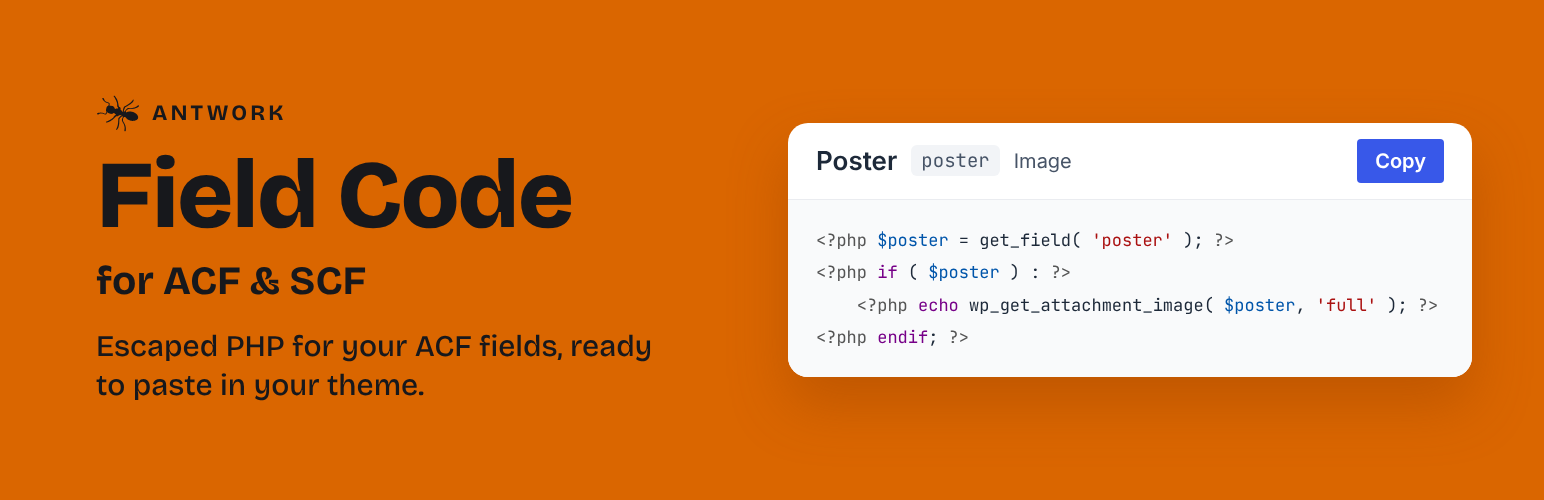
Antwork Field Code is a code generator for Advanced Custom Fields and Secure Custom Fields. It adds a “Field Code” box under the settings of each field group, with the snippets that display the fields of the saved group in a theme template: the code of each covered field, chosen in the list of fields, coloured by WordPress’s own code editor, with a Copy button.
The code follows the documentation of Advanced Custom Fields: get_field() returns values that are not escaped, so every value is escaped for where it is printed (esc_html(), esc_url(), esc_attr(), wp_kses_post(), wp_get_attachment_image() for images), and nothing is printed when a field is empty. It follows the WordPress Coding Standards, runs on PHP 7.4 to 8.4, and names its variables after your fields.
It works with Advanced Custom Fields (free or Pro, version 6) and with Secure Custom Fields.
Features
Code for each covered field: choose a field in the list, in the order of the field group, to see its code, read only. It reads your field group as it is saved, with the settings that change the code: return format (value, label or array; object or ID; URL…), one or several values, appearance of taxonomy fields, new lines of text areas, tabs of icon pickers.
Copy: a Copy button for each field and “Copy all” for the whole group. Copying is announced to screen readers and works with the keyboard.
Field list: pick a field, or All fields for the whole template; the arrow keys move between fields.
Group fields: the sub-fields of a Group field are read from the group’s value, at any depth.
Readable code: one variable per field, a guard on empty values, comments where a value needs explaining (formatted dates, post objects or IDs).
Help menu: links to the support forum and to the reviews on WordPress.org, and a button that copies your WordPress, PHP, ACF or SCF and plugin versions to the clipboard (shown to users who can see Site Health). Nothing is sent from your site.
For developers: filters let another plugin cover a field type, add a location (such as an options page), and add code before or after each snippet.
Covered field types
Basic: Text, Text Area, Number, Range, Email, URL, Password (read, never printed).
Content: Image (Array, URL, ID), File (Array, URL, ID), Wysiwyg Editor, oEmbed.
Choice: Select (one or several values; Value, Label or Array), Checkbox, Radio Button and Button Group (Value, Label or Array), True / False.
Relational: Link (Array or URL), Post Object (one or several; Post Object or Post ID), Page Link (one or several), Relationship (Post Object or Post ID), Taxonomy (Checkbox, Multi Select, Radio Buttons or Select; Term Object or Term ID), User (one or several; User Array, User Object or User ID).
Advanced: Google Map, Date Picker, Date Time Picker, Time Picker, Color Picker (Hex string, RGBA string or RGBA array), Icon Picker (String or Array).
Layout: Group, with its sub-fields. Message, Tab, Accordion and Separator hold no value and get no code.
Repeater, Flexible Content, Gallery, Clone and field types added by other plugins show “This field type is not covered yet.”
Where the code works
The code reads the fields of the current post, inside the Loop of a template for posts, pages or custom post types. A field group shown elsewhere (an options page, a taxonomy, a user, ACF Blocks…) still gets its code, with a line that names the location that is not covered yet.
Ideas and bugs
Have an idea for the plugin? Suggest it in the support forum, where bugs are reported too.
Privacy
Privacy: this plugin makes no external request. It collects no data, adds no tracking and stores no option in the database, so there is nothing to clean up when you delete it.
Antwork Field Code is an independent plugin. It is not affiliated with or endorsed by Advanced Custom Fields or Secure Custom Fields.
If it saves you time, a review on WordPress.org helps other developers find it.
Switching from another code generator
The code appears under the settings of each field group.
Deactivate the other code generator, if any.
Install and activate Antwork Field Code.
Edit a field group: the “Field Code” box shows the code of its fields.
There is nothing to set up and nothing to migrate: the plugin stores no settings.