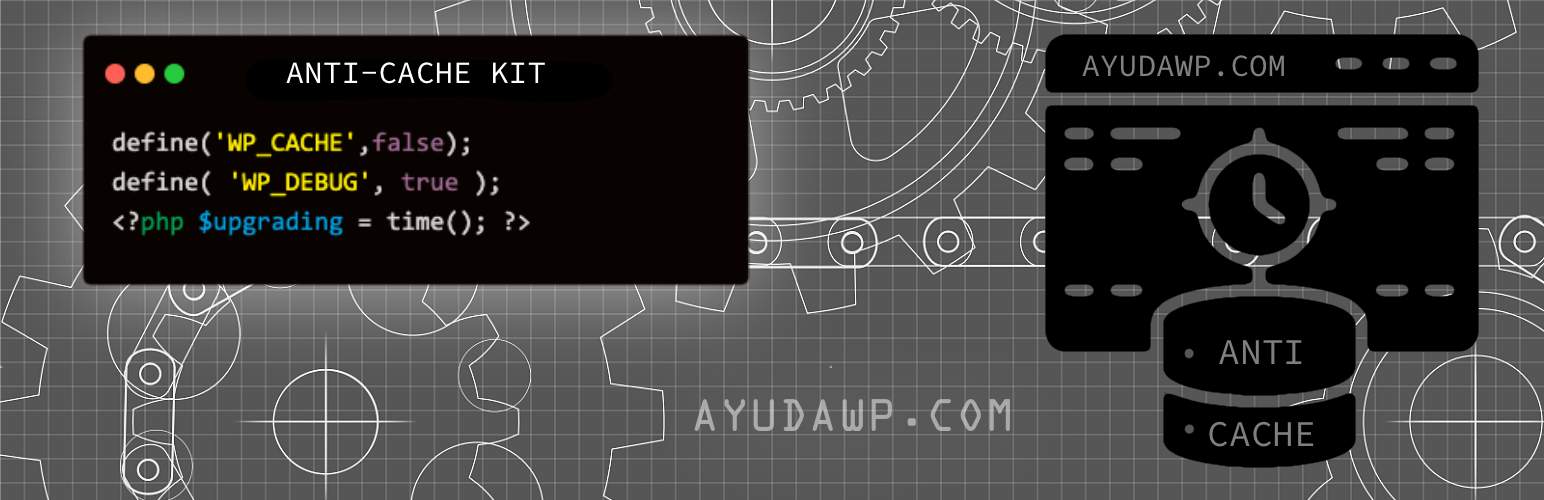
前言介紹
- 這款 WordPress 外掛「Anti-Cache Emergency Kit」是 2025-09-05 上架。
- 目前尚無安裝啟用數,是個很新的外掛。如有要安裝使用,建議多測試確保功能沒問題!
- 上一次更新是 2025-12-28,距離現在已有 59 天。
- 外掛最低要求 WordPress 5.0 以上版本才可以安裝。
- 外掛要求網站主機運作至少需要 PHP 版本 7.4 以上。
- 有 4 人給過評分。
- 還沒有人在論壇上發問,可能目前使用數不多,還沒有什麼大問題。
外掛協作開發者
外掛標籤
cache | debug | development | maintenance | troubleshooting |
內容簡介
總結:Anti-Cache Emergency Kit 是 WordPress 開發者和設計師在開發、測試或排除故障時需繞過所有快取機制的終極工具。
1. 這個外掛適用於哪些使用者?
- 這個外掛適用於 WordPress 開發者和設計師,他們需要在開發、測試或排除故障時繞過所有快取機制。
2. 這個外掛的主要功能有哪些?
- 自動檢測並清除主要快取外掛
- 在開發期間暫時停用快取外掛(使用者可輕鬆重新啟用)
- 清除物件快取(Redis、Memcached)
- 清除 OPcache 和特定主機快取
- 防止管理員的瀏覽器快取
3. 如何啟用 Debug 模式?
- 透過 WordPress 檔案系統 API 安全修改 wp-config.php
- 自動啟用 WP_DEBUG、WP_DEBUG_LOG、WP_DEBUG_DISPLAY
- 顯示 PHP 錯誤和警告以進行故障排除
- 在停用時恢復所有 wp-config.php 更改
4. 這個外掛的維護模式有什麼功能?
- 選擇性為非登錄使用者提供簡單的維護畫面
- 防止訪客看到開發錯誤
- 從管理列快速切換
- 客製化維護訊息
5. 這個外掛如何管理快取外掛?
- 查看目前狀態和啟用功能
- 輕鬆一鍵重新啟用快取外掛
- 手動清除快取選項
- 清晰概述所做的更改
原文外掛簡介
Anti-Cache Emergency Kit is the ultimate tool for WordPress developers and designers who need to bypass all caching mechanisms during development, testing, or troubleshooting.
⚠️ Development Tool Only – Do NOT leave active on production sites!
Key Features
🔧 Comprehensive Cache Management
* Automatically detects and flushes major cache plugins
* Temporarily deactivates cache plugins during development (user can easily reactivate)
* Clears object cache (Redis, Memcached)
* Clears OPcache and hosting-specific caches
* Prevents browser caching for administrators
🛠 Debug Mode Activation
* Creates automatic backup of wp-config.php before any changes
* Safely modifies wp-config.php using WordPress Filesystem API
* Automatically enables WP_DEBUG, WP_DEBUG_LOG, WP_DEBUG_DISPLAY
* Disables WordPress cache (WP_CACHE = false)
* Shows PHP errors and warnings for troubleshooting
* Automatically restores original wp-config.php on deactivation
🛠️ Maintenance Mode
* Optional simple maintenance screen for non-logged users
* Prevents visitors from seeing development errors
* Quick toggle from admin bar
* Customizable maintenance message
Admin-Only Impact
* All anti-cache measures only affect logged-in administrators
* Regular visitors see the normal cached site (unless maintenance mode is enabled)
* Perfect for live site development
Smart Management Panel
* View current status and active features
* Easy one-click reactivation of cache plugins
* Manual cache clearing options
* Clear overview of what was changed
Supported Cache Plugins
WP Rocket
W3 Total Cache
WP Super Cache
WP Fastest Cache
LiteSpeed Cache
SiteGround Optimizer
WP Optimize
Hummingbird (WPMU DEV)
Breeze (Cloudways)
Autoptimize
Cache Enabler
Surge
Redis Object Cache
Supported Hosting Caches
SiteGround hosting cache
Cloudflare (when plugin is active)
Generic hosting cache systems
How It Works
Backup: Creates automatic backup of wp-config.php
Activation: Automatically flushes and deactivates all detected cache plugins
Debug Mode: Enables WordPress debug mode and disables WP_CACHE in wp-config.php
Anti-Cache Headers: Sends no-cache headers to admin users
Asset Versioning: Adds random versions to CSS/JS files for admins
Maintenance Mode: Optional simple screen for non-logged users
Deactivation: Restores original wp-config.php from backup
Use Cases
Testing theme or plugin updates
Troubleshooting white screens or errors
Developing new features without cache interference
Checking design changes in real-time
Debugging PHP errors and warnings
Safe development on live sites
Security & Safety
Automatic backup of wp-config.php before modifications
All changes only affect administrator users
Automatic restoration of original configuration on deactivation
Secure nonce verification for all actions
No database modifications beyond options
Compatible with WordPress multisite
How to Test Plugin Features
After activating the plugin, verify each feature is working correctly:
Debug Mode Testing
Check wp-config.php: Look for the debug constants added by the plugin
Verify backup: Check /wp-content/plugins/anticache/backup/wp-config-backup.php exists
Trigger a PHP error: Add to a theme file
Verify error display: You should see PHP errors on the frontend (admin only)
Check debug log: Look for /wp-content/debug.log file creation
Test error logging: Errors should be logged to the debug.log file
Check WP_CACHE: Verify WP_CACHE is set to false in wp-config.php
Cache Plugin Deactivation Testing
Before activation: Note which cache plugins are active in Plugins page
After activation: Verify cache plugins are deactivated
Check admin notice: Should list which plugins were deactivated
Visit settings page: Go to Tools > Anti-Cache Kit to see deactivated plugins list
Test reactivation: Use the “Reactivate All Cache Plugins” button
Browser Cache Prevention Testing
Make a CSS change: Modify your theme’s style.css
Hard refresh: Ctrl+F5 or Cmd+Shift+R should show changes immediately
Check page source: Look for random version numbers on CSS/JS files
Verify headers: Use browser dev tools to check for no-cache headers
Test as visitor: Log out – visitors should still see cached version
Object Cache Testing
Install Redis/Memcached: If using object caching
Check cache status: Use Redis CLI or monitoring tools
Verify clearing: Cache should be flushed when plugin activates
Manual clear: Test the “Manual Cache Clear” button in settings
Maintenance Mode Testing
Enable maintenance: Go to Tools > Anti-Cache Kit and enable maintenance mode
Test as visitor: Open an incognito/private window and visit your site
Verify maintenance page: Should see the maintenance screen
Test as admin: Logged-in admins should bypass maintenance mode
Quick toggle: Use the admin bar toggle for quick on/off
Hosting Cache Testing
SiteGround users: Check SG Optimizer cache is cleared
Cloudflare users: Verify Cloudflare cache is purged (if plugin installed)
Manual verification: Check your hosting control panel for cache status
Performance testing: Use GTmetrix or similar to verify cache clearing
Overall Functionality Testing
Make theme changes: Modify CSS, PHP, or JavaScript files
Check immediate visibility: Changes should be visible without hard refresh
Test error display: Broken code should show errors immediately
Verify admin-only: Log out to confirm visitors see normal cached site
Check HTML comments: Look for “AyudaWP Anti-Cache Kit” comment in page source
Backup and Restoration Testing
Check backup creation: Verify backup file exists after activation
Note original wp-config.php: Take note of original configuration
Deactivate plugin: Deactivate Anti-Cache Kit
Verify restoration: Check that wp-config.php is restored to original state
Backup cleanup: Verify backup file is removed after successful restoration
Testing Checklist
wp-config.php backup is created automatically
Cache plugins are deactivated and listed in admin
Debug mode is enabled (WP_DEBUG, WP_DEBUG_LOG, WP_DEBUG_DISPLAY)
WP_CACHE is set to false in wp-config.php
CSS/JS changes are immediately visible to admins
Random versions are added to asset URLs for admins
PHP errors are displayed to admins only
Maintenance mode works for non-logged users
Admin bar toggle functions correctly
Settings page is accessible at Tools > Anti-Cache Kit
Manual cache clear button works
Plugin reactivation feature works
HTML comment appears in page source for admins
No-cache headers are sent to admin users only
Original wp-config.php is restored on deactivation
If any feature isn’t working, check the debug.log file for error messages or contact support.
Developer Information
Hooks and Filters
ayudawp_anticache_maintenance_data – Filter to customize maintenance page data
ayudawp_anticache_cache_plugins – Filter to modify the list of supported cache plugins
Constants
AYUDAWP_ANTICACHE_VERSION – Plugin version
AYUDAWP_ANTICACHE_PLUGIN_DIR – Plugin directory path
AYUDAWP_ANTICACHE_PLUGIN_URL – Plugin directory URL
Code Example
Customize maintenance page:
add_filter( 'ayudawp_anticache_maintenance_data', function( $data ) {
$data['heading'] = 'Custom Maintenance Message';
$data['message'] = 'We are updating our awesome website!';
$data['accent_color'] = '#ff6b6b';
return $data;
});
Support
Need help or have suggestions?
Official website
WordPress support forum
YouTube channel
Documentation and tutorials
Love the plugin? Please leave us a 5-star review and help spread the word!
About AyudaWP
We are specialists in WordPress security, SEO, and performance optimization plugins. We create tools that solve real problems for WordPress site owners while maintaining the highest coding standards and accessibility requirements.
各版本下載點
- 方法一:點下方版本號的連結下載 ZIP 檔案後,登入網站後台左側選單「外掛」的「安裝外掛」,然後選擇上方的「上傳外掛」,把下載回去的 ZIP 外掛打包檔案上傳上去安裝與啟用。
- 方法二:透過「安裝外掛」的畫面右方搜尋功能,搜尋外掛名稱「Anti-Cache Emergency Kit」來進行安裝。
(建議使用方法二,確保安裝的版本符合當前運作的 WordPress 環境。
3.0.2 | 3.0.3 | 3.0.4 | 3.0.5 | trunk |
延伸相關外掛(你可能也想知道)
WP Super Cache 》本外掛可以從您的動態 WordPress 部落格生成靜態 HTML 檔案。在產生 HTML 檔案後,您的網頁伺服器會傳送該檔案,而不是處理比較沉重、耗費更多資源的 WordPre...。
WP-Optimize – Cache, Compress images, Minify & Clean database to boost page speed & performance 》WP-Optimize Cache 是一個革命性的、全方位的 WordPress 效能外掛,將您的網站做快取、清理資料庫及圖片壓縮,讓您的網站快速且最佳化。我們的快取功能是建構...。
WP Fastest Cache – WordPress Cache Plugin 》han PNG or JPEG, which means faster downloads and less data consumption for your visitors, Database Cleanup – Detect and delete unnecessary d...。
SpeedyCache – Cache, Optimization, Performance 》SpeedyCache 是一款 WordPress 外掛,能透過網頁快取、最小化檔案和檔案壓縮的方式,幫助您減少網站載入時間。, 您可以在 https://speedycache.com/docs 找到...。
Breeze Cache 》Breeze是由Cloudways團隊開發的一款免費、簡單(卻功能強大)且使用者友好的WordPress快取外掛。它提供不同層級的WordPress效能優化選項,在WordPress、搭配W...。
OMGF | GDPR/DSGVO Compliant, Faster Google Fonts. Easy. 》, 使用 Google 的字型服務,怎麼可能與 GDPR 不符呢?事實上,當使用者的瀏覽器要求字型時,他們的 IP 會被 Google 記錄並用於分析。, — Lifehacker, , OMG...。Jetpack Boost – Website Speed, Performance and Critical CSS 》使用 Jetpack Boost 優化網頁性能加速你的 WordPress 網站。輕鬆啟用一鍵優化,提升核心 Web 重要指標。, 你是否知道,更快的網站可以:, , 在 Google 搜尋排...。
NitroPack – Performance, Page Speed & Cache Plugin for Core Web Vitals, CDN & Image Optimization 》NitroPack 是一個全方位的網站效能優化服務外掛,它包含了所有使網站加速所需的功能,包括圖片優化、代碼壓縮、快取、CDN (內容交付網路)、延遲載入等等。, ,...。Cache Enabler 》Cache Enabler 是個簡單卻強大的 WordPress 快取外掛,使用起來簡單且只需要最小化的設定,最重要的是能夠幫助網站提升效能來達到更快的載入時間。它會將前端...。
Aruba HiSpeed Cache 》Aruba HiSpeed Cache 是一個外掛,直接與 HiSpeed Cache 服務介面互動,該服務適用於 Aruba 主機平台,並能在 WordPress 儀表板中自動管理,無需訪問網站控制...。
10Web Booster – Website speed optimization, Cache & Page Speed optimizer 》10Web Booster 是提升網站整體效能的速度優化外掛程式,讓您專注並蓬勃發展 WordPress 網站的創意方面,同時讓我們專心於 WordPress 效能最佳化。透過 10Web ...。
Hummingbird Performance – Cache & Page Speed Optimization for Core Web Vitals | Critical CSS | Minify CSS | Defer CSS Javascript | CDN 》Hummingbird 透過添加細調控制文件壓縮、延後 CSS 和 JavaScript 樣式和腳本、CSS 和 JS 壓縮,以及懶加載等全球最佳緩存優化方法,讓您的網站更快,並優化網...。
Recent Tweets Widget 》查看最新的 WordPress 外掛優惠。, 使用快取的 Twitter API v1.1 最新的 Recent Tweets Widget (最近的 Tweet 外掛)。它使用新版 Twitter API v1.1,並將 Twe...。
Seraphinite Accelerator 》這個外掛可以加速您的網站,使其更具吸引力和搜索引擎友好性。詳細了解如何使用。, 若要使用免費的額外功能,請按照屏幕上的外掛程式指示安裝免費的延伸外掛...。
Clearfy Cache – WordPress optimization plugin, Minify HTML, CSS & JS, Defer 》數千個使用者已經使用 Clearfy 外掛優化他們的 WordPress 網站。這是一個綜合且免費的工具,擁有豐富的設定。搭配其他外掛使用,可以讓您的 WordPress 網站更...。