內容簡介
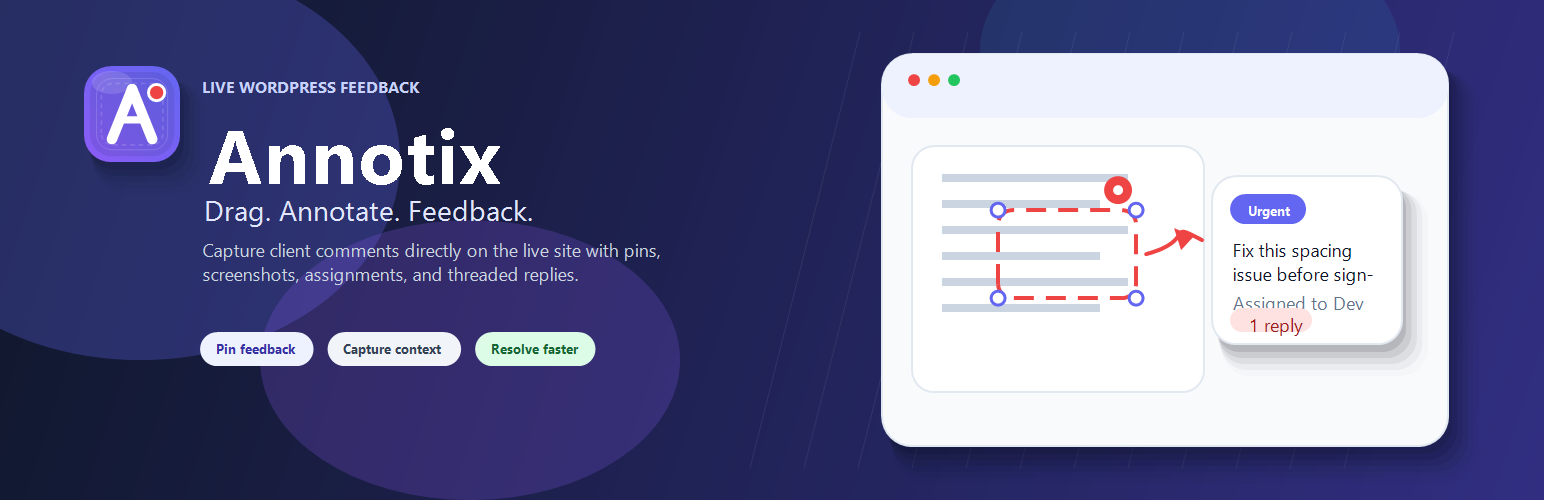
Annotix 是一款強大的 WordPress 外掛,讓團隊能在前端對任何頁面進行註解、截圖、追蹤狀態、分配任務及設置優先級,並透過串接回覆進行協作,無需離開網站。
【主要功能】
• 點擊註解:隨時在頁面上點擊以添加反饋標記
• 區域選擇:拖曳選擇特定區域進行截圖
• 截圖捕捉:可選擇附加視口截圖
• 註解工具:在選定區域上繪製矩形、圓形和箭頭
• Markdown 工具列:格式化反饋描述
• 優先級標籤:為反饋項目標記緊急程度
外掛標籤
開發者團隊
② 後台搜尋「Annotix – Drag, Annotate, Feedback」→ 直接安裝(推薦)
原文外掛簡介
Annotix – Drag, Annotate, Feedback gives your team a way to annotate any page on the frontend, capture screenshots, track status, assign items, set priority, and collaborate through threaded replies – all without leaving the site.
Built by Native Infotech.
Demo video: https://youtu.be/VQssYhmuh0E
Core Features
Click-to-annotate – click anywhere on any page to drop a feedback pin.
Area selection – drag to select a specific region of the page before capturing. Selection is draggable and resizable with corner handles.
Screenshot capture – optionally attach a viewport screenshot via bundled html2canvas. The library is lazy-loaded on demand for faster page loads.
Annotation tools – draw rectangles, circles, and arrows over the selected area before saving.
Markdown toolbar – format feedback descriptions with bold, italic, bullet lists, numbered lists, links, and inline code.
File attachments – upload images, PDFs, documents, spreadsheets, and other files alongside feedback. Attachments open in a new tab and display file-type badges.
Priority levels – tag each feedback item as Urgent, High, Normal, or Low with colour-coded badges and dots.
Assignment – assign feedback items to specific team members from a dropdown.
@Mentions – type @ in any comment or reply to mention a user and trigger an instant notification.
Collaboration
Threaded replies – discuss feedback with your team in context under each pin.
Inline editing – edit your own feedback descriptions and replies in place.
Delete with confirmation – delete your own feedback or replies with a skippable confirmation dialog.
Resolve / Unresolve – track completion state for each item. Resolved pins turn green.
Draggable pins – reposition saved pins by dragging them to a new location.
Sidebar & Navigation
Pins sidebar – a collapsible sidebar lists all feedback on the current page with status filters (Unresolved / Resolved).
Pages overview – an expandable pages panel shows feedback counts across all pages on the site.
Priority dots – sidebar items display colour-coded priority indicators for quick scanning.
Email Notifications
Digest mode (recommended) – batches all activity into a single email at a configurable interval (15 / 30 / 60 minutes).
Smart mode – digest by default, but sends instant emails for assignments and @mentions.
Configurable – enable or disable notifications, choose delivery mode, and toggle instant alerts for assignments and mentions independently.
Security & Permissions
Role-based access – assign each WordPress administrator as Client, Dev, or No Access.
Client role – full access: create, edit own descriptions, move pins, assign, reply, resolve, delete, and upload attachments.
Dev role – limited access: view, reply, and resolve/unresolve only.
No Access – cannot see or use Annotix.
Zero public routes – all REST endpoints require authentication with valid permissions.
Rate limiting – built-in abuse protection on all REST endpoints.
Performance
Lazy-loaded screenshot library – the 195 KB html2canvas library is only fetched when the user actually takes a screenshot, not on every page load.
Non-blocking font loading – Google Fonts are loaded via the WordPress enqueue API instead of a render-blocking CSS import.
Session caching – REST responses are cached in sessionStorage for instant rendering on repeat visits, with background refresh.
Transient caching – mention-user queries are cached with a 5-minute WordPress transient to reduce database load.
Conditional loading – all plugin assets only load for logged-in users who have been granted access.
Who is it for?
Annotix – Drag, Annotate, Feedback is designed for small teams (web agencies, freelancers, internal teams) where the designer, developer, and client all have WordPress administrator accounts and need a fast way to review and annotate the live site.
Third-Party Services
This plugin loads the Inter and Manrope font families from Google Fonts (fonts.googleapis.com) on frontend pages for logged-in users who have feedback access. No personal data is sent by the plugin itself, but the browser will make a request to Google’s servers to retrieve the font files.
Service: Google Fonts
Terms of Service: https://policies.google.com/terms
Privacy Policy: https://policies.google.com/privacy
This plugin bundles the html2canvas library (MIT license) for optional screenshot capture. The library is loaded locally from the plugin directory and makes no external requests.
Project page: https://html2canvas.hertzen.com/
License: MIT