前言介紹
- 這款 WordPress 外掛「Site Notes: Feedback, Notes with Sitewide Visual Commenting」是 2025-11-25 上架。
- 目前尚無安裝啟用數,是個很新的外掛。如有要安裝使用,建議多測試確保功能沒問題!
- 上一次更新是 2026-01-22,距離現在已有 34 天。
- 外掛最低要求 WordPress 6.2 以上版本才可以安裝。
- 外掛要求網站主機運作至少需要 PHP 版本 7.4 以上。
- 有 2 人給過評分。
- 論壇上目前有 2 個提問,問題解答率 50%
外掛協作開發者
analogwp | lushkant | johnpixle |
外掛標籤
notes | comments | feedback | collaboration | task management |
內容簡介
總結:Site Notes 為網站代理機構與客戶之間的交接流程提供便利,提供了一個視覺化評論系統,讓團隊可以在過渡期間註釋網頁並有效地協作。
1. Site Notes 如何簡化網站交接流程?
答:提供了一個視覺評論系統,讓團隊可以註釋網頁並有效協作。
2. 這項外掛的主要功能有哪些?
答:包括視覺評論系統、任務管理、狀態追蹤、截圖捕捉、響應式設計、使用者權限、管理面板、多語言支援等。
3. Site Notes 最適合哪些使用者?
答:網站代理機構、自由開發者、網站維護團隊、設計審核和錯誤報告等使用者。
4. 如何使用 Site Notes?
答:點擊網頁元素添加評論、自動生成截圖、設置優先級、追蹤進度、協作評論回覆、使用管理面板進行概覽和批量操作。
5. 如何獲得 Site Notes 的支援?
答:訪問WordPress.org 支援論壇,可以獲得相關插件的支援、功能請求或報告錯誤。
原文外掛簡介
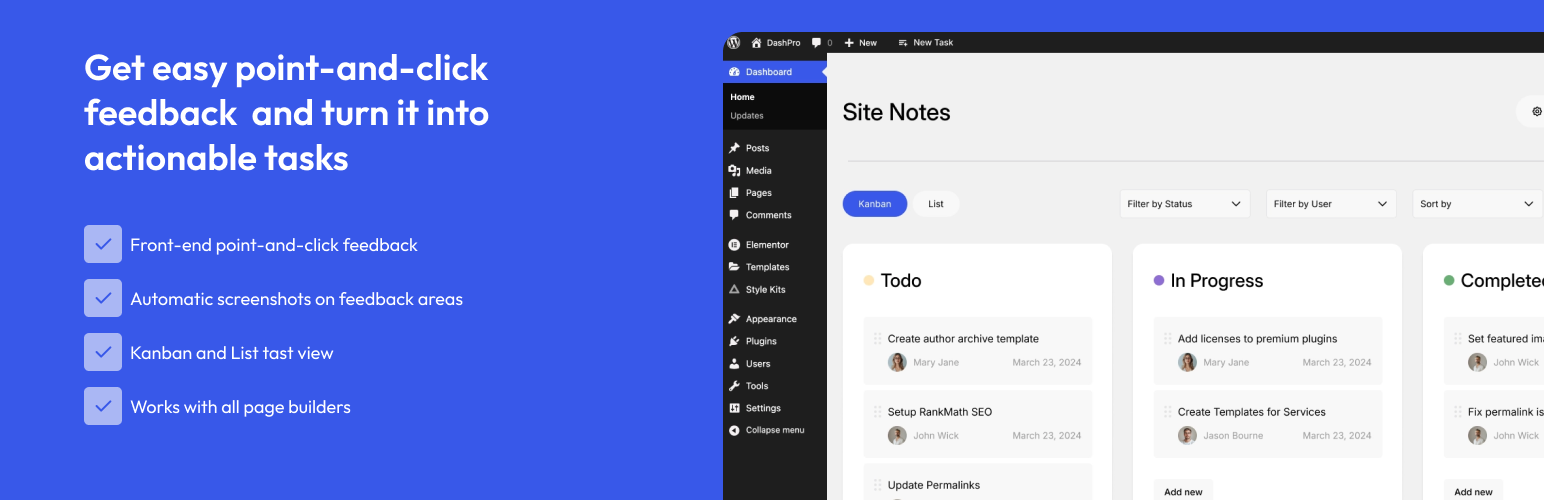
Site Notes streamlines the process of handing over websites from agencies to clients. It provides a visual commenting system that allows teams to annotate web pages with feedback, manage tasks, and collaborate effectively during the transition period.
Key Features
Visual Commenting System – Click on any element to add comments with screenshots
Task Management – Create, assign, and track tasks with priority levels
Status Tracking – Monitor progress with open, in-progress, and resolved statuses
Screenshot Capture – Automatic screenshot generation for visual context
Responsive Design – Works seamlessly on desktop and mobile devices
User Permissions – Proper role-based access control
Admin Dashboard – Comprehensive overview of all comments and tasks
Translation Ready – Full internationalization support
Perfect For
Web agencies streamlining client feedback collection
Freelance developers managing client collaboration
Website maintenance teams handling ongoing communication
Design reviews with visual feedback on layouts
Bug reporting with clear visual documentation
How It Works
Add Comments – Click on any page element to add a visual comment
Capture Context – Screenshots are automatically generated for clarity
Set Priorities – Organize feedback with High, Medium, and Low priorities
Track Progress – Monitor status from Open to In Progress to Resolved
Collaborate – Add replies and updates to comments
Manage – Use the admin dashboard for overview and bulk actions
From the team at AnalogWP – creators of Style Kits for Elementor, trusted by thousands of designers worldwide.
Support
For support, feature requests, or bug reports:
Visit the WordPress.org support forum for this plugin
Documentation
We’re committed to providing excellent support and regular updates.
各版本下載點
- 方法一:點下方版本號的連結下載 ZIP 檔案後,登入網站後台左側選單「外掛」的「安裝外掛」,然後選擇上方的「上傳外掛」,把下載回去的 ZIP 外掛打包檔案上傳上去安裝與啟用。
- 方法二:透過「安裝外掛」的畫面右方搜尋功能,搜尋外掛名稱「Site Notes: Feedback, Notes with Sitewide Visual Commenting」來進行安裝。
(建議使用方法二,確保安裝的版本符合當前運作的 WordPress 環境。
1.0.3 | 1.1.0 | 1.1.1 | 1.1.2 | trunk |
延伸相關外掛(你可能也想知道)
User Feedback – Create Interactive Feedback Form, User Surveys, and Polls in Seconds 》ur only on certain pages, Device targeting – Collect feedback from specific device types such as mobile, tablet or desktop, Customizable surv...。
kk Star Ratings – Rate Post & Collect User Feedbacks 》kk Star Ratings 是 WordPress 外掛中常用的星星評分外掛,以下是該外掛的一些亮點功能:, , , 在文章、頁面和公開可訪問的自訂文章類型中,使用者可以自定義...。WP ULike – Like & Dislike Buttons for Engagement and Feedback 》作為一個內容創建者,收到反饋是至關重要的,但不幸的是,預設情況下可以收集反饋的內容類型有所限制。然而,在 WP ULike 外掛的幫助下,可以對您網站上的任...。
Testimonial Slider 》Testimonial Slider 以乾淨、響應式和美麗的滑塊格式顯示由您的滿意客戶提交的推薦和反饋。 “推薦” 是一個自定義文章類型,因此非常容易添加、修...。
Survey Maker 》WordPress 調查外掛, , 調查問卷定價, 調查問卷免費展示, 調查問卷專業展示, 調查問卷使用手冊, , , WordPress 調查外掛 是一個功能強大且易於使用的 WordPre...。SureFeedback Client Site 》這是為 ProjectHuddle 編寫的子外掛。, ProjectHuddle 外掛讓您可以在頁面設計和網站專案上收集類似便條紙式的反饋意見。非常容易使用。客戶可以選取您設計中...。
Marker.io – Visual Website Feedback 》Marker.io 是一款能夠在不讓開發人員感到煩惱的情況下,讓機構和產品團隊從同事和客戶對 WordPress 網站收集視覺和開發人員友好的反饋的最佳方法。, 通過 Mar...。
Creta Testimonial Showcase 》總結:Creta Testimonial Showcase 是一個讓您以優雅且可自訂的方式展示客戶反饋和評論的外掛。透過使用者友善的介面,輕鬆地創建、管理和展示推薦評論。, , ...。Usernoise modal feedback / contact form 》Usernoise 是一個易於使用的彈出式聯繫 / 回饋表單。從 3.5 版本開始,它變得響應式。, 您不需要在您的網站上更改任何代碼。, 演示, Usernoise 演示在 userno...。
Userback 》一個簡單美觀的客戶反饋方式。, Userback是一個客戶反饋解決方案,讓您使用視頻和帶註釋的截圖在網站和應用程序上收集和管理高質量的反饋。, 為設計師,開發...。
FeedFocal 》FeedFocal 是一個資料分析平台,可收集使用者回饋資料。, 我們設計了一系列問卷,用於收集使用者在客戶旅程不同階段的回饋,以協助您在改善使用者體驗(UX)...。
Decent Comments 》Decent Comments 顯示人們的評論。, 如果想要顯示評論,並連同評論者的頭像和評論摘錄,那麼這就是適合您的外掛程式。, 而且,這不僅僅是顯示最新評論的小工...。
Was This Helpful? 》這是一個簡易的文章回饋外掛程式。透過此外掛程式,您可以找出您提供的資訊是否對訪客有所幫助,並進一步改善使用者體驗。, 主要功能, , 輕量化的流程。, Aja...。SpeakPipe – Voicemail for Websites 》透過 SpeakPipe,您可以在您的網站上直接從聽眾那收到語音留言。將 SpeakPipe 安裝在網站上非常容易,只需不到一分鐘的時間即可完成。訪客無需使用 SpeakPipe...。
Reaction Buttons 》此外掛可在您的文章或其他位置下方新增按鈕,方便讀者直接點選表達文章觀感,不必寫整篇評論的繁文縟節,使讀者更容易與您互動。按鈕可以進行組態設定(數量...。