內容簡介
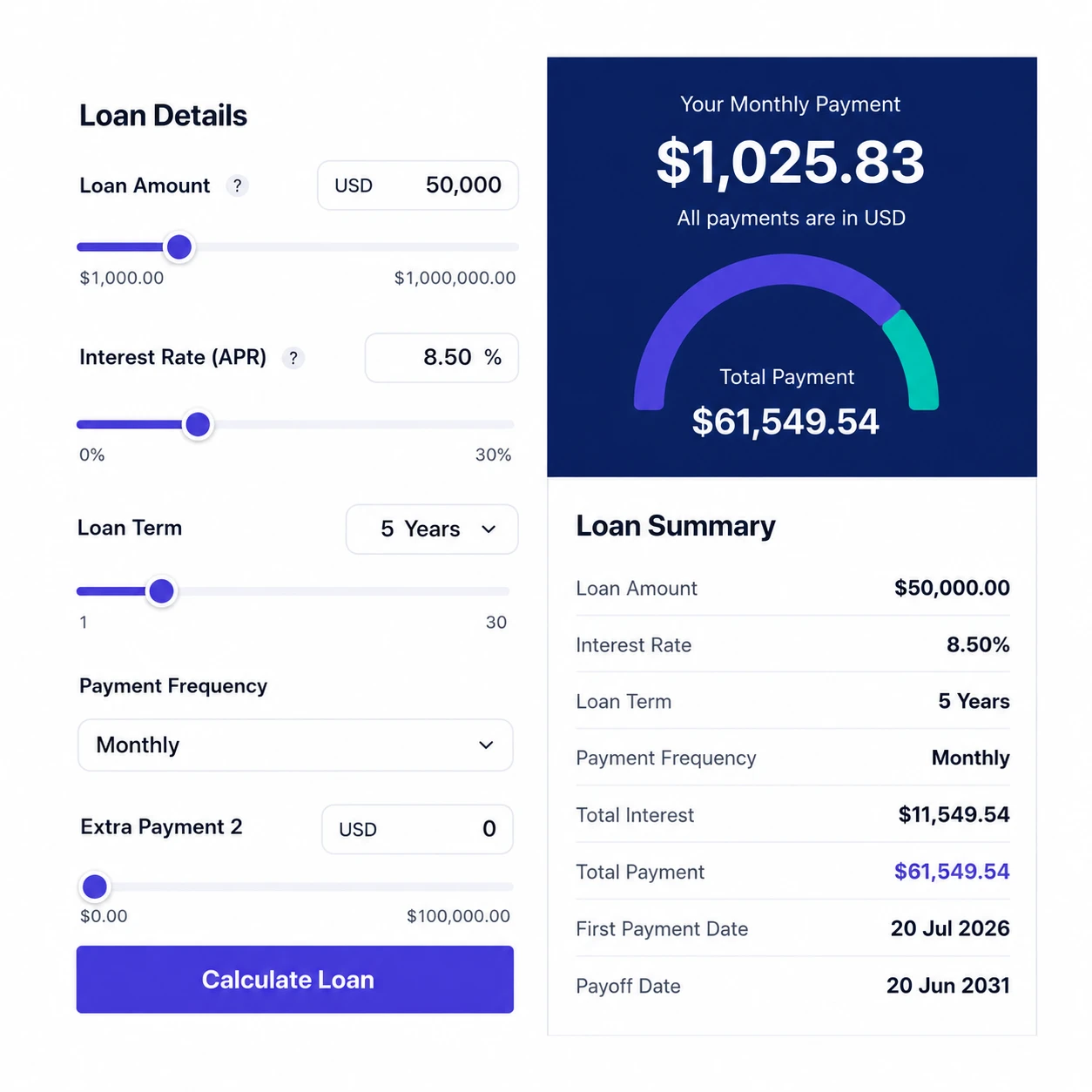
Amortexa Mortgage Calculator 是一款專為 WordPress 設計的抵押貸款計算器外掛,能夠在區塊編輯器中輕鬆添加計算器,提供即時計算、圖表及完整的攤還計畫,幫助訪客快速了解貸款成本。
【主要功能】
• 即時計算每月付款、利息及總支付金額
• 支援首付款,正確計算融資本金
• 可選擇顯示物業稅、保險等月費用
• 自動取消 PMI 功能,依貸款比例調整
• 提供 24 種內建佈景,適合不同風格
• 完全無需 JavaScript,伺服器端渲染
外掛標籤
開發者團隊
② 後台搜尋「Amortexa Mortgage Calculator」→ 直接安裝(推薦)
原文外掛簡介
Amortexa adds a Mortgage Calculator block to the block editor. Drop it on any page and visitors get a working, self-contained mortgage calculator with live results, charts, and a full amortization schedule.
Key features
Live calculation. Monthly payment, financed principal, total interest, and total paid update instantly as visitors type or drag a slider.
Down payment support. Interest is correctly charged on the financed principal only, not the full purchase price.
Real monthly cost, not just principal and interest. Turn on recurring costs to add property tax, home insurance, HOA fees, PMI, and any other monthly costs, and the calculator reports a genuine total monthly payment. Each component is a cash amount or a percentage of the purchase price, and the results and the composition chart both include it.
PMI that cancels itself. When PMI is set, the balance is walked forward month by month and PMI stops the first month the loan reaches 80% of the purchase price, the later of automatic cancellation and the point you could request it yourself. Charge it to term end and it overstates what you would actually pay.
Twenty-four built-in skins. Twelve light and twelve dark: Classic Light, Elegant Dark, Ocean Blue, Sunset Warm, Forest Green, Midnight Violet, Rose Quartz, Minimal Slate, Royal Grape, Aqua Fresh, Mocha Cream, Cyber Neon, Emerald Nights, Crimson Dusk, Graphite, Copper Forge, Royal Sapphire, Amber Gold, Cobalt Blue, Fuchsia Bloom, Mint Fresh, Sandstone, Lemon Zest, and Steel Blue — chosen per block.
Colour and typography controls. Override the accent, secondary accent, label, and field text/background/border colours, and pick a font family — all per block, without writing CSS.
Dependency-free SVG charts. A payment-composition donut and a balance-over-time line chart with cumulative interest, drawn in plain SVG. No charting library, no external requests.
Amortization schedule. Annual rows showing principal paid, interest paid, and remaining balance, collapsible on the front end.
Works without JavaScript. The block is fully server-rendered, so results and the schedule are correct even with scripting disabled. JavaScript is progressive enhancement that adds live recalculation and the charts.
Responsive by container. The layout adapts to the block’s own width rather than the viewport, so columns stack, sliders wrap, and the schedule scrolls neatly inside narrow columns.
Customisable currency. Set the symbol per block or site-wide, and place it before ($99) or after (99 €) the amount.
No tracking, no external services. The plugin makes no network requests, loads no third-party fonts, and stores no personal data.
Site-wide defaults
Under the Amortexa menu you can set the defaults every new calculator block starts from: currency symbol, interest rate, decimal precision, loan amount, down payment, term, default skin, default chart type, and whether the amortization table is shown by default. Individual blocks can still override any of these in the editor.
Developer friendly
All mortgage math lives in pure, reusable PHP functions, mirrored by an equivalent JavaScript implementation for instant client-side feedback. A parity test in the repository asserts the two agree exactly.
The plugin also exposes a REST endpoint and a set of documented actions and filters for extending skins, defaults, results, currency, and rate limiting.
Privacy
Amortexa does not collect, store, or transmit any personal data.
The calculator runs entirely in the browser and on your own server. Visitor input is never saved to the database, never sent to the plugin author, and never used for analytics. The only data the plugin persists is your own site-wide settings (currency symbol, defaults, and so on), stored in a single amortexa_settings option in your site’s database. That option is deleted automatically when you uninstall the plugin.