
外掛標籤
開發者團隊
原文外掛簡介
Aluleth Membership turns your site into a members’ club: people get a level when they buy a product, sign up for free, send a form or when you add them. Your members-only content stays for members, and everyone else sees the beginning with a clean card to join.
No fee on your sales, no add-on to buy for the basics.
Levels
As many levels as you want: free, paid, one-time or subscription.
A length for each level: no end date, or a number of days, months or years.
The price text, the description and the “Popular” mark shown on join cards.
How people join
FluentCart: buying one of the products you tick gives the level. With a subscription, access follows it: paused when it is paused, kept until the end of the paid period when it is cancelled, ended when it expires. A full refund or a cancelled order ends the access.
WooCommerce: a paid order with one of your products gives the level; a refund or a cancellation ends it. WooCommerce Subscriptions is followed too.
Free sign-up from a join card: name and email, then one click in the email. No password.
Aluleth Forms: sending a form gives the level (after the payment, for a payment form).
By hand, with an end date if you want.
An account is created when the email has none. A refund of one order never takes away an access paid by another.
Members-only content
A page, a post or any content type, from the “Membership” box of the editor.
Everything in a category, a tag or another taxonomy, or every item of a content type.
Addresses: /members/* sends visitors to your plans page.
Any block: “Who sees this block” in the block settings.
Elementor: Advanced › Membership on every widget, container, section and column.
Shortcode: [aluleth_members levels="club"]…[/aluleth_members], or show="guests" for the opposite.
Menus: “Membership: who sees this item” on every menu item (Appearance › Menus).
Bricks: Conditions › Aluleth Membership on every element (Member of, Can read this content).
Visitors see the beginning of a post (up to the “More” block, or a number of words) and the join card, the join card only, or are sent to your plans page. Members-only text never reaches them: not in the page, the excerpt, the feed, the comments or the REST API.
Content released step by step (drip)
A rule can open its content some days after the member joined: day 0 for the welcome lesson, day 7 for the next one. Until then members see when it opens, and their member area lists what opens soon.
Free articles of the month (metered paywall)
Let visitors read a few members-only articles each month (3 by default) before they see the join card, on the content you choose. A line tells them how many they have read. Search engines never get free articles, and pages read this way are never kept by page caches.
Files for members
Upload guides, templates or recordings in Content access and choose the levels that can download them. Members find them under “Downloads” in their member area, and you can link one in any content with [aluleth_file id="12"]. Files are kept out of the media library, in a folder that refuses direct access (Apache and LiteSpeed), with a random part in each file name, and they open only through your site after the access check.
Join card and member area
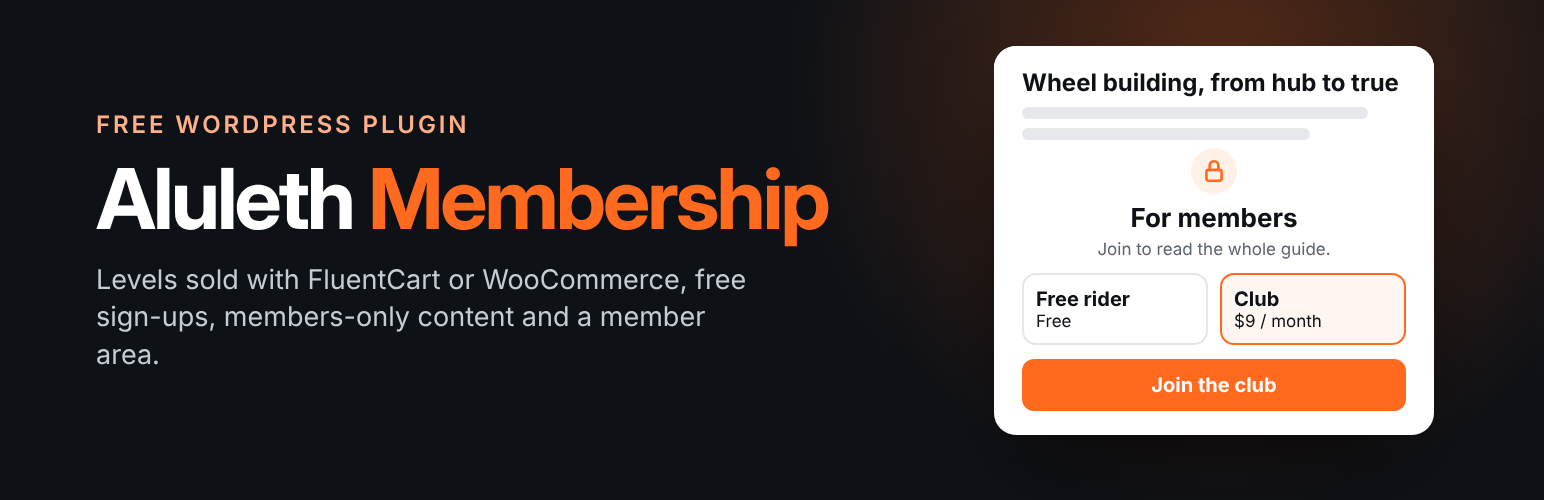
A designed join card with your levels, their price and button, the free sign-up and the sign-in form. Three designs and your button colour.
A member area: memberships with renewal date and billing link (FluentCart or WooCommerce), content opened for the member and opening soon, downloads, past memberships, profile.
Both as a block, an Elementor widget and a shortcode ([aluleth_join_card], [aluleth_member_area]).
Move from another membership plugin
Import from Paid Memberships Pro, Restrict Content (Kadence Memberships, formerly Restrict Content Pro) and Simple Membership: levels (new ones, or joined to yours), the members who have access today with their start and end dates, and the content rules. Check one member first, or test with the first 10. Nothing is changed or deleted in the other plugin, no email is sent, and you can run it again without doubles.
Payments stay with the other plugin: “Keep following” checks it every hour while it is active, gives the level to its new members and follows renewals and ends, until you are ready to sell with FluentCart or WooCommerce.
AI agents (MCP)
Off by default. When you turn it on in Aluleth › Settings › Access, an AI assistant connected to WordPress (through the MCP Adapter) can read the levels and numbers, prepare levels for you to review, and, only if you allow it, read members and give or end memberships given by hand. It acts with the rights of the WordPress user it signs in with and never ends an access paid in your store.
Sign-in by email
Members get a sign-in link by email instead of typing a password. A link works once, for 30 minutes, and opening it shows a “Sign in” button so email scanners can’t use it. Administrators and editors always use their password.
Emails
Welcome, sign-up confirmation, sign-in link, “ends soon” (7 days before) and “has ended”. Edit their text, turn them off, send yourself a test. They go out with your Aluleth email settings and Aluleth SMTP when you use it.
Contacts
Members are Aluleth contacts with a “Member: level” tag and “Became a member” / “Membership ended” in their history, shared with Aluleth Forms and Aluleth Popups.
External services
Aluleth Membership itself does not contact any outside service. Levels, members, rules, sign-in links and member emails stay on your site; member emails go through your site’s own email sending. Purchases are read from FluentCart or WooCommerce on your site.
Shared Aluleth screens
Aluleth Membership comes with the screens shared by all Aluleth plugins (Aluleth › Settings and Aluleth › Connections). They are mostly used by Aluleth Forms and the other Aluleth plugins. None of the services below is contacted unless you paste your own key or address in one of these screens. With Aluleth Membership alone, that is only when you click a “Save and check”, “Connect” or “Send a test” button there, and, once captcha keys are saved, when you open Aluleth › Settings › Security: it shows the service’s test check, which loads its script in your browser.
Mailchimp (*.api.mailchimp.com), email marketing. When you connect your account in Aluleth › Connections, your API key is sent to read your lists, tags and fields. Terms of use, Privacy policy.
Brevo (api.brevo.com), email marketing. Same use and data as Mailchimp. Terms of use, Privacy policy.
MailerLite (connect.mailerlite.com), email marketing. Same use and data. Terms of service, Privacy policy.
Kit (api.kit.com), email marketing. Same use and data. Terms of service, Privacy policy.
Mautic, marketing automation that you host yourself: the address of your own Mautic and its API user, sent only to that address. Mautic privacy policy.
Telegram (api.telegram.org), messaging. When you connect a bot, its token is sent to read the bot’s name and the chats that wrote to it. Terms of service, Privacy policy.
Discord (https://discord.com/api/webhooks/…; the discordapp.com, canary.discord.com and ptb.discord.com forms of the same address are accepted), chat. A message is posted to the channel webhook address you paste, and nowhere else. It is sent only when another Aluleth plugin sends an alert (for example, with Aluleth Forms, a new form entry with its answers and a link to it), or when you click “Send a test” (a sample message with no personal data). Aluleth Membership alone sends no message to Discord. Terms of service, Privacy policy.
Slack (https://hooks.slack.com/services/…), chat. Same use and data as Discord, to the Slack webhook address you paste. Terms of service, Privacy policy.
Your own webhook addresses receive the same kind of message, only when another Aluleth plugin sends one or when you click “Send a test”.
Captcha services, in Aluleth › Settings › Security: “Save and check the keys” sends your secret key and a test answer to the service you chose, to tell you whether the keys work. Cloudflare Turnstile (challenges.cloudflare.com, for the test check and the key check): Terms of use, Privacy policy. hCaptcha (js.hcaptcha.com for the test check, api.hcaptcha.com): Terms of service, Privacy policy. Google reCAPTCHA (www.google.com/recaptcha, for the test check and the key check): Terms of service, Privacy policy. CleanTalk (moderate.cleantalk.org), a short test message with your access key: Terms of service, Privacy policy. These services check visitors only on the forms of Aluleth Forms; Aluleth Membership adds no captcha to your pages.
PayPal: the Payments settings and the PayPal code are only used with Aluleth Forms; they are hidden and never run with Aluleth Membership alone. User agreement, Privacy statement.












