
內容簡介
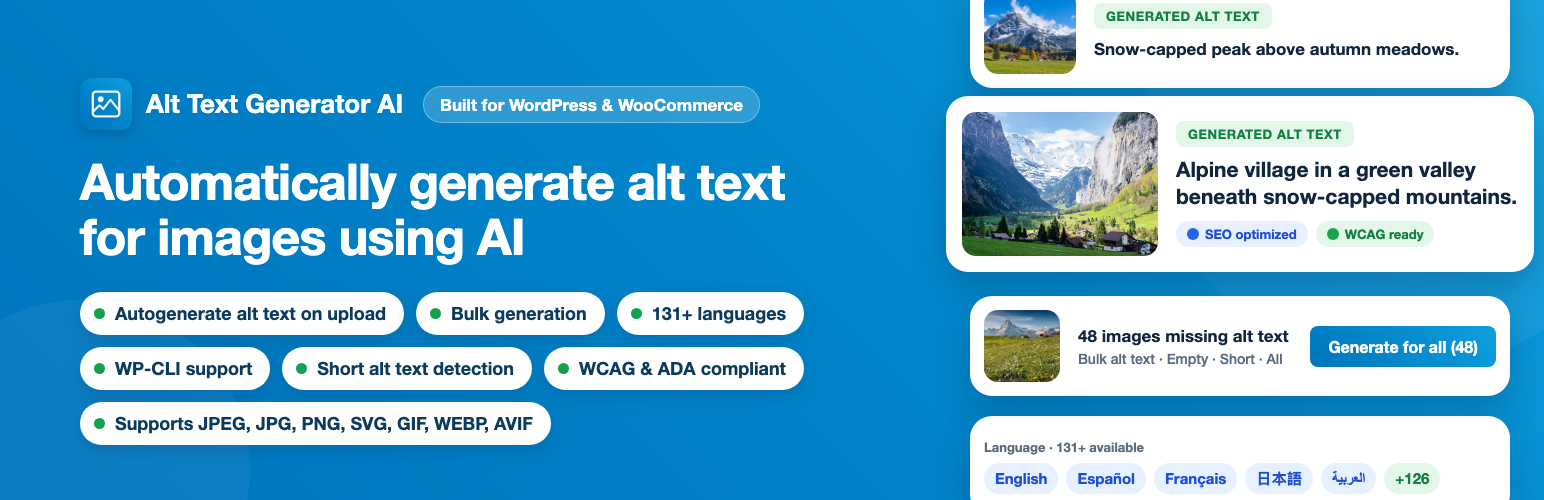
Alt Text Generator AI 是一款自動生成圖片替代文字的 WordPress 外掛,透過 AI 技術為網站上的每張圖片提供描述性且符合 SEO 的替代文字,提升網站的可及性與搜尋引擎排名。
【主要功能】
• 上傳時自動生成替代文字
• 媒體庫一鍵生成替代文字
• 批量生成替代文字功能
• 支援命令列操作生成替代文字
外掛標籤
開發者團隊
② 後台搜尋「Alt Text Generator AI – Automatically generate alt text for images using AI」→ 直接安裝(推薦)
原文外掛簡介
Alt Text Generator AI writes descriptive, SEO-friendly alt text for your WordPress images automatically, so every image on your site is accessible and discoverable without typing a single description by hand.
Over 50% of websites are still missing alt text on their images, and ADA-related web accessibility lawsuits have topped 3,100 filings in a single year. Missing alt text is more than a lost SEO opportunity in Google Image Search. It is a real accessibility and legal risk.
Get a free API key at the AltTextGeneratorAI Dashboard and start generating alt text in minutes. New accounts include 2 free credits to try it out.
Four ways to generate alt text
Automatically on upload – Alt text is written the moment an image finishes uploading to the Media Library. On by default, and you can switch it off in Settings.
One click in the Media Library – Open any image and click Generate Alt Text to create or regenerate its alternative text.
In bulk – The Bulk Alt Text page scans your whole library and sorts images into Empty, Short (under 20 characters) and All tabs. Search by ID or text, generate for selected images, or generate for everything in the tab.
From the command line – Use wp alt-text generate to process an entire library with WP-CLI.
Why Alt Text Matters
SEO – Google uses alt text to understand and rank your images in Image Search, which can drive organic traffic to product pages, blog posts and galleries.
Accessibility – Alt text lets screen readers describe your images to visually impaired visitors, a core requirement of WCAG 2.1/2.2.
Legal compliance – ADA and Section 508 website-accessibility lawsuits are rising every year. Properly described images reduce that exposure.
Key Features
Automatic generation on upload – Alt text is automatically added to every image uploaded on the site.
One-click generation in the Media Library – A Generate Alt Text button sits right under the Alternative Text field in the image details window.
Bulk Alt Text page – Generate alt text in bulk for all of the images on your WordPress site.
Fully editable – Every generated alt text is editable, so you can review and edit.
Auto-Fill Image Details – Automatically generate the image title, caption, and description using the generated alt text.
131+ languages – Generate alt text in your site’s language, from English, Spanish, French, German, Chinese, Japanese and Arabic to Swahili, Zulu, Welsh, Yiddish, Maori and many more. Full list below.
WP-CLI Automation – Run alt text generation directly from WP-CLI with commands like wp alt-text status and wp alt-text generate, ideal for migrations, staging-to-production workflows, and scheduled jobs.
Credits and API status at a glance – See your remaining credits and API connection status on the Settings page.
Extensive image support – JPEG, JPG, PNG, SVG, GIF, WEBP and AVIF.
WooCommerce Ready – Automatically generate alt text for product and gallery images without any extra setup.
WCAG and ADA compliant – Helps your images meet WCAG 2.1/2.2 and ADA accessibility requirements, including Success Criterion 1.1.1 (Non-text Content).
Pay-as-you-go credits – Buy credits once and use them whenever you need—credits never expire, and every AltTextGeneratorAI integration is included. See pricing.
Supported Languages (131)
Afrikaans, Albanian, Amharic, Arabic, Armenian, Assamese, Aymara, Azerbaijani, Bambara, Basque, Belarusian, Bengali, Bhojpuri, Bosnian, Bulgarian, Catalan, Cebuano, Chinese, Corsican, Croatian, Czech, Danish, Dhivehi, Dogri, Dutch, English, Esperanto, Estonian, Ewe, Filipino, Finnish, French, Frisian, Galician, Georgian, German, Greek, Guarani, Gujarati, Haitian Creole, Hausa, Hawaiian, Hebrew, Hindi, Hmong, Hungarian, Icelandic, Igbo, Ilocano, Indonesian, Irish, Italian, Japanese, Javanese, Kannada, Kazakh, Khmer, Kinyarwanda, Konkani, Korean, Krio, Kurdish, Kyrgyz, Lao, Latin, Latvian, Lingala, Lithuanian, Luganda, Luxembourgish, Macedonian, Maithili, Malagasy, Malay, Malayalam, Maltese, Maori, Marathi, Meiteilon (Manipuri), Mizo, Mongolian, Myanmar (Burmese), Nepali, Norwegian, Nyanja (Chichewa), Odia (Oriya), Oromo, Pashto, Persian, Polish, Portuguese, Punjabi, Quechua, Romanian, Russian, Samoan, Sanskrit, Scots Gaelic, Sepedi, Serbian, Sesotho, Shona, Sindhi, Sinhala (Sinhalese), Slovak, Slovenian, Somali, Spanish, Sundanese, Swahili, Swedish, Thai, Tajik, Tamil, Tatar, Telugu, Tigrinya, Tsonga, Turkish, Turkmen, Twi (Akan), Ukrainian, Urdu, Uyghur, Uzbek, Vietnamese, Welsh, Xhosa, Yiddish, Yoruba, Zulu.
Using WP-CLI
The plugin registers an alt-text command with two subcommands. Run them from your WordPress root folder (the one containing wp-config.php). The plugin must be active, with your API key and domain saved in AltTextGenerator → Settings.
Commands
wp alt-text status – Shows API status, remaining credits, website domain, language and how many images are missing alt text.
wp alt-text generate – Generates alt text for every image that has none.
Options for wp alt-text generate
--short – Also regenerate images whose alt text is shorter than 20 characters.
--all – Regenerate every image in the library, even if it already has alt text.
--ids=
--force – With --ids, regenerate even if the image already has alt text.
--limit=
--dry-run – List the images that would be processed without calling the API or using credits.
Examples
# Check API status, credits, and how many images are missing alt text
wp alt-text status
# Generate alt text for every image that's missing it
wp alt-text generate
# Also regenerate images whose alt text is too short
wp alt-text generate --short
# Regenerate every image in the library
wp alt-text generate --all
# Regenerate specific attachments, even if they already have alt text
wp alt-text generate --ids=12,34,56 --force
# Preview what would be processed, without using any credits
wp alt-text generate --limit=20 --dry-run
Each generated image uses one credit. Run wp alt-text status first to check your balance, and --dry-run to preview large jobs.
Who It’s For
Bloggers and publishers who don’t have time to hand-write hundreds of descriptions.
WooCommerce stores that need consistent, SEO-ready alt text across large product catalogs.
Agencies and freelancers managing alt text across multiple client sites.
Any site owner who wants to meet WCAG/ADA accessibility expectations without manual work.














