
內容簡介
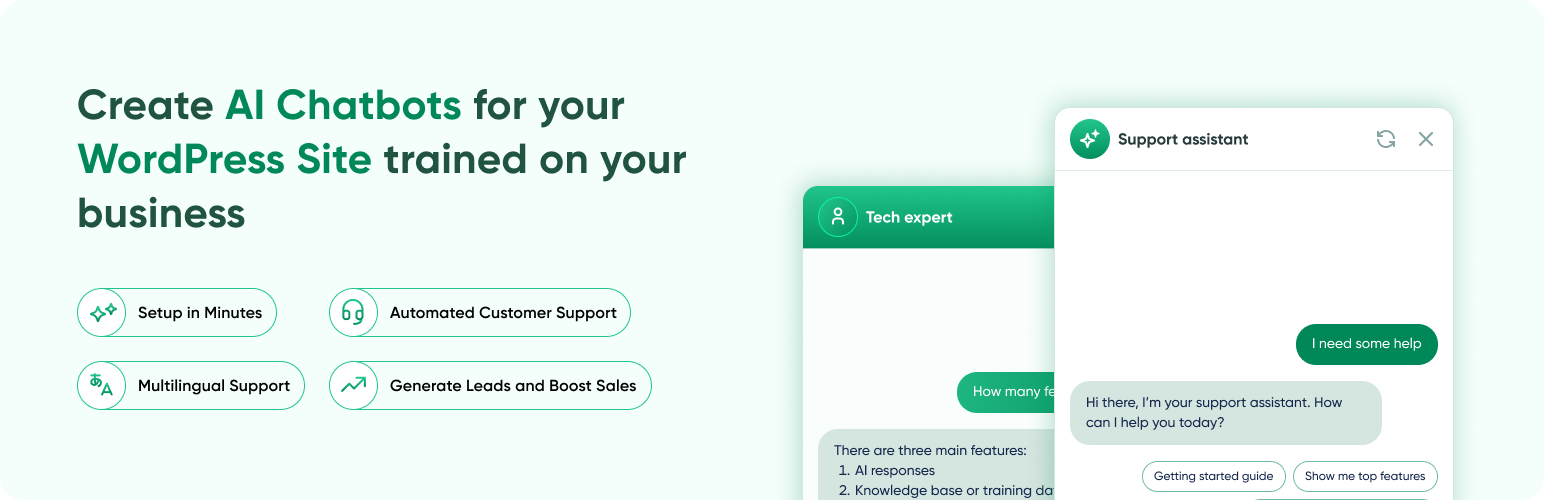
AI ChatBot for WordPress by AI BotKit 是一款無需編碼的外掛,讓網站擁有者能輕鬆添加一個基於網站內容訓練的 AI 聊天機器人。此聊天機器人能理解訪客問題,並提供準確且具上下文的回應,提升網站互動性與用戶體驗。
【主要功能】
• 無需編碼,快速安裝與啟用
• 自動建立知識庫,支持多種內容來源
• 24/7 全天候回應訪客問題
• 收集潛在客戶資訊與反饋
• 支援多語言,提升全球用戶體驗
外掛標籤
開發者團隊
② 後台搜尋「AI ChatBot for WordPress by AI BotKit – Live in 2 Minutes, No Code」→ 直接安裝(推薦)
原文外掛簡介
AI BotKit helps WordPress site owners easily add an AI chatbot trained on their own website content. The chatbot understands visitor questions and provides accurate, context-aware responses using modern AI models.
AI BotKit is an easy-to-use AI chatbot plugin for WordPress. It works without coding and can be trained using your own Website pages, posts, PDFs, or external URLs. Once set up, the chatbot helps visitors find information, get answers instantly, and interact with your website more effectively.
Create your Chatbot in 5 mins | Take Demo | Pricing | Documentation | Support
Add a smart ChatGPT-powered AI chatbot to your WordPress site, automate customer support, answer FAQs, capture leads around the clock, and escalate to humans when needed.
⚡ How AI BotKit Works
Step 1: Connect Your Website
Install AI BotKit directly from your WordPress dashboard and activate it like any standard plugin. No technical configuration or setup complexity required.
Step 2: Build Your Knowledge Base
Choose the content you want the chatbot to learn from WordPress pages, posts, uploaded PDF documents, or external links. AI BotKit automatically processes this content and builds a structured knowledge base.
Step 3: Go Live Instantly
Enable the chatbot on your website and start assisting visitors in real time. The chatbot stays active 24/7, answering questions and guiding users whenever they visit your site.
What does AI BotKit do?
AI BotKit helps you add a smart, ChatGPT-powered chatbot to your WordPress site in just a few minutes — no coding required.
The chatbot learns from your website content and provides accurate, context-aware answers to visitor questions. This helps improve engagement, reduce support requests, and convert visitors into leads.
Use it to:
Answer visitor questions instantly
Guide users through pages or products
Collect leads and feedback through chat
Provide 24/7 multilingual support
Seamlessly escalate complex queries to your team via Email, WhatsApp, Telegram, Instagram, or Messenger
Why use AI BotKit on your WordPress website?
✅ Why Choose AI BotKit?
⏱️ Quick and Easy Setup
AI BotKit is designed for WordPress users who want results without complexity.
Install the plugin, select your content, and enable the chatbot, all from your WordPress dashboard. No technical setup or learning curve required.
This makes it ideal for users searching for an easy-to-install AI chatbot plugin for WordPress.
🤖 Smart AI Responses
AI BotKit uses modern AI models to understand visitor questions and respond naturally.
Instead of fixed replies, the chatbot answers based on context, creating a more helpful conversation experience.
This is useful for users looking for a smarter alternative to basic WordPress chatbots.
📚 Learns Directly From Your Website Content Choose tone, colors, avatar, chat style, and placement to match your site.
Your chatbot can learn from:
WordPress pages and posts
PDF files uploaded to your site
External links or documentation pages
When you update your content, the chatbot stays in sync automatically. You control what the bot should know, no manual training required.
This supports users searching for chatbots that work with existing WordPress content.
🎯 Built Specifically for WordPress
Everything is managed inside WordPress:
No third-party dashboards
No extra logins
No external tools to manage
AI BotKit works like a native WordPress plugin, making it easy for developers, site owners, and agencies to maintain.
🔐 Privacy-Focused and GDPR Ready
AI BotKit is built with privacy in mind.
You remain in control of your website data, and the plugin supports GDPR-compliant usage.
This is important for businesses and professionals who care about data security and compliance.
💰 Transparent Pricing
AI BotKit offers a free version with core chatbot functionality so users can try it before upgrading.
Advanced features are available through optional paid plans with clear pricing and no hidden charges.
This helps users who are exploring or comparing AI chatbot plugins for WordPress.
🎨 Easy Customization (No Coding Required)
You can customize the chatbot to match your website:
Adjust colors and appearance
Choose chatbot tone
Set greeting and fallback messages
Control widget placement
All settings are available through a simple interface — no code edits needed.
🌍 Multilingual Support
AI BotKit supports 50+ languages, making it suitable for global websites and multilingual audiences.
For advanced features, upgrade to AI Botkit Paid Plan
Top Features of AI BotKit WordPress Plugin
🧩 Create & Manage
Build multiple chatbots for different pages, funnels, or audiences
No-code builder to define bot purpose, tone, and behavior
Flexible Embed: floating launcher or inline widget
📚 Train & Personalize
Train on WordPress pages/posts, PDFs, or external links
Central knowledge base reusable across all bots
“Train Once, Answer Forever” engine — updates automatically
🎨 Customize the Look & Feel
Custom avatar, bubble design, font, size, and color
Choose between Professional, Friendly, or Casual tone presets
Fully multilingual chatbot for 50+ languages
📊 Leads & Analytics
In-chat lead capture To collect names, emails, feedback
Usage insights: See chat counts, response rates, and errors
🤝 Human Handover
Smart Escalation: AI detects when a visitor needs human help and offers handover options
5 Channels: Email, WhatsApp, Telegram, Instagram, and Messenger
Conversation Summary: Chat context is automatically shared with your support team
Auto-Trigger: Optionally trigger handover after consecutive unanswered questions
Customizable Messages: Configure transition and confirmation messages
🔗 Integration & Compatibility
Easy WordPress Integration: install directly from dashboard
WooCommerce Integration (coming soon): answer product queries, recover carts
Integration with Popular Services: connect leads to your favorite tools
🔒 Security & Compliance
100% GDPR-compliant
Data processed securely within your site
Built with enterprise-grade privacy in mind
Why AI BotKit Stands Out
Unlike generic bots, AI BotKit is made for WordPress — light, simple, and powerful.
It’s designed to help businesses, bloggers, and creators use AI chatbots without any tech setup.
And with WisdmLab’s 10+ years of WordPress experience, you get reliability, performance, and genuine support.
Who should use an AI Chatbot?
AI BotKit is made for anyone who wants to convert their website traffic into leads and automate customer support. Whether you are a developer, marketer, business owner or blogger, AI Botkit is made for suit your needs. Following are some of the business that can benefit for an AI Chatbot on their website.
ChatBot for Real Estate
ChatBot for Restaurants and Hotel
Chatbots for Event Organising
Chatbots for Hospitals
Chatbots for Clinics
Chatbots for Doctors
ChatBot for E-commerce and Retail
ChatBot for Travel and Hospitality Industry
ChatBot for Event Management
Chatbots for GYM
Chatbots for Insurance
Chatbots for Tourism
Chatbots for Art Gallery
Chatbots for Exhibition and Museum
Chatbots for Recording Studio
Chatbots for Small Businesses
Chatbots for Agencies
Chatbots for Influencers
Chatbots for Consultants
Chatbots for Personal Trainers
Chatbots for Personal Coaches
Chatbots for Digital Agencies
Chatbots for Service Company
Chatbots for Education
Chatbots for Online School
Chatbots for Online Courses
Chatbots for Legal Services
Chatbots for FAQ website
Chatbots for Hiring and Recruitment Services
Chatbots for NGO and Non-profits
Chatbots for Wedding Planner
Chatbots for Spare Parts
Chatbots for Automobile
Chatbots for Bakery
Chatbots for Pastry
Chatbots for Packaging Service
Chatbots for Logistics
Chatbots for Career Guidance
Chatbots for Yoga Class
Chatbots for Mobile app
Chatbots for Videographers
Chatbots for Photographers
Chatbots for Nurseries and Garden
Chatbots for Hair Salon
Chatbots for Financial Services and Banking
Chatbots for SEO Service
Chatbots for Digital Marketers
Benefits of AI BotKit
Automate customer support, freeing up your team.
Chat with visitors 24/7
Reduce customer support response time
Provide Personalised Customer experience
Guide and educate customers on your products and services
Collect information and data from the website users
Generate & qualify your leads on autopilot
Convert Visitors into paying customers
Cater to Global audience with Multilingual support
Increase user time on page and lower Webpage bounce rate
Escalate to human support across 5 channels when AI can’t resolve the query
Pricing
Free Plan: All current chatbot features at no cost.
Pro Plan: Advanced analytics, lead capture, and integrations — See Pricing
External Services
AI BotKit connects securely to AI BotKit.io servers only for chatbot training and response generation.
No user data is shared with any third party.
Support
For support inquiries:
* Docs & Guides – See setup and training walkthroughs.
* Contact – Reach the team from the site’s contact page.
Privacy Policy
AI BotKit respects user privacy and does not collect any personal data without explicit consent. For more information, visit our privacy policy.
Keywords to Help Users Find Us
AI chatbot for WordPress, free chatbot plugin, ChatGPT chatbot, live chatbot, website chatbot no code, customer support AI bot, lead capture chatbot, AI BotKit plugin.














