內容簡介
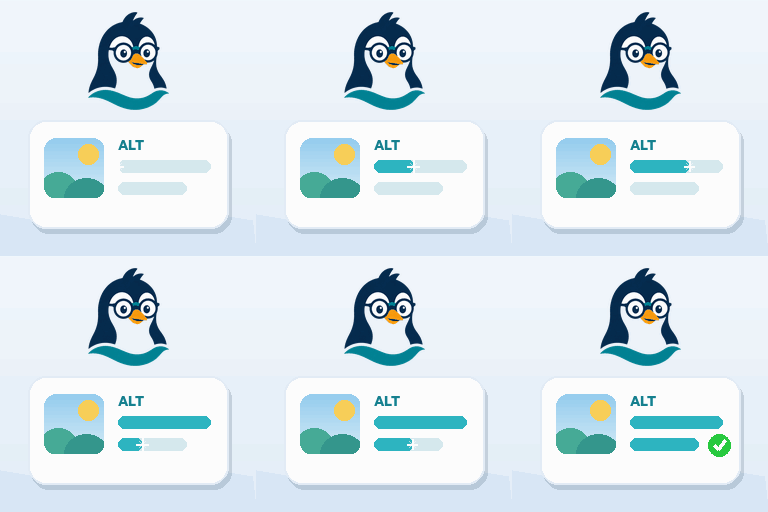
AI Alt Text Builder 是一款為圖片自動生成替代文字的外掛,能提升網站的SEO與無障礙性。使用者可輕鬆為媒體庫中的圖片生成準確的替代文字,改善搜尋引擎排名及提升可讀性。
【主要功能】
• 一鍵生成替代文字,無需註冊
• 支援自訂 OpenAI API 金鑰,無限生成單張圖片
• 批次生成媒體庫中的所有圖片替代文字
• 自動保存替代文字至 _wp_attachment_image_alt
• 內建替代文字長度評分標籤,便於檢查
• 兼容所有佈景主題、頁面建構器及SEO外掛
外掛標籤
開發者團隊
② 後台搜尋「AI Alt Text Builder – Alt Text Generator for Image SEO & Accessibility」→ 直接安裝(推薦)
📦 歷史版本下載
原文外掛簡介
AI Alt Text Builder writes accurate, descriptive alt text for the images in your Media Library, in one click or in bulk.
Images without alt text cost you twice. Search engines cannot tell what the image shows, so it ranks lower in Google Images, and screen reader users hear nothing at all. Accessibility standards such as WCAG 2.1, which both the ADA Title II rule in the US and the European Accessibility Act in the EU build on, require a text alternative for every meaningful image.
Start free in seconds: 25 free generations, no sign-up and no API key. Prefer your own OpenAI API key? Then single-image generations are unlimited, and you only pay OpenAI’s usage.
Fixing hundreds of images? Pro writes alt text for your whole Media Library in bulk and can fill it in automatically on every new upload. Plans start at $2.99/month, billed yearly. See pricing
Highlights
Works instantly – no registration required, 25 free tokens on first use
BYOK mode – use your own OpenAI API key for unlimited single image generations
One-click “Generate with AI” button on Media Library items and the attachment edit screen
Automatically saves to _wp_attachment_image_alt
Built-in ALT-length score badge (0-100) and a sortable Media Library column, so missing or weak alt text is easy to find
Works with every image in the Media Library, including WooCommerce product images, and with any theme, page builder or SEO plugin
Pro: Bulk generation, auto-generate on upload, all languages, all models, custom prompts
Language selector (English, Deutsch, Francais, Espanol, Turkce, or custom)
Model choice (GPT-4.1 Mini, GPT-4.1, GPT-4o)
External services
This plugin connects to RankPilotAI’s API to generate ALT text and to fetch token status.
What is sent and when
Trial mode: Site URL is sent to RankPilotAI for registration. Image URL is sent to RankPilotAI for processing.
BYOK mode: Image URL is sent directly to OpenAI’s API using your own API key. Nothing is sent to RankPilotAI.
Pro mode: Image URL, file name, current ALT, selected model, language, site URL, domain, plugin slug, and Site Token are sent to RankPilotAI.
On token-status checks in the settings page (Pro mode only): Site Token, site URL and domain.
Why it is sent
To generate the requested ALT text and return it to your Media Library item
To authorize usage and show your remaining balance (Pro mode)
To register and track trial token usage (Trial mode)
Endpoints
https://rankpilotai.com/wp-json/rankpilotai/v1/alt-text (Pro)
https://rankpilotai.com/wp-json/rankpilotai/v1/alt-batch (Pro bulk)
https://rankpilotai.com/wp-json/rankpilotai/v1/token-info (Pro)
https://rankpilotai.com/wp-json/rankpilotai/v1/trial-register (Trial)
https://rankpilotai.com/wp-json/rankpilotai/v1/trial-alt (Trial)
https://api.openai.com/v1/chat/completions (BYOK – direct to OpenAI)
Providers
RankPilotAI (Terms: https://rankpilotai.com/terms-and-conditions, Privacy: https://rankpilotai.com/privacy-policy)
OpenAI (BYOK mode only – Terms: https://openai.com/policies/terms-of-use, Privacy: https://openai.com/policies/privacy-policy)