內容簡介
r />
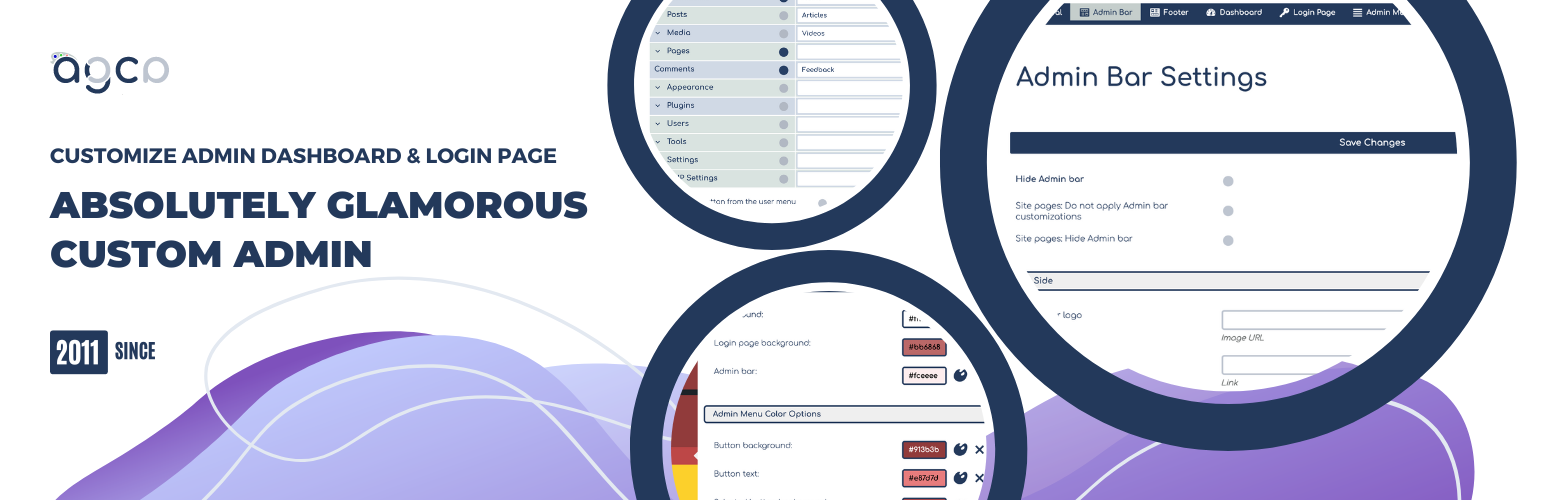
這個外掛可以讓你輕鬆地微調 WordPress 管理面板、登錄頁面、管理選單、管理列等等。
管理列:隱藏或更改管理列項目,從管理列中刪除 WordPress 的痕跡,用自訂顏色打造品牌。
管理選單:更改和刪除現有的,並添加自定義的管理選單項目。使用自訂顏色打造品牌。
色彩設置:這個工具與 Absolutely Glamorous Custom Admin 面板集成,可以用於更改 WordPress 默認的管理面板、管理列、管理選單、登錄頁面、背景和文本的顏色。
品牌塑造:使用自定義內容、顏色、圖像和文本為你的管理面板頁面打造品牌。
管理面板選項:還有其他幾十種管理面板選項,用於改善 WordPress 管理員和登錄頁面上的用戶體驗,例如:儀表板小工具、幫助和螢幕選項、WordPress 徽標、鏈接、選單等等。完整清單請參閱下方。
推薦
CUSMIN
CUSMIN 是 Absolutely Glamorous Custom Admin 的進階版本,具有進階的自定義和品牌功能。它非常適合專業人士使用,同時也可用於個人網站。
請查看這個專業的外掛怎樣可以幫助你完全自定義你的 WordPress 儀表板。
常規設置
隱藏「選項」選單
隱藏「幫助」選單
在個人檔案頁面上隱藏顏色方案
管理列選項
完全隱藏管理列
僅在完全隱藏管理列時顯示登出按鈕
僅在站點頁面上隱藏管理列
將 WordPress 徽標替換為自定義品牌圖像
更改管理列徽標上的鏈接
管理頁面上的自定義頁面標題模板(更改 => 標籤)
在管理列中的內容上方添加自定義品牌圖像
隱藏 WordPress 徽標
隱藏網站名稱
隱藏管理列徽標內容菜單
隱藏更新通知區塊
隱藏評論區塊
隱藏「新增」選單區塊
隱藏「新增」>「文章」
隱藏「新增」>「連結」
隱藏「新增」>「頁面」
隱藏「新增」>「用戶」
隱藏「新增」>「媒體」
將網站名稱更改為自定義文本
隱藏黃色的 WordPress 更新通知
更改「您好」文本
更改「登出」文本
從內容菜單中刪除「編輯我的個人檔案」選項
僅在右側顯示登出按鈕
管理頁尾選項
完全隱藏頁尾
更改/刪除頁尾文本
更改/刪除頁尾版本文本
儀表板頁面選項
更改儀表板標題文本
添加自定義儀表板 HTML 內容
隱藏儀表板小工具
登錄頁面選項
隱藏「回到網誌」文本
更改「回到網誌」文本
更改登錄面板圖像
更改登錄面板圖像上的超鏈接
隱藏登錄圖像
在登錄框中的邊角處顯示圓角
隱藏註冊和忘記密碼鏈接
更改註冊按鈕上的超鏈接
管理選單選項
重命名菜單和子菜單項目
隱藏菜單和子菜單項目
添加自定義鏈接的新按鈕
從管理選單按鈕中刪除圖示
刪除管理選單按鈕之間的間距
外掛標籤
開發者團隊
② 後台搜尋「AGCA – Custom Dashboard & Login Page」→ 直接安裝(推薦)
📦 歷史版本下載
原文外掛簡介
With this plugin you can easily customize WordPress admin panel, login page, admin menu, admin bar etc. in tiny details.
ADMIN BAR: Hide or change admin bar items. Remove WordPress traces from the admin bar. Brand it with the custom colors.
ADMIN MENU: Change and remove the existing and add custom admin menu items. Brand it with the custom colors.
COLORIZER: This tool is integrated with Absolutely Glamorous Custom Admin panel and can be used to change default WordPress admin panel colors, admin bar, admin menu, login page, backgrounds and text.
BRANDING: Brand your admin panel pages with custom content, colors, images and text.
ADMIN PANEL OPTIONS: There are dozens of other admin panel options used to improve WordPress UX on admin and login pages items like Dashboard widgets, Help and Screen options, WordPress logos, links, menus etc. See the full list down below.
Recommended
CUSMIN
Cusmin is the premium version of the Absolutely Glamorous Custom Admin with the advanced features for customization and branding. It’s perfect for professionals, but can be also used on personal sites as well.
Please check how this pro plugin can help you to completely customize your WordPress dashboard.
General Settings
Hide Screen Options menu
Hide Help menu
Hide Color scheme on Profile page
Admin Bar Settings
Hide admin bar completely
Show Log out button only if admin bar is completely hidden
Hide admin bar on site pages only
Replace WordPress logo with custom branding image
Change link on admin bar logo
Custom page title template on admin pages (change => tag)
Add custom branding image above the content in admin bar
Hide WordPress logo
Hide site name
Hide admin bar logo context menu
Hide update notifications block
Hide Comments block
Hide New menu block
Hide New > Post
Hide New > Link
Hide New > Page
Hide New > User
Hide New > Media
Change site name to custom text
Hide yellow WordPress update notification
Change Howdy text
Change Log Out text
Remove Edit My Profile option from context menu
Show Log Out button only on the right
Admin Footer Options
Hide footer completely
Change/remove footer text
Change/remove footer version text
Dashboard Page Options
Change Dashboard heading text
Add custom Dashboard HTML content
Hide dashboard widgets
Login Page Options
Hide back to blog text
Change back to blog text
Change login image
Change hyperlink on login image
Hide login image
Round corners on login boxes
Hide register and lost password links
Change hyperlink on register button
Admin Menu Options
Rename menu and sub-menu items
Hide menu and sub-menu items
Add new buttons with custom links
Remove icons from admin menu buttons
Remove spaces between admin menu buttons
Remove admin menu arrow on hover
Round admin sub-menu popups
Remove Collapse button
Add custom branding image above the admin menu
Add custom link to branding image
Change admin menu auto-folding settings
Colorizer
Change background and text colors on admin and login page
Change admin menu colors
Change widget colors
Advanced
Add custom CSS
Add custom JavaScript
Export/import customizations settings
PRO FEATURES
If you need even more advanced customization options, please check our PRO WordPress customizing plugin.
Contact
For any additional help, please check our FAQ and SUPPORT page.