內容簡介
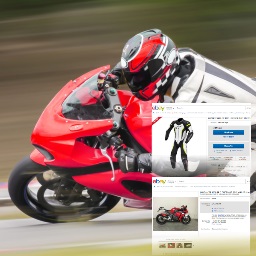
Affiliate Bridge讓你輕鬆地在你的網站中整合附屬商品 (目前僅限在Ebay上)。
使用方法
在WordPress網站中安裝並啟用Affiliate Bridge外掛。
透過按下外掛區段的設定連結或使用 設定->Affiliate Bridge,導向外掛設定頁面。
設定預設的短碼搜尋屬性(例如: 關鍵字、分類、狀態、商品數量等)。
設定主要附屬帳號。若要查看收益分享模型部分,請參考此處。
使用短碼[affiliate-bridge]顯示附屬商品。
你可以使用預設設定的短碼,也可以使用短碼屬性來覆寫預設的設定。
在你的網站上任何地方貼上程式碼。
儲存
恭喜😀
最低需求
WordPress 5.0.0 或之後的版本
PHP 版本 7.2 或之後的版本
短碼屬性
items – 顯示的商品數量。例如:[affiliate-bridge items =“4”](預設值為1)
size – 圖像大小。選項為:小 | 中等 | 大。例如:[affiliate-bridge size="small"](預設值為大)
keywords – 新增搜尋關鍵字(包括間隔和其他特殊字元)。用於覆寫您在管理員中設定的預設值。例如:[affiliate-bridge keywords="棒球卡片"]
framed – 選擇何種圖像外框。 例如:[affiliate-bridge framed="C"](您也可以使用affiliate_bridge_image_style_override_custom篩選器來使用自己的自訂CSS)
categories – 添加用逗號分隔的分類ID。 下載 eBay 分類。 例如:[affiliate-bridge categories="213"]
condition – 商品狀態。選項為All | New | Used。例如:[affiliate-bridge condition="Used"](預設值為All)
defimage – 預設圖像的連結。 例如:[affiliate-bridge defimage="https://example.com/wp-content/uploads/08/20/my-cool-image.png"](預設值為All)
source – 目前沒有使用,將在未來版本中加入。
收益分享模型
在免費版的Affiliate Bridge中,使用一個「收益分享演算法」來分配附屬收益給使用者(網站擁有者)和Affiliate Bridge外掛製造商。
基於系統時鐘,85%的API調用將使用網站擁有者的API金鑰進行調用。
其他的呼叫(15%)將使用硬編碼的「Affiliate Bridge plugin maker」API金鑰。
收益分享演算法負責將調用以統計方式生成大約85%的附屬計劃收入分配給網站擁有者,剩下的15%將轉移到外掛所有人。
如果網站擁有者不更改預設的外掛設定,Affiliate Bridge將100%使用上述外掛製造商API金鑰。
使用這個收益分享模型使我們在為網站擁有者提供免費產品的同時,仍能提供專業可靠的產品。噢,還有咖啡供應呢:)。
網站
https://affiliate-bridge.com/
https://www.bicycle-riding.com/
外掛標籤
開發者團隊
原文外掛簡介
Affiliate Bridge allows you to effortlessly integrate affiliated items (only from ebay for now) in your site.
How to use
After installing and activating the Affiliate Bridge plugin in your WordPress website.
Navigate to the plugin settings, by pressing settings link in plugin section or navigating to it Settings->Affiliate Bridge
Set the default shortcode search attributes (i.e Keyword, category, condition, number of items etc.)
Set the main affiliate account. to see what main means, check out Revenue Sharing Model section.
Use the short code [affiliate-bridge] to show affiliated products.
You can use the shortcode with the default settings, or override the defaults with shortcode props.
Paste the code anywhere in your site
Save
Congratulations 😀
Minimum Requirements
WordPress 5.0.0 or later
PHP version 7.2 or later
Shortcode props
items – number of items to show. example: [affiliate-bridge items="4"] (default = 1)
size – image size. options are: small | medium | large. example: [affiliate-bridge size="small"] (default = large)
keywords – add search keywords (with spaces and other special characters). used to override the default you set in admin. example [affiliate-bridge keywords="baseball cards"]
framed – choose what kind of image frame to use. example [affiliate-bridge framed="C"]. (you can also use affiliate_bridge_image_style_override_custom filter to use you own customized css)
categories – ddd Category IDs, separated by a comma. Download eBay Categories. example [affiliate-bridge categories="213"]
condition – product condition. options are All | New | Used. example [affiliate-bridge condition="Used"] (default is All)
defimage – link to default image. example [affiliate-bridge defimage="https://example.com/wp-content/uploads/08/20/my-cool-image.png"] (default is All)
source – currently no use. will be added in future versions.
Revenue Sharing Model
In its free version, Affiliate Bridge uses a “Revenue Sharing Algorithm” for splitting affiliate income between the user (the Website Owner) and the Affiliate Bridge plugin maker.
Based on the system clock, 85% of calls to the API will be made with The Website Owner’s API Key.
The rest of the calls (15%), will be using a hard codded “Affiliate Bridge plugin maker”‘s API key.
The Revenue Sharing Algorithm is in charge of the splitting calls STATISTICALLY to generate about 85% of Affiliate Program income to the Website Owner, the rest (about 15%) will go to the Plugin Owner.
If the Website Owner does not change the default plugin settings, Affiliate Bridge will use the plugin maker api key mentioned above 100% of the time.
Using this Revenue Sharing Model allows us to provide this product free of charge, on The Website Owner’s end, while still providing a professional and reliable product.. oh, and also coffee to go with that :).
Site