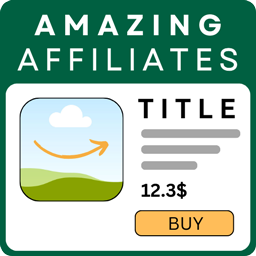
內容簡介
Affiliate Amazon Shortcode 是一款專為 WordPress 設計的 Amazon 聯盟外掛,透過簡單的短碼在文章和頁面中顯示 Amazon 產品,支援全球各地的 Amazon 市場,並提供自動化的 API 連接測試功能。
【主要功能】
• 支援 Amazon Creators API v3,自動偵測 OAuth 區域
• 獨立的 API 配置,保留舊版配置
• 全球 Amazon 市場獨立配置 Marketplace 和 Partner Tag
• 清晰的 API 連接測試與錯誤修正指引
• 智能快取與重試保護以減少 API 呼叫
• 自動依據網站語言調整產品盒語言
外掛標籤
開發者團隊
原文外掛簡介
Affiliate Amazon Shortcode is an Amazon affiliate plugin for WordPress that displays Amazon products in posts and pages using simple shortcodes.
It supports Amazon Creators API v3, automatically detects the appropriate v3.1 / v3.2 / v3.3 OAuth endpoint, supports Amazon marketplaces worldwide, and helps diagnose common Credential, Partner Tag and Marketplace configuration errors.
Existing installations can keep saved legacy API profiles for backward compatibility. New configurations should use Amazon Creators API v3.
Product page, screenshots, documentation and PRO purchase:
https://www.softwareapp.it/affiliate-amazon-shortcode/
Main features
Amazon Creators API v3 with automatic OAuth region detection
Separate API profiles so existing legacy configurations can remain available during migration
Amazon marketplaces worldwide with independent Marketplace and Partner Tag configuration
Guided API connection test with clear fixes for InvalidAssociate, InvalidPartnerTag, eligibility and OAuth errors
API Test automatically saves the values currently entered before testing
Smart caching and retry/backoff protection to reduce API calls
Product title, image, price and savings data when returned by Amazon
Automatic product-box language based on the WordPress site language
Manual language override globally or per shortcode
Responsive product grids with a configurable global number of columns
Existing Card/List layout and custom-style compatibility
FREE version supports up to 3 products and up to 3 global grid columns
PRO features
Up to 9 products per shortcode and up to 4 grid columns
Premium templates: Compact, Modern Card, Editorial Minimal, Recommended Highlight, Deal Box and Comparison Table
Dedicated product comparison shortcode
Product feature highlights when available from Amazon
Configurable Product Highlights word limit to keep boxes compact
Theme presets and fully custom colors
Custom CTA button text and optional badge
Per-shortcode overrides for product count, template, theme, columns, CTA, badge, language and highlights length
No FREE watermark
Learn more or purchase PRO:
https://www.softwareapp.it/affiliate-amazon-shortcode/
Shortcodes
Basic usage
[affiamsh_amazon keyword="wireless headphones"]
The base shortcode automatically uses the global display settings saved in the plugin admin, including Number of Products, Number of Columns, image size, font size, Box Language and the selected PRO display options when PRO is active.
For example, if the global settings are Number of Products = 3 and Number of Columns = 3, this shortcode:
[affiamsh_amazon keyword="robot vacuum"]
shows 3 products in a 3-column grid on normal desktop widths when using a grid-based layout.
The layout is responsive: multi-column grids automatically reduce the number of columns on narrower screens.
Important: the legacy list layout intentionally displays products as a vertical list, and the comparison layout uses its own responsive comparison table. The global Number of Columns setting and columns="x" override do not apply to those two layouts.
Language override
Force the frontend product-box language:
[affiamsh_amazon keyword="wireless headphones" language="it"]
Supported values:
auto
en
it
es
fr
de
pt
nl
pl
tr
sv
ja
ar
language=”auto” follows the WordPress site language.
Complete shortcode attribute reference
Available in FREE and PRO
keyword="..." — Amazon product search keyword.
language="..." — Overrides the product-box language for this shortcode. Supported values are listed above.
PRO only
number="1-9" — Number of products to display. Overrides the global Number of Products setting for this shortcode.
template="..." — Overrides the global template for this shortcode.
theme="..." — Overrides the global color theme for this shortcode.
columns="1-4" — Overrides the global Number of Columns setting for grid-based layouts.
button="..." — Custom CTA button text in layouts that display a CTA button.
badge="..." — Optional custom badge text on product-box layouts.
highlight_words="0-200" — Maximum total number of words displayed in Product Highlights for each product. Use 0 for no word limit.
item_count is not a shortcode attribute. To control the number of products use number="x" in PRO or the global Number of Products setting.
Template values
Available template values:
card — standard card grid
list — legacy vertical list; column settings do not apply
compact — compact product cards
modern — modern card layout
minimal — editorial minimal layout
highlight — recommended/highlight layout
deal — deal-focused layout
comparison — comparison table; column settings do not apply
Theme values
Available theme values:
slate
blue
emerald
amber
rose
violet
indigo
teal
zinc
custom
The custom theme uses the custom colors configured in the PRO display settings.
PRO shortcode examples
Display 3 products in 3 columns:
[affiamsh_amazon keyword="robot vacuum" number="3" columns="3"]
Use the Modern template and Blue theme:
[affiamsh_amazon keyword="robot vacuum" number="3" template="modern" theme="blue" columns="3"]
Customize the CTA and badge:
[affiamsh_amazon keyword="robot vacuum" number="3" template="highlight" button="Check price" badge="Our pick"]
Limit Product Highlights to 25 words:
[affiamsh_amazon keyword="robot vacuum" number="3" template="modern" highlight_words="25"]
Full example:
[affiamsh_amazon keyword="robot vacuum" number="6" template="modern" theme="blue" columns="3" button="Check price" badge="Our pick" language="en" highlight_words="25"]
Product Highlights
highlight_words controls only the length of Product Highlights. Product Highlights must first be enabled in the **Display (PRO)** settings.
When Amazon returns feature data, highlights are displayed in these layouts:
modern
highlight
deal
comparison
The highlight_words value is a total word budget per product. Use highlight_words="0" for no word limit.
CTA button and badge
The button attribute customizes the CTA label in layouts that display a CTA button, including Modern, Editorial Minimal, Recommended Highlight, Deal and Comparison.
The badge attribute adds custom badge text to product-box layouts. The Comparison layout uses its own comparison/top-pick presentation.
Comparison shortcode
PRO also provides a dedicated comparison shortcode:
[affiamsh_amazon_compare keyword="wireless headphones" number="3"]
This automatically selects the Comparison Table layout. If number is omitted, the comparison shortcode requests 3 products.
Global settings and per-shortcode overrides
Shortcode attributes override the corresponding global display settings only for that shortcode.
For example, if the global grid uses 3 columns, one specific PRO shortcode can use 2 columns with:
[affiamsh_amazon keyword="smartwatch" columns="2"]
Shortcodes without override attributes continue using the global settings.
Amazon Creators API setup
New Creators API v3 credentials normally look like:
Credential ID: amzn1.application-oa2-client...
Credential Secret: amzn1.oa2-cs.v1...
You do not need to select v3.1, v3.2 or v3.3 manually. The plugin tries the appropriate Amazon OAuth endpoints, detects the credential region and caches the working endpoint.
The credential region and product marketplace are separate concepts. A valid credential can authenticate globally, but the Partner Tag must be valid for the selected Marketplace.
External Services
This plugin connects directly to Amazon services in order to retrieve product data.
Amazon Creators API / Login with Amazon
https://affiliate-program.amazon.com/creatorsapi
For Creators API, the Credential ID and Credential Secret are sent to the appropriate Amazon OAuth endpoint to obtain an access token. Product requests send the access token, selected Marketplace, Partner Tag and requested product/search information to Amazon.
Legacy Amazon Product Advertising service (existing installations only)
https://webservices.amazon.com/paapi5/documentation/
Legacy credentials and product request information are sent directly to Amazon only when an existing installation explicitly selects that legacy profile.
All API communications use HTTPS. The plugin does not send Amazon credentials or product-request data to SoftwareApp.it.