內容簡介
### 總結
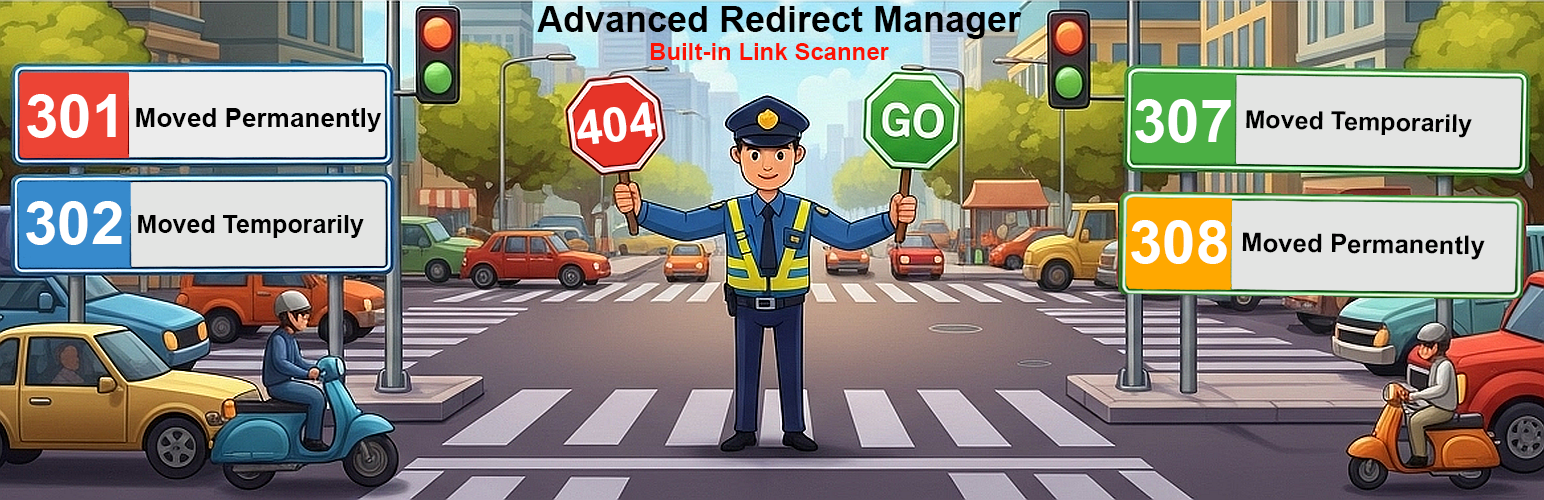
Advanced Redirect Manager 是您完整連結管理和網站健康監控的全方位解決方案。不再擔心因為壞鏈接和404錯誤而失去訪客,透過進階重定向管理,您可以全面掌控網站URL結構、使用者體驗和SEO表現。這款外掛提供強大且易於使用的界面,讓您輕鬆管理各類重定向,包括複雜的萬用規則,並主動監控404錯誤,幫助您將失去的流量轉化為成功的轉換。
### 問與答
- **為什麼選擇Advanced Redirect Manager?**
- **輕鬆的重定向管理:** 提供乾淨直觀的界面,輕鬆建立、編輯和刪除301、302和307重定向。
- **強大的萬用符號重定向:** 通過一條規則重定向整個目錄或URL模式(例如,/blog/* 到/articles/$1)。
- **智能404錯誤記錄:** 自動捕獲404錯誤,清楚顯示訪問者嘗試訪問的頁面,可直接從記錄中建立重定向!
- **主動的壞鏈接掃描器:** 在Google或訪客之前找到並修復內部和外部壞鏈接。
- **友好的SEO:** 保持乾淨的鏈接結構和修復404對於SEO至關重要,外掛可以讓處理變得簡單。
- **性能取向:** 注重性能,使用WordPress Object Cache來最小化高流量網站的數據庫查詢。
- **開發人員友好:** 乾淨、結構良好和面向對象的代碼。
外掛標籤
開發者團隊
② 後台搜尋「Advanced Redirect Manager 301」→ 直接安裝(推薦)
原文外掛簡介
Our powerful, yet user-friendly, interface allows you to manage your site’s URLs with precision. Create all types of redirects (301, 302, 307, 308) with ease, including complex wildcard rules. But we don’t stop there. You can also serve specific client error codes like 410 (Gone) for permanently removed content or 451 (Unavailable For Legal Reasons). Advanced Redirect Manager actively monitors your site for “Page Not Found” (404) errors, allowing you to turn lost traffic into successful conversions with just a few clicks.
Tired of losing visitors to broken links and 404 errors? Advanced Redirect Manager is your all-in-one solution for complete link management and site health monitoring. Go beyond simple redirects and take full control of your site’s URL structure, user experience, and SEO performance.
What truly sets us apart is the proactive Link Scanner. Don’t wait for users to report broken links. Our intelligent scanner crawls your posts and pages, identifying both internal and external broken links before they can harm your site’s reputation and search engine rankings.
Why Choose Advanced Redirect Manager?
Complete URL Control: A clean, intuitive interface for creating and managing all standard redirects (301, 308, 302, 307) and serving specific client errors like 410 (Gone) and 451 (Unavailable For Legal Reasons).
Powerful Wildcard Redirects: Redirect entire directories or URL patterns with a single rule (e.g., /blog/* to /articles/$1).
Intelligent 404 Error Logging: Automatically captures 404 errors, showing you exactly which pages visitors are trying to access. Create a redirect directly from the log!
Proactive Broken Link Scanner: Find and fix broken links throughout your content before Google or your visitors do. Checks both internal and external URLs.
SEO-Friendly: Maintaining a clean link structure and fixing 404s are crucial for SEO. Our plugin makes it simple.
Performance-Oriented: Built with performance in mind, using WordPress Object Cache to minimize database queries on high-traffic sites.
Developer-Friendly: Clean, well-structured, and object-oriented code.
Whether you’re migrating a website, restructuring your content, or simply want to ensure a flawless user experience, Advanced Redirect Manager provides the professional tools you need in one powerful package.
Features in Detail
Redirect Rules Tab
Add, Edit, and Delete Rules: Manage all your redirects from a single, AJAX-powered table.
Wildcard Support: Use an asterisk (*) to match patterns. Use $1, $2 in the destination URL to reference captured values.
Smart “Redirect To” Search: Start typing in the “Redirect To” field to instantly search for posts, pages, and categories on your site. No more guessing permalinks!
Hit Counter & Last Used: Track how many times each redirect has been used and see the date of the last hit.
In-context Help: Clear examples and instructions on how to format your redirects are available directly on the page.
404 Error Log Tab
Real-time Logging: Captures the URL, timestamp, referrer, and user agent for every 404 error.
One-Click Redirect Creation: Found a 404 error for an old page? Click “Create Redirect” directly from the log to open the rule editor with the URL pre-filled.
Clean & Filtered Log: Automatically ignores common bot traffic and requests for non-existent files (.css.map, favicon.ico) to keep your log relevant.
Log Management: Easily clear the entire 404 log with a single click.
Link Scanner Tab
Scan Internal & External Links: Choose to scan links pointing to your own site, external sites, or both.
Intelligent Chunking: The scanner processes your site content in small batches to prevent server timeouts, making it safe for large websites and shared hosting.
Actionable Results: The scanner lists all broken links (4xx/5xx errors) and connection errors, showing you the exact post or page where the link was found.
Contextual Actions:
For internal broken links, you can create a redirect rule directly from the results.
For external broken links, a convenient “Edit Post” button takes you straight to the editor to fix the link.
Tools & Options Tab
Import/Export via CSV: Backup all your redirect rules to a CSV file or migrate them to another site. The importer is smart enough to handle new rules and update existing ones.
Bulk Actions:
Reset all redirect hit counters to zero.
Permanently delete all redirect rules in one go (with multiple confirmations to prevent accidents).