
內容簡介
Advanced Menu Builder for Elementor 是一款強大的 WordPress 外掛,能將標準導航轉變為完全可自訂的設計系統,並與 Elementor 無縫整合,讓使用者能夠創建複雜的 Mega Menus。
【主要功能】
• Mega Menu 自訂:使用 Elementor 模板作為子選單,無限設計可能性
• Elementor 小工具:專屬的「Nexus Nav Menu」小工具,具備進階樣式控制
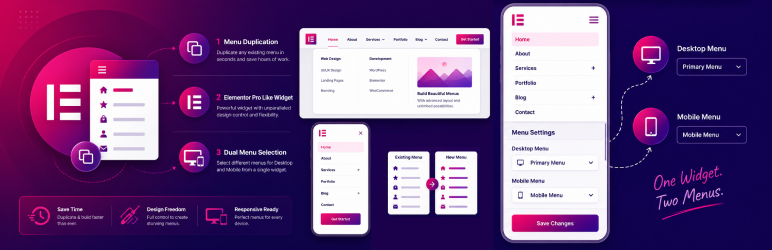
• 雙重選單支援:單一小工具內可為桌面和行動裝置設置不同選單
• 響應式佈局:可選擇橫向、縱向或漢堡(Off-Canvas)佈局
• 自訂圖示:可直接從 WP 選單畫面添加 FontAwesome 圖示或上傳自訂 SVG
• 進階樣式:全面控制字體、顏色、邊框、陰影和間距
外掛標籤
開發者團隊
② 後台搜尋「Advanced Menu Builder for Elementor」→ 直接安裝(推薦)
原文外掛簡介
Nexus Nav transforms the standard WordPress navigation into a powerful, fully customizable design system integrated directly with Elementor.
Unlock the power of Mega Menus by using any Elementor Template as a submenu. Design complex layouts with maps, contact forms, or product grids, and simply link them to your menu items.
🌟 Key Features
Mega Menu Customization: Use Elementor Templates as submenus for unlimited design possibilities.
Elementor Widget: A dedicated “Nexus Nav Menu” widget with advanced styling controls.
Dual Menu Support: specific unique feature allowing different menus for Desktop and Mobile within a single widget.
Responsive Layouts: Choose from Horizontal, Vertical, or Hamburger (Off-Canvas) layouts.
Custom Icons: Add FontAwesome icons or upload custom SVGs to your menu items directly from the WP Menu screen.
Advanced Styling: Full control over typography, colors, borders, shadows, and spacing.
Mobile Breakpoints: Precision control over when your menu switches to the mobile hamburger toggle.
One-Click Duplication: Easily duplicate existing menus to experiment with new structures.
Lightweight & Fast: Optimized for performance with no bloat.
🚀 How It Works
Create: Go to Appearance > Menus.
Enhance: Use the new “Nexus Nav Settings” on menu items to add icons or enable Mega Menus.
Display: Drag the “Nexus Nav Menu” widget into any Elementor page or header.














