
內容簡介
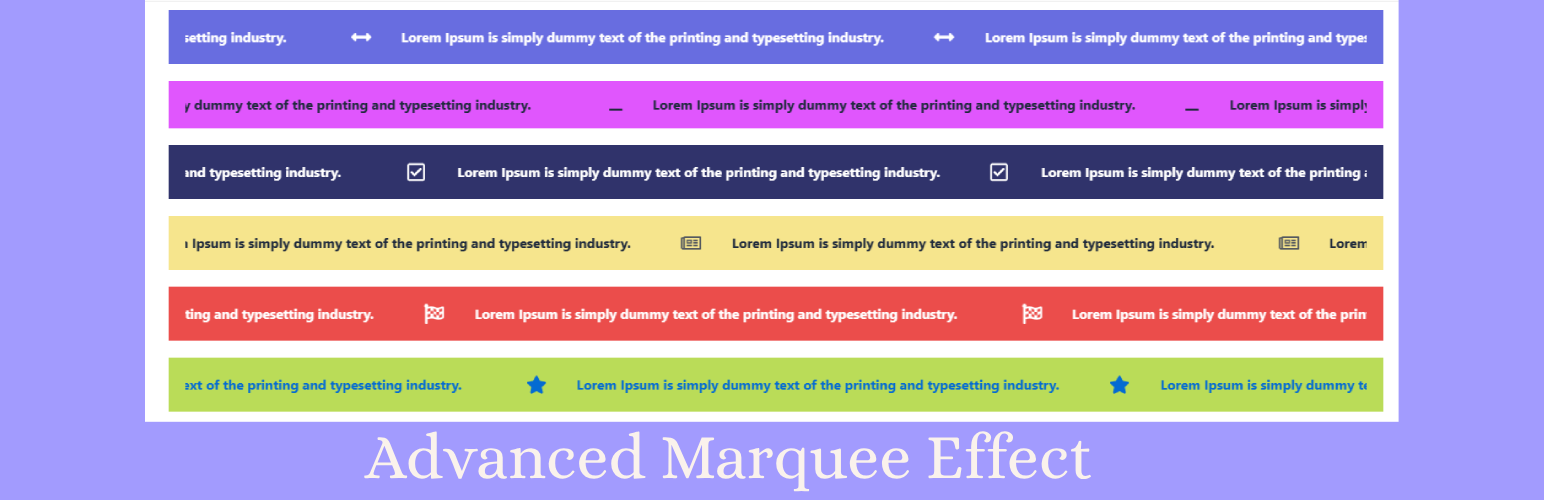
Advanced Marquee Effect 是一款輕量級、高效能的 Elementor 外掛,專為在 WordPress 網站上創建平滑、連續的滾動跑馬燈動畫和無限輪播而設計。用戶無需撰寫任何程式碼,即可輕鬆建立引人注目的跑馬燈文本、新聞跑馬燈和產品展示等。
【主要功能】
• 平滑的 60fps 動畫效果
• 支援水平與垂直滾動
• 滑鼠懸停時自動暫停
• 圖片盒與圖示盒跑馬燈
• 新聞跑馬燈與公告條
• 客戶見證與評論展示
外掛標籤
開發者團隊
② 後台搜尋「Advanced Marquee Effect for Elementor – Smooth Marquee, News Ticker, Image Box & Icon Box Marquee」→ 直接安裝(推薦)
原文外掛簡介
Advanced Marquee Effect is the ultimate lightweight, high-performance Elementor addon designed to create smooth, continuous scrolling marquee animations and infinite carousels on your WordPress website.
Effortlessly build eye-catching Marquee Text & News Tickers, Continuous Logo Sliders, Image Box Marquees, Icon Box Marquees, Blog Post Marquees, Testimonial Review Carousels, Team Member Marquees, CTA Highlight Cards, and WooCommerce Product & Sales Proof Marquees directly within Elementor—without writing a single line of code!
Powered by Swiper JS for silky-smooth 60fps hardware-accelerated animations, full responsiveness, vertical/horizontal scrolling, pause-on-hover, custom speed, reverse direction, and lazy loading for top-tier SEO performance.
🚀 Key Features at a Glance:
⚡ Silky Smooth 60fps Animation: Hardware-accelerated Swiper scroll engine for zero-lag performance.
↔️ Horizontal & Vertical Scrolling: Scroll content left-to-right, right-to-left, top-to-bottom, or bottom-to-top.
⏸️ Pause-on-Hover: Automatically pause continuous scrolling when visitors hover over your marquee items.
🖼️ Image Box & Icon Box Marquees: Create modern feature cards with stacked/framed icons, images, headings, and descriptions.
📰 News Ticker & Announcement Bar: Build breaking news tickers with custom icons, badge labels, and text streams.
🤝 Logo Carousel & Partner Streams: Showcase client logos, sponsor ribbons, and brand carousels with custom links.
✍️ Blog Post Marquee: Display dynamic blog post feeds with featured images, titles, excerpts, and post metadata.
⭐ Testimonial & Review Marquee: Highlight customer reviews with avatars, star ratings, author titles, and custom layouts.
👥 Team Showcase Marquee: Introduce team members with photo frames, designation titles, and social link ribbons.
📢 Call to Action (CTA) Cards: Boost conversions with scrolling promotional cards, action buttons, and background images.
🛒 WooCommerce Product Marquee (Pro): Feature store products in continuous marquee loops with prices, sales badges, and add-to-cart triggers.
🔔 WooCommerce Recent Orders Marquee (Pro): Boost sales proof by showing live scrolling customer order notifications.
🎨 Deep Elementor Styling: Full control over typography, text stroke, text shadow, flex alignment, CSS filters, borders, padding, and hover states.
📱 100% Responsive & SEO Friendly: Mobile-optimized, HTML5 semantic code with built-in lazy loading.
Included Free & Pro Widgets
1. Marquee Text & News Ticker
Create continuous scrolling headline banners, announcement bars, and breaking news tickers in Elementor.
* Features: Add customizable text, separator icons, action links, and custom ticker badges.
* Scrolling Controls: Speed, reverse direction, pause-on-hover, and horizontal/vertical direction.
* Use Cases: Breaking news, sales announcements, promotional bar updates, site notices, and site-wide highlights.
2. Marquee Image & Logo Slider
Display endless logo carousels, client streams, and continuous image Marquees.
* Features: Upload logos, attach custom links (dofollow/nofollow), and enable image lazy loading.
* Scrolling Controls: Speed (ms), reverse direction, pause-on-hover, vertical marquee height, and responsive spacing.
* Use Cases: Client brand ribbons, partner logos, sponsor banners, product galleries, and portfolio showcases.
3. Image Box Marquee
Build stunning scrolling feature cards combining images, titles, descriptions, and call-to-action links.
* Features: Custom image position (Top, Left, Right), image width/height, title HTML tags (H1-H6, div, p), and link targets.
* Flex Alignment: Position-synced flex alignment (Top, Center, Bottom) and Justify Content (Start, Center, End, Space Between).
* Styling Options: Typography, text stroke, text shadow, CSS filters, opacity, box background (#FAFAFA default), container width (default 400px), and hover effects.
* Use Cases: Feature highlights, product benefits, service cards, portfolio previews, and step-by-step process streams.
4. Icon Box Marquee
Create continuous scrolling icon feature streams with Elementor icon libraries, titles, and descriptions.
* Features: Choose FontAwesome/custom SVG icons, 3 Icon Views (Default, Stacked, Framed), Shapes (Circle, Square), and links.
* Icon Styling: Primary & secondary colors (Normal & Hover), icon size, rotate angle, padding, border radius, and box shadow.
* Layout & Alignment: Top/Left/Right icon placement with synced flex item alignment and justify-content text alignment.
* Use Cases: Service highlights, technology stacks, feature lists, key takeaways, and trust badge scrollers.
5. Post Marquee & Content Scroller
Showcase WordPress blog posts and custom post types in an infinite scrolling marquee stream.
* Features: Display post titles, featured thumbnails, post excerpts, dates, and author meta.
* Query & Controls: Query by post categories, limit post counts, set marquee direction, and customize typography.
* Use Cases: Trending articles, blog highlights, portfolio posts, podcast feeds, and recent news feeds.
6. Testimonial & Review Marquee
Display social proof customer reviews, star ratings, and client feedback in a smooth sliding banner.
* Features: Add author avatars, reviewer names, designations, review quotes, and 5-star ratings.
* Styling Presets: Default, Modern, and Bubble review card presets with customizable border shadows and background colors.
* Use Cases: Customer reviews, G2/Trustpilot feedback, client testimonials, and trust-building banners.
7. Team Marquee
Introduce team members, staff, and contributors with interactive sliding avatar cards.
* Features: Member photo frames, names, job titles, bio excerpts, and social link ribbons (LinkedIn, Twitter, GitHub).
* Use Cases: Agency team ribbons, company staff highlights, conference speaker marquees, and advisor rows.
8. CTA Cards Marquee
Drive user engagement with continuous horizontal scrolling Call-To-Action highlight cards.
* Features: Custom icons/images, bold headings, descriptions, background cards, and action buttons.
* Use Cases: Special offers, deal banners, marketing campaigns, service callouts, and landing page highlights.
9. WooCommerce Product Marquee (Pro)
Display store products in dynamic query marquee loops.
* Features: Product images, titles, regular/sale prices, ratings, and instant add-to-cart buttons.
* Use Cases: Featured store products, flash sale marquees, best sellers, and new arrival carousels.
10. WooCommerce Recent Orders Marquee (Pro)
Display live customer sales proof notifications in a smooth scrolling banner.
* Features: Real-time customer order notifications, purchaser locations, product thumbnail, and purchase time.
* Use Cases: Sales proof, FOMO notification banners, recent store activity, and conversion boosters.
External Services
This plugin utilizes the Freemius SDK to handle opt-in telemetry, license activation, Pro upgrades, automatic security updates, and billing support.
* Service Link: https://freemius.com
* Terms of Service: https://freemius.com/terms/
* Privacy Policy: https://freemius.com/privacy/