
內容簡介
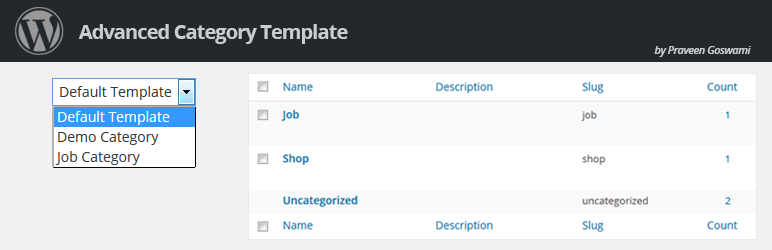
如果你在閱讀這個外掛的介紹,那麼你現在正在開發自訂模板。WordPress 開發者經常面臨的一個挑戰是如何在預設類別和註冊的自訂文章類別中一次性實現自訂模板,就像頁面模板一樣。在外掛儀表板中,您可以看到所有的文章類型類別,這意味著您完全可以選擇為哪種文章類型類別使用您創建的自訂模板。
使用這個簡單易用、安裝和實施都很容易的輕量級外掛。
功能
選擇需要在自訂文章類別中顯示類別模板的類型。
在儀表板上選擇需要在上面使用自訂類別模板的文章類別。
選擇“預設”設置,為預設文章類型類別在您的主題中顯示類別模板。
默認的類別模板顯示在 WordPress 預設文章類型“post”的類別中。
外掛標籤
開發者團隊
原文外掛簡介
Custom templates is what you are working on if you are here to read about this plug-in. One challenge often faced by the WordPress developers is to implement the custom templates in the default categories as well as registered custom post_type categories in one go like page template. On the plug-in dashboard, you get all the post types categories which means; it gives you complete authority to choose for which, post type category you want to use the custom template you have created.
Use this light weight and very well sorted plug-in, which is as easy to use as to install and implement.
Features
Select custom post type category where you need to show the category template.
Select the post type category from the dashboard on which you need to have the option of using custom category template.
Select “default” setting to show category template in your theme for default post type category.
By default category template show in wordpress default post type : ‘post’ category.


