
內容簡介
暫不提供任何翻譯服務。
外掛標籤
開發者團隊
📦 歷史版本下載
原文外掛簡介
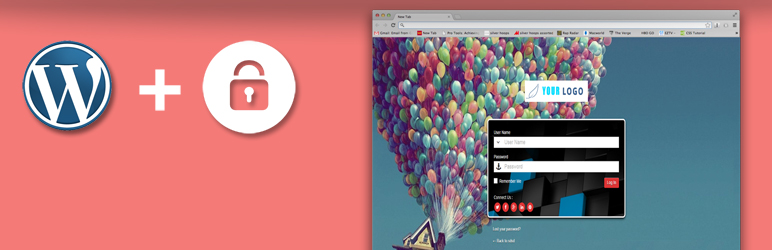
Admin custom login plugin give ability to customize your WordPress admin login page according to you. Create unique login design or admin login design with admin custom login plugin, Almost every element on login page is customize-able with admin custom login plugin. Design beautiful and eye catching login page styles in few Minutes .
Plugin allows to change background color, background image, background slide show, login form color, login form font size, login form position, add social media icon on form and many more features.
Live Demo: Admin Custom Login Live Demo
Guys please send us your login screenshots at lizarweb[at]gmail[dot]com.
Admin Custom Login Standard Features
Add Your Own Custom Logo On Login Form
Background Color
Background Image
Background Image Slide Show
Login Form Position
Login Form Color
Login Form Color Opacity
Login Form Font Color
Login Form Font Size
Login Form Button Color
Login Form Button Size
Login Form Background
Google reCaptcha
Redirect Users like (All Subscribers, Editors, Authors and Contributors) on Custom URL After Login
Add Social Media Icons On Login Form
Social Media Icon Color
Social Media Icon Size
Interactive Plugin Dashboard
Customize Login Form Positions
Import & Export All Plugin Settings
Background Slide Show: – This is our most key feature of this plugin. We have provide you our best to add slide show on your custom login background without any hesitation.
Social Link Connectivity: – In this plugin you will able to add social icon to link your social profile with your login form. Social profiles names are
Twitter
Facebook
Linkedin
Google+
Pinterest
Youtube
Flickr
Digg
Tumblr
Skype
Slide Show Animation Effect: – We have provide you 4 types of animation in background slide show.
Powerful And Easy Setting Panel: -PLugin Setting Panel very simple and user friendly. There your able to design your login page without any hesitation.
Responsive Design: – Plugin Design is totally mobile compatible.
Google Font Integrated: -Plugin is integrated with 500+ google fonts. So add beautiful font styles fro you form panel.
Unlimited Color Scheme: -Theere you able update plugin design with unlimited colours. Colour option is available for both login form panel and background
Admin Custom Login Pro Features
Best Admin Page Customizer – With multi functional and multi features A best WordPress login page costuming plugin.
Max Login Retry – Set the limit of maximum login retry attempt by user on login form.
Login With Access Token – Assign a temporary admin access to any user.
Freeze Login Form On Brute Force Attack – When plugin detect max number of invalid login attempt then freeze the login form for a while.
Unfreeze Login Form By Admin – After freezing login form by brute force attack only admin has rights to unfreeze the login form secretly with a key.
Social Media Login – User can sing in with social media accounts like Facebook, Google, Twitter with few clicks.
Login Restriction By User Roles – Admin can restrict user login by WordPress users’s role like editor, author, contributor, subscriber and custom roles available on website.
Ban User(s) Login Access – Admin can ban login access for single or multiple users from existing users list.
Max User Access Management – Admin can define how many user can concurrently access admin dashboard at a time, It’s reduce the load on server and save bandwidth of your server.
Restrict Unauthorized IP – You can define a single authorized IP address to access admin dashboard so no other IPs get access to login page.
Import Export Settings – If you have multiple site and you don’t want to configure new installed plugin again & again then import and export setting will save the time for you.
Login Form Logo – You can add your own logo of company and brand.
Login Form Background – Add colors, slide show, image on background of login form page.
Social Media Profile – Show 10+ social media icon with profile link at the inner or outer part of login form with square and circle share.
Login Form Design Customization – You can change your login form design with position, height & width, colors, background colors, icons, placeholder text, label text and buttons.
Google Fonts – Use 700+ Google and General Fonts to apply on login form label and link text.
Redirect Users After Login – Admin can redirect it’s existing user after login to a particular page or promotional page.
Google reCpatcha – reCaptcha setting will secure your login form to spam and bots.
Interactive Plugin Dashboard – Plugin setting dashboard is intuitive and simple in design with tool tips for complex settings.
Fast Help & Support – Our support is super fast and quick you can check free plugin review for this.
Major Browser Compatible – Google Chrome, Mozilla Firefox, Internet Explorer, Safari, Opera.
Fully Responsive And Optimized
Multilingual Translation Ready
Live Admin Custom Login Pro Demos
Admin Custom Login Pro Demo
Admin Custom Login Pro Admin Demo
Username: userdemo
Password: userdemo
Translations By Our Plugin Users:
Italian Translation(it_IT) by Giovanni Caputo
Hindi Translation (hi_HI) by Intechno software
German Translation(de_DE) or Deutsch by Markus Petautschnig aka X00LA
French Translation (fr_FR) by Gilles Santacreu
Dutch Translation by Markus P.
Spanish Translation by Jose Maria Bescos
Polish Translation by Maciej Janas
Portuguese Translation (pt_BR) by Rodrigues Santana
Finnish Translation (fi_FI) by Eerik Anttila – Graphic & Web Designer
Please help us to translate this plugin in all WordPress available languages and send us your translated file to us at lizarweb at gmail dot com.
If you have any question contact us at here: Plugin Support Forum
