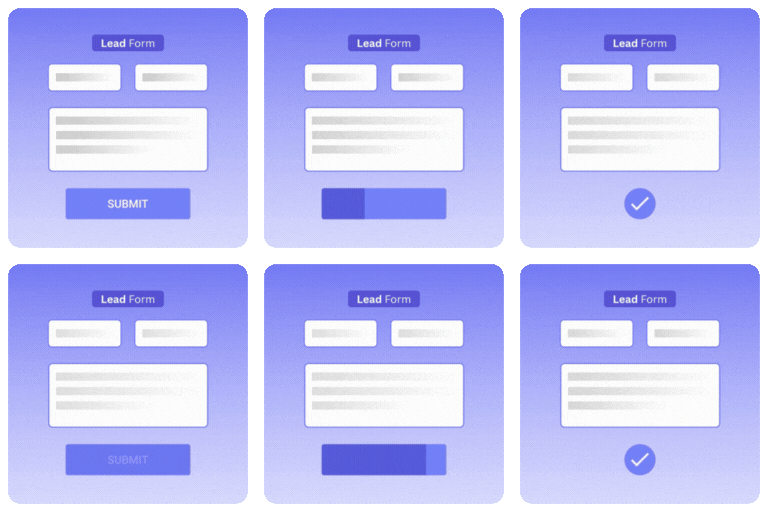
內容簡介
AcquisitionSuite 是一款自我托管的潛在客戶生成外掛,能夠在 WordPress 控制台中集中管理所有潛在客戶資料。透過多種方式捕捉潛在客戶,讓使用者能夠輕鬆追蹤下載、詢問和預訂。
【主要功能】
• 限制下載:以姓名和電子郵件換取 PDF、電子書等資源
• 自訂表單:建立聯絡、詢問、預訂等表單,無需檔案
• 潛在客戶漏斗:使用範本快速生成表單和電子郵件
• 電子郵件同步:潛在客戶資料可同步至 Mailchimp 等服務
• 多欄位表單建構器:提供 12 種欄位類型及條件邏輯
• 免費版本無網站限制:完整的潛在客戶捕捉系統
外掛標籤
開發者團隊
原文外掛簡介
Every download, enquiry and booking, captured as a lead you own.
Free downloads let visitors leave without ever giving you their details, and forms, email tools and spreadsheets end up scattered across different places. AcquisitionSuite is a self-hosted lead generation plugin that brings it together in one WordPress dashboard, with three ways to capture a lead:
Gated downloads: offer a PDF, ebook, checklist, template, video or ZIP in exchange for a name and email address.
Custom forms: build contact, enquiry, booking, registration and waitlist forms with conditional logic. No file needed.
Lead Funnels: start from a template, answer a few questions, and get a ready-made form, delivery email and shortcode.
Every submission becomes a lead in your dashboard and syncs to Mailchimp, Brevo or MailWizz, so you can follow up. Your leads and files stay on your own server, and you don’t need to write any code.
The free Lite version includes the complete lead capture system, with no site limit. The Pro extension adds email sequences, marketing automation, lead scoring, sales pipeline and paid downloads/forms.
Use AcquisitionSuite as your
Form builder: create multi-field contact, enquiry, registration and appointment forms with 12 field types and conditional logic.
Lead magnet plugin: turn a PDF, ebook, checklist or video course into a gated offer that captures an email address first.
Content upgrade plugin: gate bonus content inside blog posts to grow your email list.
Lead funnel builder: start from a template (free resource, waitlist, webinar, call booking) and get a ready-made form, email and shortcode.
Download manager with email capture: track every download, submission and lead in one place.
Email list building tool: every lead syncs to your email service on submission.
Who it’s for
Coaches and consultants who want enquiries, discovery calls and bookings to arrive as organised leads
Marketing agencies and freelancers who add lead capture to client sites without writing code
Course creators, bloggers and publishers who grow an email list with lead magnets and content upgrades
SaaS and B2B marketers who offer guides, reports and webinars in exchange for contact details
Small businesses that want to know who is asking for their price lists, brochures and quotes
How it works
Choose what to offer. Upload a file, paste a link to one (Google Drive, Dropbox, a hosted video course), or skip the file and use a form on its own for enquiries, bookings and registrations.
Set up the form. Start from a Lead Funnel template, or build your own with the drag-and-drop form builder.
Place it on your site. Add it to any post or page with a shortcode or the Gutenberg block, as an embedded form or a popup.
Capture and follow up. Each submission is saved as a lead and synced to Mailchimp, Brevo or MailWizz. For gated files, the visitor also gets a single-use download link that expires.
What you get with Lite (free)
Secure File Upload — files are stored in a protected directory. Direct URL access is blocked.
URL-Gated Files — gate an external link (Google Drive, Dropbox, etc.) instead of uploading great for large files like video courses.
Signed, Time-Limited Download Links — every download token is single-use and expires after a configurable window.
Lead Capture Modal — a polished, fully responsive popup form collects visitor details before granting access. Header colour, accent colour, title, and subtitle are all configurable.
Lead Funnels — pick a template (free resource, email list, waitlist, webinar registration, call booking, service enquiries), answer a few questions, and get a ready-made form, delivery email and notification, plus a shortcode to place it. Each funnel has its own leads and analytics view. Start one from the Lead Funnels page or from the bar on the dashboard (which you can dismiss). Nothing on your pages is changed.
Custom Form Builder — build multi-field custom lead capture forms with conditional logic, drag-and-drop reordering, and 12 field types (text, email, phone, link, number, textarea, dropdown, radio, checkbox, date, country, hidden).
Standalone Forms — use any form on its own, with no file attached, for appointments, registrations, or any other lead capture. Choose an Embedded or Popup Modal display style.
Multiple Ways to Place a Form — inline shortcode or a native Gutenberg block.
Email Delivery — choose instant download, email-only delivery, or both. Branded HTML email templates fully editable from Settings.
ESP Integrations — subscribe leads to Mailchimp, Brevo (Sendinblue), or MailWizz on form submission.
Leads Management — full lead list with search, filter, and delete.
Submissions Log — every form submission recorded with full field values.
Analytics — download counts and lead source breakdowns.
CSV Export — export all leads and submissions.
Settings — configure email, branding, delivery, file types, and data retention.
Add-ons page — see the separate add-ons that come with AcquisitionSuite Pro (WooCommerce, Easy Digital Downloads, form plugins and more) and which of them match plugins already on your site. Lite only lists them, from a list built into the plugin; installing and using add-ons needs Pro.
Pro extension (separate plugin, requires Lite)
Marketing automation with trigger, conditions, and actions engine
Email sequences (drip campaigns with configurable delays)
Lead scoring with configurable rules and tier labels
Lead intelligence (geo, device, browser, ISP detection)
Sales pipeline kanban board
Tags and audience segments
Paid downloads with Stripe, Paystack, and Flutterwave — including paid URL-gated files
Paid standalone forms — charge for an appointment or registration using the same checkout flow as paid downloads
Floating Button and Slide-in Panel display styles for standalone forms and funnels
Elementor widget and Bricks element for placing standalone forms
Orders and transaction management
Email open and click tracking
Webhooks to external tools
WhatsApp notifications via Meta Cloud API or Twilio
Priority support
The Pro extension is a separate plugin available at acquisitionsuite.ufirstdev.com
Shortcode Usage
Display a gated download:
[acquis_download id="123"]
Customize the button label:
[acquis_download id="123" label="Download the Guide"]
Use a specific form:
[acquis_download id="123" form="3"]
Display a standalone form (appointment, registration, or any lead capture not gating a file) — new in 3.6.0:
[acquis_form id="3"]
Override its display style:
[acquis_form id="3" display="embedded"]
display accepts `embedded` or `popup` in Lite (Pro adds `floating`). Leave it out to use whatever is configured on the form itself.
Support
For help and support, visit the WordPress.org support forums or the plugin website at acquisitionsuite.ufirstdev.com.
Third-Party Libraries
This plugin bundles the following third-party libraries:
Chart.js
Version: 4.5.1
License: MIT License
Copyright: (c) 2014-2024 Chart.js Contributors
Source: https://www.chartjs.org
License text: https://github.com/chartjs/Chart.js/blob/master/LICENSE.md
Used for: rendering lead and download analytics charts on the Analytics page.
AcquisitionSuite Custom Drag-and-Drop
Version: 1.0.0
License: MIT License
Copyright: (c) 2024 Fortunatus | UfirstDEV Technologies
This is original code written for the AcquisitionSuite Form Builder.
It is NOT the SortableJS library. It provides a lightweight drag handle
compatible with the SortableJS API surface (handle, ghostClass, onEnd).
Used for: drag-to-reorder form fields in the Form Builder.
External Services
This plugin connects to the following external services:
Mailchimp
URL: https://api.mailchimp.com
When: On lead form submission, only when Mailchimp integration is enabled and configured
Data sent: Lead name and email address
Privacy policy: https://mailchimp.com/legal/privacy/
Brevo (Sendinblue)
URL: https://api.brevo.com
When: On lead form submission, only when Brevo integration is enabled and configured
Data sent: Lead name and email address
Privacy policy: https://www.brevo.com/en/legal/privacypolicy/
MailWizz
URL: Your self-hosted MailWizz API URL (configured by you in Settings)
When: On lead form submission, only when MailWizz integration is enabled and configured
Data sent: Lead name and email address