內容簡介
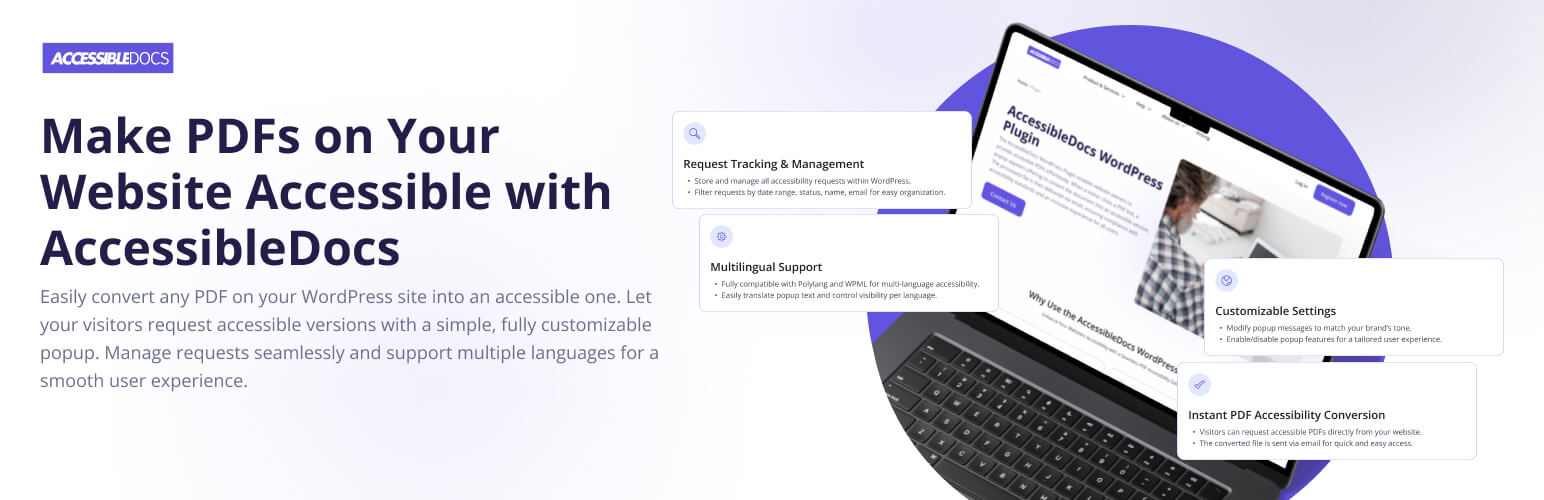
Accessible Docs 外掛幫助網站管理員輕鬆提供符合 WCAG 和 ADA 標準的可及性 PDF 文件。使用者只需點擊 PDF 連結,即可透過自訂彈出視窗請求可及版本,提升數位內容的可讀性與包容性。
【主要功能】
• 自動 PDF 可及性轉換
• 基於電子郵件的交付方式
• 管理員請求記錄查詢
• 彈出視窗自訂功能
• 多語言支援
• 內建可及性設計
外掛標籤
開發者團隊
原文外掛簡介
Make your PDFs accessible with a single click
AccessibleDocs WordPress Plugin helps you deliver accessible PDFs in compliance with WCAG and ADA accessibility standards – right from your website. When visitors click on a PDF link, a customizable popup invites them to request an accessible version by email. Documents are processed by the AccessibleDocs platform and automatically delivered.
This ensures your digital content is screen reader friendly and inclusive for all users – without requiring manual file conversion.
Key Features
Automatic PDF Accessibility Conversion
Turns your existing PDFs into accessible documents via the AccessibleDocs platform.
Email-Based Delivery
Users receive the accessible version directly to their inbox.
Request Logs for Admins
View all requests in the WordPress dashboard. Search by file name or email, filter by date range and status.
Popup Customization
Modify texts, language, and behavior to fit your site’s tone and audience.
Multilingual Support
Full compatibility with Polylang and WPML. Enable or disable popup per language.
Accessibility Built-In
The popup is keyboard-accessible and works well with screen readers.
Real-World Usage Examples
A university website allows students to request accessible syllabi and brochures.
A government portal ensures all public PDFs are compliant and inclusive.
A nonprofit site offers accessible reports to visually impaired donors and researchers.
An e-commerce platform provides accessible product guides and manuals to all customers.
Who Is It For?
WordPress Website Administrators
Save time and legal risk – no need to convert PDFs manually. Gain visibility into document requests directly from your dashboard.
End Users / Visitors
Whether visually impaired or using assistive tech, users can request and receive accessible documents quickly and privately.
Accessibility Consultants & Agencies
Embed this tool in client websites to automate accessibility offerings without complex integrations.
External Services
This plugin connects to the AccessibleDocs platform API (https://api.accessibledocs.ai) for PDF processing and status tracking.
Platform URL
Plugin documentation
Main site
The following data is sent only when a visitor submits a request (or re-requests the same file to check its status):
– The AccessibleDocs account email and password entered in the plugin settings (to authenticate with the API)
– The visitor’s email address (the platform sends the accessible file to it)
– The requested PDF file itself, with its file name, size and MIME type
Nothing is sent when visitors simply browse the site or download the original file.
Service provider:
– Terms of Use
– Privacy Policy
Accessibility Compliance
This plugin interface follows WCAG 2.1 success criteria:
1.1.1 – Non-text Content: Icon-only controls (such as the close button) have accessible text labels.
1.3.1 – Info and Relationships: Popup uses semantic HTML markup for clear hierarchy.
2.1.1 – Keyboard Accessible: All interactive elements are reachable and operable via keyboard.
4.1.2 – Name, Role, Value: Form inputs and buttons have programmatic labels and roles.
Note: The generated accessible PDFs are processed by the AccessibleDocs platform according to PDF/UA and WCAG 2.1 requirements.
Custom Styling
You can override popup styles via CSS in your theme. The dialog box is .accessible-docs-popup__inner (.accessible-docs-popup is the full-screen container, .accessible-docs-popup__wrapper is the dimmed overlay):
.accessible-docs-popup__inner {
border-radius: 8px;
padding: 2rem;
}
For advanced control, enqueue your styles via wp_enqueue_scripts in your theme or use inline styles with wp_add_inline_style.
Developer Notes
The plugin is built with extensibility in mind. Available filters:
accessible_docs_rate_limit – maximum number of new processing requests per visitor IP address per hour (default 30, return 0 to disable the limit).
add_filter( ‘accessible_docs_rate_limit’, function () { return 50; } );
Future updates will expose more hooks for customizing popup behavior, validation, and request arguments.
Let us know via support if you’d like a specific filter added for integration needs.
Support
Visit https://accessible-docs.ai/contact-us/ for questions, bug reports, or feature requests.