內容簡介
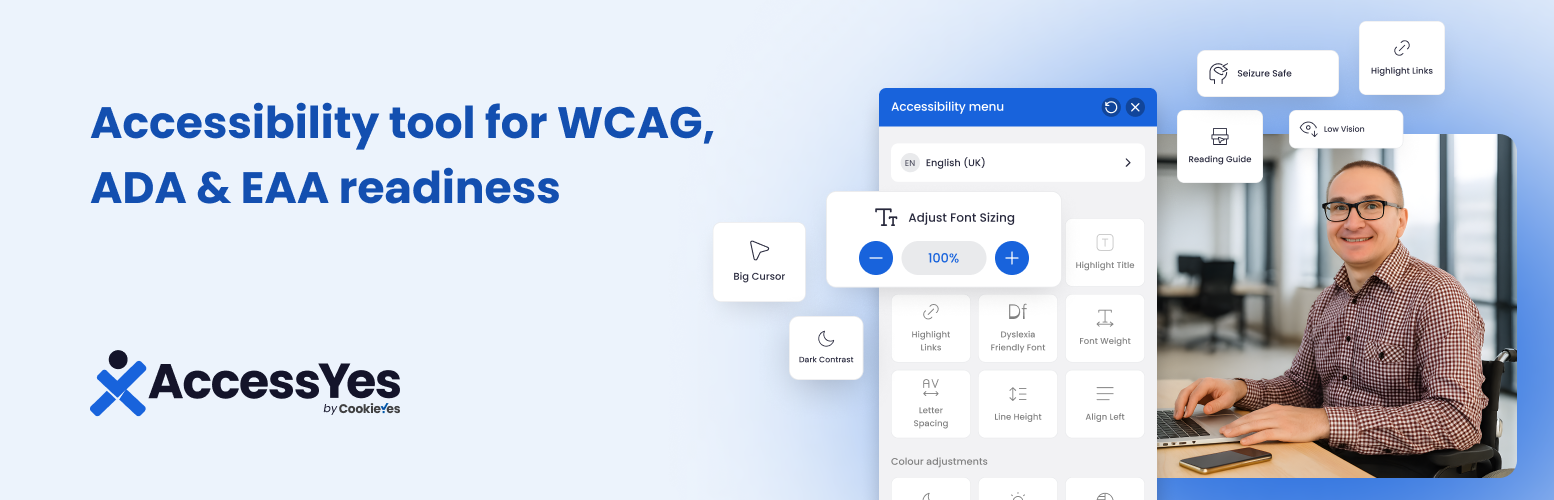
AccessYes Accessibility Widget 是一款免費、輕量且易於使用的 WordPress 外掛,旨在為網站添加可及性小工具,幫助網站符合 WCAG 2.1 AA、ADA 和 EAA 等可及性標準,提升所有使用者的瀏覽體驗。
【主要功能】
• 字體大小控制:使用者可調整字體大小以增強可讀性
• 顏色對比模式:提供深色模式、淺色模式及高對比度選項
• 閱讀指南:幫助使用者追蹤閱讀行的水平指南
• 突顯標題:強調頁面標題以輔助掃描和理解
• 大游標:增大游標大小以改善導航可見性
• 調整字母間距與行高:精確控制文本佈局以支持閱讀挑戰者
外掛標籤
開發者團隊
② 後台搜尋「AccessYes Accessibility Widget for ADA, EAA & WCAG Readiness」→ 直接安裝(推薦)
📦 歷史版本下載
原文外掛簡介
AccessYes Accessibility Widget is a free, lightweight and user-friendly plugin that adds an accessibility widget to your WordPress website.
The Accessibility Widget plugin provides tools to help your site better align with accessibility standards such as WCAG 2.1 AA, the Americans with Disabilities Act (ADA), and the European Accessibility Act (EAA). With just a few clicks, you can offer visitors the ability to adjust font size, colour contrast, spacing, and more.
Disclaimer:
AccessYes Accessibility Widget is intended to support your accessibility efforts. It does not guarantee legal compliance with ADA, WCAG, EAA, EN 301 549 or other standards. For full compliance, a comprehensive audit and remediation may still be required.
Why accessibility matters
Over 1 billion people globally live with some form of disability. Web accessibility helps ensure that your content is usable for everyone, including those with visual, cognitive, motor, and neurological impairments.
This plugin helps your site move in the right direction with tools designed to support inclusive browsing experiences.
Features
Content Adjustments
Font Size Controls: Enable users to adjust the font size for enhanced readability.
Highlight Title: Emphasise page titles to aid scanning and comprehension.
Highlight Features: Highlight all links and/or page titles for easier scanning and focus.
Dyslexia-Friendly Fonts: Let users switch to high-legibility fonts for better cognitive accessibility.
Font Weight Control: Bolden text across your site to increase contrast and visibility.
Letter Spacing & Line Height Adjustments: Enable precise control over text layout to support users with dyslexia or reading challenges.
Align Left: Align all content to the left for a consistent reading experience.
Colour adjustments
Contrast Modes: Includes Dark Mode, Light Mode, and High Contrast for visual comfort.
Saturation Options: Allow users to toggle between low saturation, high saturation, and monochrome (grayscale) views.
Navigation adjustments
Reading Guide: A horizontal guide that helps users track lines of text while reading.
Pause Animations: Let users pause animations or motions that could be distracting or trigger discomfort.
Big Cursor: Increase cursor size and contrast for better navigation visibility.
Accessibility statement: Add a link to your public accessibility statement or VPAT page.
Need help? Write to us at [email protected] with a quick note in the subject line: CookieYes Accessibility Widget
Got feedback about the plugin? We’d love to hear it! Drop us a line at [email protected].
Note: AccessYes is a standalone accessibility widget developed by CookieYes. It’s a separate tool designed to work independently from the CookieYes platform.