內容簡介
YS LeadGen 是一款強大的 WordPress 外掛,專為創建高轉換率的彈出窗口、電子郵件訂閱表單及針對性行銷活動而設計。無需編碼、無需月費,並且不會影響網站速度,幫助用戶有效捕捉潛在客戶並增長銷售。
【主要功能】
• 提供多種彈出窗口類型
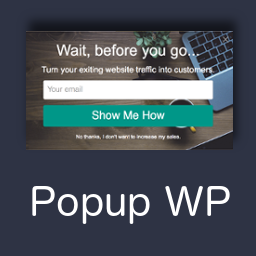
• 支援退出意圖彈出窗口
• 無需月費,免費版本功能豐富
• 本地存儲潛在客戶資料
• 輕量化性能不影響網站速度
外掛標籤
開發者團隊
② 後台搜尋「Popup Builder & Opt-in Forms by YS LeadGen – Exit Intent, Coupon & Floating Bar Popups」→ 直接安裝(推薦)
原文外掛簡介
YS LeadGen is a popup builder that helps WordPress website owners turn visitors into leads, subscribers, and customers — without writing a single line of code.
Every day, visitors land on your website and leave without subscribing, buying, or filling out a form. This popup builder helps you capture those missed opportunities. Show the right popup at the right moment: when a visitor is about to leave, after they scroll your content, after a set amount of time on a page, or when they click a specific element.
Build any type of popup campaign directly from your WordPress admin. No external accounts. No monthly SaaS fees. No coding. All your leads are stored securely on your own website — you stay in full control of your data.
Getting started takes just a few minutes. Choose a popup template, customize the design in the drag-and-drop builder, set your trigger and targeting rules, and publish your campaign.
Try Live Demo: https://demo.ysleadgen.com
Read Documentation: https://docs.ysleadgen.com
Get Support: https://ysleadgen.com/support
Visit Website: https://ysleadgen.com
Who Is This Popup Builder For?
This popup builder is built for website owners who need a practical, flexible popup tool — easy enough for beginners, powerful enough for advanced campaigns.
Bloggers and content creators — grow an email subscriber list with opt-in popups
WooCommerce stores — recover abandoned carts, display discount offers, increase revenue
Lead generation websites — capture contact information from interested visitors
Marketing agencies — manage popup campaigns across multiple client sites
Business owners — convert more of the traffic already coming to their site
Popup Types
This popup builder supports a wide range of popup formats for every marketing goal:
Lightbox Popup — centered popups for email opt-ins, lead capture, and announcements
Exit Intent Popup — detect when a visitor is about to leave and show a targeted message. Included free. No upgrade required.
Floating Bar — a sticky notification bar at the top or bottom of the screen for announcements, offers, and cookie notices
Scroll Popup — trigger a popup after a visitor scrolls through a percentage of your page content
Countdown Popup — build urgency with a live countdown timer for limited-time promotions
Coupon Popup — display discount codes and promotional offers to encourage purchases
Cart Abandonment Popup — show a targeted message to WooCommerce shoppers before they exit without completing checkout
Time Delay Popup — display a popup after a visitor has spent a set number of seconds on a page
Popup Triggers
Control exactly what causes each popup to appear:
Exit intent — detect cursor movement toward the browser bar and show a popup before the visitor leaves
Scroll depth — trigger at 25%, 50%, 75%, or a custom scroll percentage
Time on page — show a popup after a visitor has been on the page for a specific number of seconds
Inactivity — display a popup when the visitor stops interacting with the page
Click trigger — open a popup when any button, link, image, or element is clicked
Page load — show a popup immediately when the page finishes loading
Targeting and Display Rules
Show each popup only to the right visitors, at the right time, in the right place:
New vs returning visitors
Specific pages, posts, categories, or tags
Device type — desktop, tablet, or mobile visitors only
Traffic source and URL parameter rules
Logged-in vs logged-out user status
Date and time scheduling
Frequency and session controls to avoid repeating popups
WooCommerce cart value, product page, and category rules (Pro)
Geolocation targeting by country or region (Pro)
Visual Popup Builder
Design professional popups without touching any code:
Drag-and-drop popup builder with live preview before publishing
Ready-made popup templates for email opt-ins, promotions, and WooCommerce campaigns
Custom colors, fonts, borders, backgrounds, and animations
Fully responsive — all popups adapt to desktop, tablet, and mobile screen sizes
Dynamic text replacement for personalized messaging using URL parameters
Popup position and entrance/exit animation controls
GDPR consent checkbox block included in the builder
Lead Management
All captured leads are stored directly in your WordPress database — no third-party service required:
Central lead dashboard inside your WordPress admin
Custom form fields including name, email, phone number, and message
Email notifications when a new lead is submitted
CSV export to download and use leads in any email platform
Lead data remains stored even if the plugin is deactivated
Built-In Analytics
Understand how your popup campaigns are performing without external tools:
Popup impressions and form submission tracking
Conversion rate calculation per campaign
Device-based performance breakdown — desktop, mobile, and tablet
Conversion source tracking to see where leads originate
Google Analytics (GA4) integration
CSV export for campaign performance data
Email and CRM Integrations
Connect your popup forms with your email marketing tools (Pro):
Mailchimp
HubSpot
Omnisend
Webhooks for any custom integration or third-party platform
Privacy and Spam Protection
GDPR consent checkbox block included in the popup form builder
reCAPTCHA support to prevent spam submissions
All lead data and popup settings stored locally in your WordPress database
No data shared with external services unless you enable an integration
Free vs Pro
Free version includes: All popup types, all popup triggers, targeting rules, the drag-and-drop visual builder, popup templates, built-in analytics, and local lead storage. Exit intent is included free.
Pro version adds: Email and CRM integrations, webhooks, advanced WooCommerce targeting, geolocation rules, A/B testing, and priority support.
Privacy Policy
YS LeadGen stores popup settings, captured leads, and analytics data in your WordPress database. No data is shared externally unless you enable an integration such as Mailchimp or HubSpot.
Privacy policy: https://ysleadgen.com/privacy-policy